


Sgt.Kanyo
Members
-
Joined
-
Last visited
Everything posted by Sgt.Kanyo
-
-
-
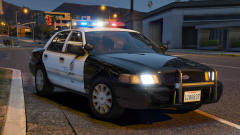
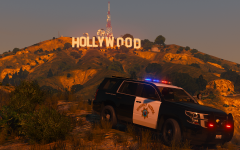 No, this is just TheHurk's CHP pack. I've just reinstalled NaturalVision and felt like taking pics.
 -
-
-
-
-
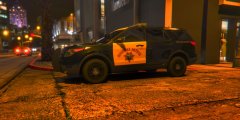 Which CHP FPIU is that?
 -
 Looked pretty real from the thumbnail. Nice pic
 -
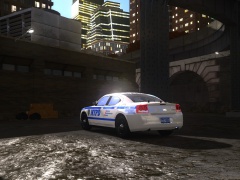 I honestly like the 2006 era Charger more. This taillight facelift is not my cup of tea, but that's what NYPD used. I don't quite like the 2015 charger either, I think it lost that "badass" looking touch from the 2012 MY.
 -
Are you sure you're using the provided handling line in the ReadMe? This one should work too: 1857.0 0.345 85 0.0 0.12 -0.64 0.0 4 0.21 1.0 225.0 0.3 0.55 0.7 34.0 1.65 0.98 12.0 0.11 0.48 3.5 2.1 2.1 0.1 -0.07 0.0 0.56 2.0 1.0 2.2 2.5 0.0 25000 400010 0 0
-
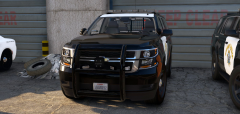 Great to hear.
 -
Is this a WIP Tahoe? It looks nice although even from this angle, those wheels are HUGE:
-
 Looks nice so far, but please fix the wheel position and the pattern on the Arjent. A non-rambar version would be nice too.
 -
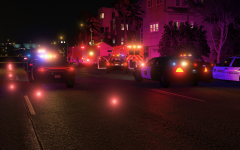 I'm using NaturalVision Remastered
 -
restrictions and other words such as this are buy words for "can't be bothered". People usually push out eye candy mods that are actually pretty terrible and inaccurate and also HUGE in size. From what I understand in .vcf editing you might wanna try to look into changing the OffsetX, OffsetY and OffsetZ values. I believe those are responsible for the enviroment lights on the ground. Those are X Y Z coordinates where the origin is the car's center. You should try playing with the Z coordinates as well, if you only see a small area being lit near the center of the police car. That means the lights could be in the air. Hope this helps.
-
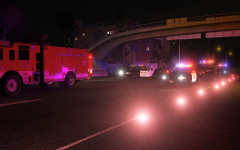 Oh well, thank you very much then 😄
 -
I'm using the Pierce Arrow PUC with the LAFD skin, LAFD RAMbulance, BxBugs123's LASD CVPI, TheHurk's CHP Pack and Sentinel55's CHP Crown Vics.
-
-
From the album: CHP
-
From the album: CHP
-
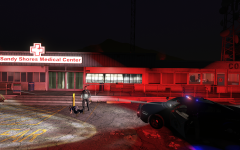
From the album: CHP
So LSPDFR bugged my camera, but at least I got this nice picture out of it. -
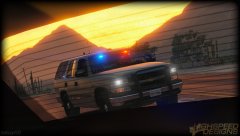 Damn bugz, you finally figured out how the headlights + parking lights look on a Tahoe 😄
 -
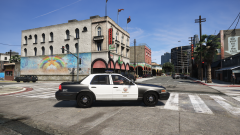 Oh I remember. The LAPD pack right?
 -
Which CVPI is that?






