
Rez
Members
-
Joined
-
Last visited
Everything posted by Rez
-
-
Yeahh I get FPS drops ever since R* released DLCs. The game ran like an absolute beast when it was first released.
-
I'm assuming you can't open the readme file. Right click the readme file and open it with another program. Find notepad and use that and it will open up.
-
No problem.
-
You can easily spawn a police or any other vehicles using the console command or just use a trainer found in the mods section or just do a quick google search.
-
Because it's a GTA game. Not a police simulator.
-
-
It works for me smoothly with no crashes so far. I'm running LCPDFR + CryENB with ELS and some script mods and no crashes. Also GFWL and the social club services work. I guess I got lucky this time lol. I remember crashing every single time.
-
So I launched IV and it crashed. Here's the thing. I have CLEARLY disabled auto save but however LCPDFR decides to keep it on permanently. Now every time I launch GTA IV it keeps launching the stupid autosave position and now crashes every single time thanks to the autosave feature which I CLEARLY disabled it.
-
RIP. #BlueLivesMatter
-
Post your log files and I'll take a look into what exactly is causing the crashes. Specifically with ELS.
-
GTA IV > LCPDFR in that folder should be a diagnostics.txt. If not launch diagnostics tool in the LCPDFR folder and click on check installation. Then another window should pop up and click on open log file.
-
Could you post your log files please? GTA IV is prone to crashes from mostly anything. Also what ENB are you using?
-
Yeah I had this problem. What I did to "sort of" fix this was to enable and disable v-sync then the stuttering would go and yeah it only happened after an hour of game-play. I then bought a new CPU and now It never stutters.
-
Well I have been using GTA IV recently on windows 10 and I haven't experienced a lot of crashes yet. However there are some crashes but not too frequent. Running with CryENB + LCPDFR.
-
-
 Yes, latest version of winrar. The other downloads do work. I'll try now and see if it downloads. --- It works now :)
- 1,081 comments
- 166 reviews
-
-

- 1
-
-
Hm I downloaded it twice but it still gets an unpacking error from winrar.
- 1,081 comments
- 166 reviews
-
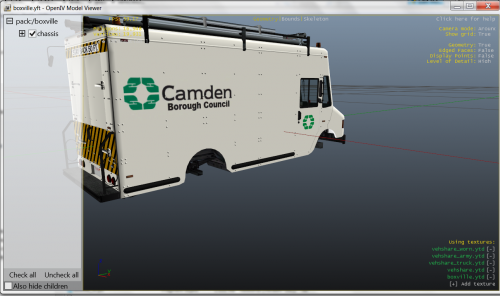 I live in camden :D
 -
-
-
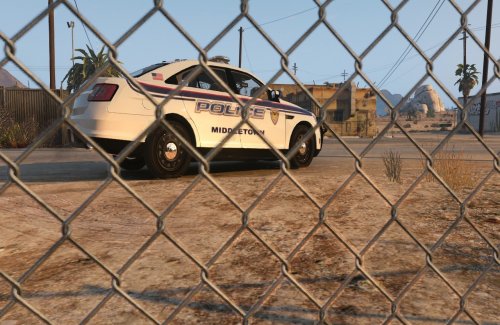 --------------------MIDDLETOWN TEXTURE--------------- Created by: Rez Requested texture by: JG Version: 1.0.0 ------------------------------------------------------------------------------- Installation 1) Download and install the interceptor model http://www.lcpdfr.com/files/file/9359-ford-police-interceptor-2012-model/ 2) Unpack police_sign_1 in the zip file 3) Launch OpenIV 4) Go to update/x64/dlcpacks/patchday4ng/dlc.rpf/x64/levels/gta5/vehicles.rpf 5) Find police3.ytd 6) Open police3.ytd and look for police_sign_1 and replace it with the middletown texture. 7) Delete the other police signs. Done! Do NOT edit the file without my permission or upload it. Hope you enjoy!
 -
-
-
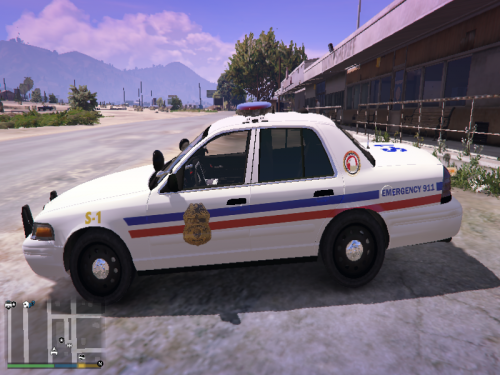 Tylerkirk76 work is all authentic. I checked Aoso0769 and he has a different number on the trunk of the car compared to Tylers. Please look carefully before making any accusations.
- 22 comments
- 3 reviews