


TitusCommodus
Members
-
Joined
-
Last visited
Everything posted by TitusCommodus
-
Thanks, this is exactly what i was looking for. I knew the code would be in there somewhere just couldn't find the right line to change.
-
I have been fiddling around with this for a while now but I can't seem to change the LSPD character skins. It's not the mod itself as if i load the game without LSPDFR 0.4 activated it works fine. I can also load other skins into LSPDFR 0.4 such as s_m_y_swat_01. Am I trying to load the skin in the wrong place? Right now I am loading it to: mods / update / x64 / dlcpacks / patchday9ng / dlc.rpf / x64 / models / cdimages / patchday9ng.rpf this use to work fine for me but not anymore.
-
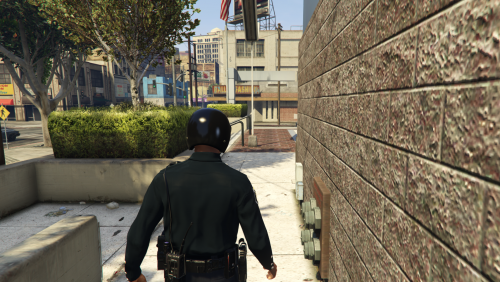 Congrats on your first mod, it may be simple but we all have to start somewhere
 -
 could you add a feature that lets you remove weapons from your person as well?
- 127 comments
- 33 reviews
-
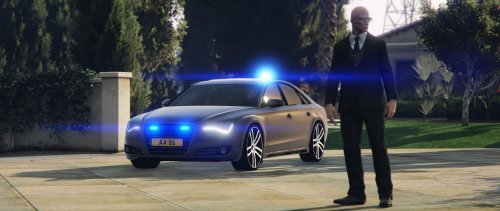 where do you put the cavarations.meta file. I looked in mpchristmas2/dlc.rpf/common/data but there is no cavarations file in there. Do I need to add it or has the file been moved when the game was last updated?
- 6 comments
- 2 reviews
-
 How do I make this car a slicktop? I know it has instruction in the read me file but I don't understand what it wants me to do what do I change and where?
- 112 comments
- 36 reviews
-
 I absolutely love you. I would highly recommend this to anyone who is having trouble starting LSPDFR and/or rage hook it may not tell you what is wrong but it is a great way to start working out where your problem lies. You may even get lucky like I did and the program works out the problems for you. This is an absolute must for anyone who isn't sure what to do next
- 379 comments
- 113 reviews
-
-

- 1
-
-
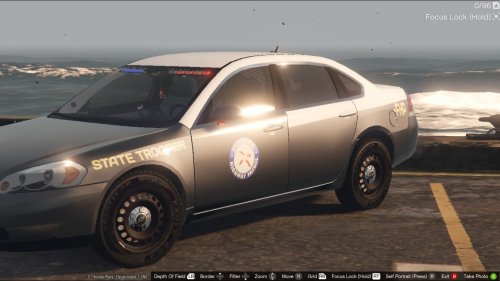 I am working with the same car model you have here to try and learn a bit more about creating mods. I was fiddling around with the outer car skin but noticed when I added my own outer car skin it messed up the interior coursing things like the computer skin to not load properly. How did you create the outer car skin but also not mess with the interior look of the car?
- 3 comments
- 1 review
-
 I just updated this mod on my pc and I can no longer find the belt with the nightstick that is matched with the short sleeved police shirt. Has this been removed or have I not installed the update properly? Also I noticed that the gun holster (accessories 9) doesn't seem to fit any of the uniforms it looks like it's floating in the air to far from any pants but again I might be missing what it's meant to pair up with.
- 2,349 comments
- 237 reviews
-
I am very new when it comes to making mods. I am trying to work out how to remove the lightbar on the top of the police2 (police buffalo) car to make it a slicktop. Can someone please tell me how to do this in detail. thanks
-
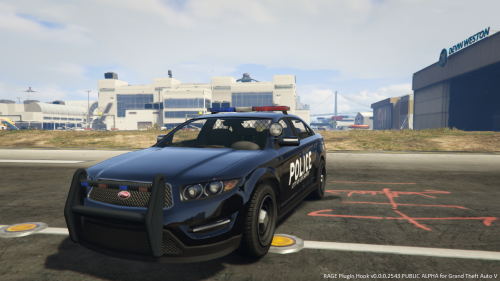 Love the cars. Could you consider making another mod which is the same as the one above but making it so the buffalo has a slicktop. I'm not asking you to add anything new just to drop the lightbar on the top. I understand if you can't do this but would be grateful if you did thanks
- 4 comments
- 2 reviews
-
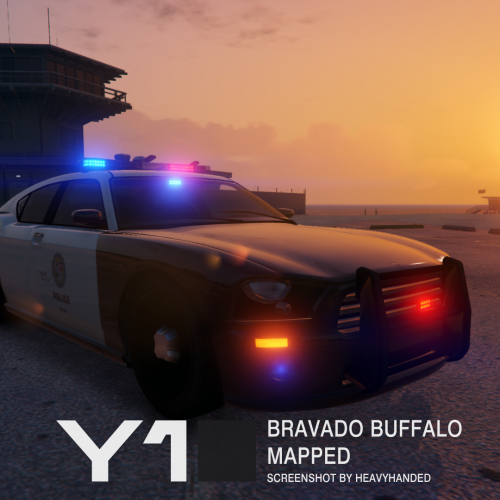 is it possible to make it so the lightbar on the top never spawns? If so how do I do this? I really want a police buffalo with a slicktop all the time.
- 19 comments
- 5 reviews
-
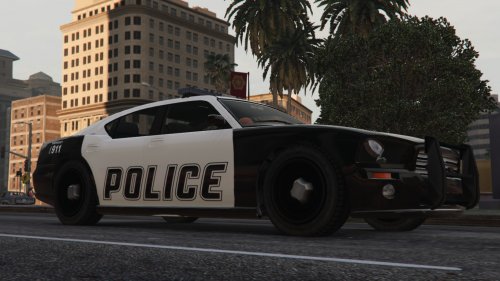 love the old school look. Could you make one without the lightbar?
 -
Great looking mod. I was actually looking for a S.H.I.E.L.D car mod for GTA 5, have no idea if you are still making mods or not but if you are could you please make one for GTA 5?
- 10 comments
- 1 review
-
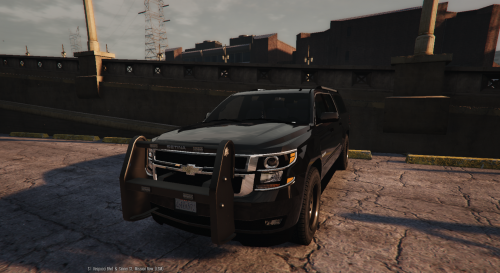 very nice, love the bullbar at the front. Just one thing I noticed when using this; when noose turn up no men spawn on the sides meaning only one heavily armed man (the driver) actually spawns. It's a small thing but is kind of annoying as if I'm playing LSPDFR I want the extra back up and if I'm just playing GTA I like the extra challenge
- 38 comments
- 21 reviews
-
-
- 1
-
-
This FIB skin was introduced in EFLC. They acted exactly like the more traditional looking FIB agents from the original GTA 4 but had a suite skin instead of the blue jackets, shirts etc. Sorry if the picture is not very clear but it's the best I could find that shows the two different skins they had without me reloading my GTA 4 game to my PC to take a screenshot. Basically I really just want to see the black suit and tie again but the trench coat was cool to. The picture doesn't show it but from memory they had the clear security earpieces and sunglasses as options as well. The field agent in the GTA 5 files is really close but his suit is more of a grey then the black. He also only has one type of face which will look wired if I have more than one running around so any new faces or skin tones would be great as well. I really hope I’m not asking too much of you and understand if you can’t do this but I would appreciate it if you added this as part of your already fantastic mod
- 2,349 comments
- 237 reviews
-
You may already be planning this but can you please make a suit FBI agent like they had in GTA 4. I know there are a few running around the GTA 5 mods but none have the feel that the ones in GTA 4 did. thanks
- 2,349 comments
- 237 reviews
-
A great start I’m loving what’s in this mod so far but I think the weapons are overpowered. The nightstick has a one hit kill nine times out of ten and even the pistol is killing a completely undamaged NPC with one shot, even when I aim for the leg or foot, meaning if the perp is running and is out of my Taser range I have to kill them. It’s a small thing but I want to be able to hit a person with a nightstick and not instantly kill them.

