fourseven
Members
-
Joined
-
Last visited
Everything posted by fourseven
-
Attach it to bodyshell.
-
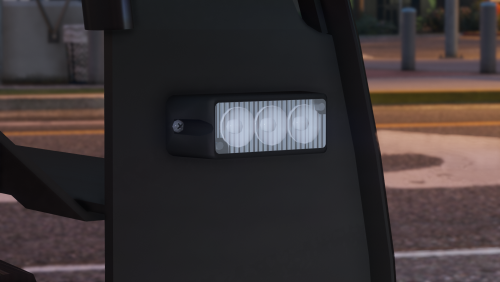 Amazing work mate. Thanks!
 -
I think caffeinated meant for you to place them in the boot node, not underneath it in the tree.
-
-
-
Interesting. So why is the ideal place for the takedown dummy in the driver headrest, instead of higher but still behind the axis?
-
Cheers mate. I rotated the dummies a few times without success, but there's a good chance I still didn't do it correctly. Caffeinated had a look at my z3d file and has resolved it, just waiting for him to run me through how he fixed it.
-
Is your emissive before the glass in the material browser?
-
Opened the pack/z3d file, stripped out the other light bars and textures except for the one I wanted, merged it into the project, moved it into place and scaled it to suit. Created two dummies for extra_1 and extra_4, compounded etc. As far as I'm aware I hadn't rotated anything at all, but since they haven't worked in game I've reset the axis in every way I thought possible. I created new dummies, relocated and rotated several times to test then copied the axis from the newly located/rotated dummies to the existing dummies used for the bar but I still can't get them lighting forward. The only change I saw during this testing was the takedown, which was then facing downward. I used another set of lights from a different pack, this time merging them straight in and placing them and they don't light forwards either. Do you think it's worth me remerging the original pack with no edits to see if the problem still exists?
-
I did adjust dummies but not to that extent. Can you provide any advice on where I'm relocating them and how/to what I'm resizing them? The bar is from Bueno's generic LED light package: http://www.gta-mod-center.com/forum/index.php?/files/file/864-dev-generic-led-light-package/ Appreciate your help!
-
<?xml version="1.0" encoding="utf-8"?> <!-- ELS VEHICLE CONFIGURATION FILE --> <vcfroot Description="FBI" Author="fourseven" > <!-- INTERFACE --> <INTERFACE> <LstgActivationType>auto</LstgActivationType> <DefaultSirenMode>standby</DefaultSirenMode> <InfoPanelHeaderColor>grey</InfoPanelHeaderColor> <InfoPanelButtonLightColor>orange</InfoPanelButtonLightColor> </INTERFACE> <!-- EXTRAS OVERRIDE AND ENV LIGHTING--> <EOVERRIDE> <Extra01 IsElsControlled="true" AllowEnvLight="true" Color="red" OffsetX="-0.70" OffsetY="-0.20" OffsetZ="0.50" /> <Extra02 IsElsControlled="false" AllowEnvLight="true" Color="red" OffsetX="-0.25" OffsetY="-0.20" OffsetZ="0.50" /> <Extra03 IsElsControlled="false" AllowEnvLight="true" Color="blue" OffsetX="0.25" OffsetY="-0.20" OffsetZ="0.50" /> <Extra04 IsElsControlled="true" AllowEnvLight="true" Color="blue" OffsetX="0.70" OffsetY="-0.20" OffsetZ="0.50" /> <Extra05 IsElsControlled="false" AllowEnvLight="true" Color="red" OffsetX="-0.70" OffsetY="-0.20" OffsetZ="0.50" /> <Extra06 IsElsControlled="false" AllowEnvLight="true" Color="blue" OffsetX="0.70" OffsetY="-0.20" OffsetZ="0.50" /> <Extra07 IsElsControlled="false" AllowEnvLight="true" Color="red" OffsetX="-0.40" OffsetY="-0.80" OffsetZ="0.40" /> <Extra08 IsElsControlled="false" AllowEnvLight="true" Color="amber" OffsetX="0.00" OffsetY="-0.80" OffsetZ="0.40" /> <Extra09 IsElsControlled="false" AllowEnvLight="true" Color="blue" OffsetX="0.40" OffsetY="-0.80" OffsetZ="0.40" /> <Extra10 IsElsControlled="false" /> <Extra11 IsElsControlled="true" /> <Extra12 IsElsControlled="false" /> </EOVERRIDE> <!-- MISC --> <MISC> <VehicleIsSlicktop>true</VehicleIsSlicktop> <ArrowboardType>off</ArrowboardType> <UseSteadyBurnLights>false</UseSteadyBurnLights> <DfltSirenLtsActivateAtLstg>3</DfltSirenLtsActivateAtLstg> <Takedowns AllowUse="true" Mirrored="true" /> <SceneLights AllowUse="false" IlluminateSidesOnly="true" /> </MISC> <!-- CRUISE --> <CRUISE> <DisableAtLstg3>true</DisableAtLstg3> <UseExtras Extra1="true" Extra2="false" Extra3="false" Extra4="true" /> </CRUISE> <!-- AUX CORONAS --> <ACORONAS> <Headlights DfltPattern="1" ColorL="white" ColorR="white" /> <TailLights DfltPattern="0" ColorL="red" ColorR="red" /> <IndicatorsF DfltPattern="0" ColorL="white" ColorR="white" /> <IndicatorsB DfltPattern="0" ColorL="red" ColorR="red" /> <ReverseLights DfltPattern="0" ColorL="white" ColorR="white" /> </ACORONAS> <!-- SOUNDS --> <SOUNDS> <MainHorn InterruptsSiren="true" AudioString="SIRENS_AIRHORN" /> <ManTone1 AllowUse="true" AudioString="VEHICLES_HORNS_SIREN_1" /> <ManTone2 AllowUse="true" AudioString="VEHICLES_HORNS_SIREN_2" /> <SrnTone1 AllowUse="true" AudioString="VEHICLES_HORNS_SIREN_1" /> <SrnTone2 AllowUse="true" AudioString="VEHICLES_HORNS_SIREN_2" /> <SrnTone3 AllowUse="true" AudioString="VEHICLES_HORNS_POLICE_WARNING" /> <SrnTone4 AllowUse="true" AudioString="VEHICLES_HORNS_AMBULANCE_WARNING" /> <AuxSiren AllowUse="true" AudioString="VEHICLES_HORNS_SIREN_1" /> <PanicMde AllowUse="true" AudioString="VEHICLES_HORNS_POLICE_WARNING" /> </SOUNDS> <!-- WRNL --> <WRNL LightingFormat="leds" > <PresetPatterns> <Lstg3 Enabled="true" Pattern="24" /> </PresetPatterns> <ForcedPatterns> <MainHorn Enabled="false" Pattern="0" /> <SrnTone1 Enabled="false" Pattern="0" /> <SrnTone2 Enabled="false" Pattern="0" /> <SrnTone3 Enabled="false" Pattern="0" /> <SrnTone4 Enabled="false" Pattern="0" /> <PanicMde Enabled="false" Pattern="0" /> <OutOfVeh Enabled="false" Pattern="0" /> </ForcedPatterns> <ScanPatternCustomPool Enabled="false" Sequential="true" > <Pattern>0</Pattern> <Pattern>0</Pattern> <Pattern>0</Pattern> </ScanPatternCustomPool> </WRNL> <!-- PRML --> <PRML LightingFormat="leds" ExtrasActiveAtLstg2="1and4" > <PresetPatterns> <Lstg2 Enabled="false" Pattern="0" /> <Lstg3 Enabled="true" Pattern="44" /> </PresetPatterns> <ForcedPatterns> <MainHorn Enabled="false" Pattern="0" /> <SrnTone1 Enabled="false" Pattern="0" /> <SrnTone2 Enabled="false" Pattern="0" /> <SrnTone3 Enabled="false" Pattern="0" /> <SrnTone4 Enabled="false" Pattern="0" /> <PanicMde Enabled="false" Pattern="0" /> <OutOfVeh Enabled="false" Pattern="0" /> </ForcedPatterns> <ScanPatternCustomPool Enabled="false" Sequential="true"> <Pattern>0</Pattern> <Pattern>0</Pattern> <Pattern>0</Pattern> </ScanPatternCustomPool> </PRML> <!-- SECL --> <SECL LightingFormat="leds" DisableAtLstg3="false" > <PresetPatterns> <Lstg1 Enabled="false" Pattern="0" /> <Lstg2 Enabled="false" Pattern="0" /> <Lstg3 Enabled="true" Pattern="80" /> </PresetPatterns> <ForcedPatterns> <MainHorn Enabled="false" Pattern="0" /> <SrnTone1 Enabled="false" Pattern="0" /> <SrnTone2 Enabled="false" Pattern="0" /> <SrnTone3 Enabled="false" Pattern="0" /> <SrnTone4 Enabled="false" Pattern="0" /> <PanicMde Enabled="false" Pattern="0" /> <OutOfVeh Enabled="false" Pattern="0" /> </ForcedPatterns> <ScanPatternCustomPool Enabled="false" Sequential="true" > <Pattern>0</Pattern> <Pattern>0</Pattern> <Pattern>0</Pattern> </ScanPatternCustomPool> </SECL> </vcfroot> I've adjusted the coordinates a few times with no luck. This is my current config used for the screenshots above.
-
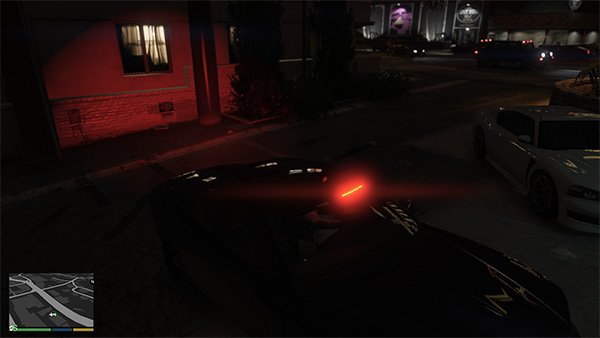
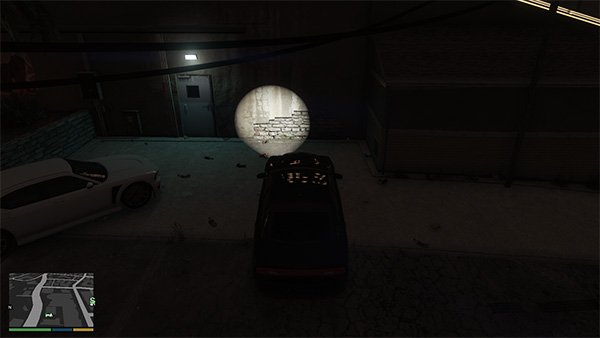
Another day, another newbie question. Can anyone tell me how to fix the following issues? The lighting from the front lights is appearing behind the model, but the lighting from the rear lights is working as expected. In the screenshots below I've removed the rear lights to test that it is infact the front lights flashing at the rear. My take downs are also showing behind as well. The only thing showing correctly are the headlight flashes, however I had nothing to do with that obviously! I've messed around with different axis and made some adjustments to my ELS config file X/Y/Z settings but no luck.
-
I figured as much, but none of the tutorials I watched showed why this was happening. Can I assume that after I have copied the objects for each LOD, I convert the top-tier to dummy, convert to compound and move each of the copied objects into their LOD? That's what I've now done and it everything is working, but just wanted to confirm I'm doing it correctly. Also that's the second noob question I've asked and you've helped me with both majorpaine2015. I appreciate your responses!
-
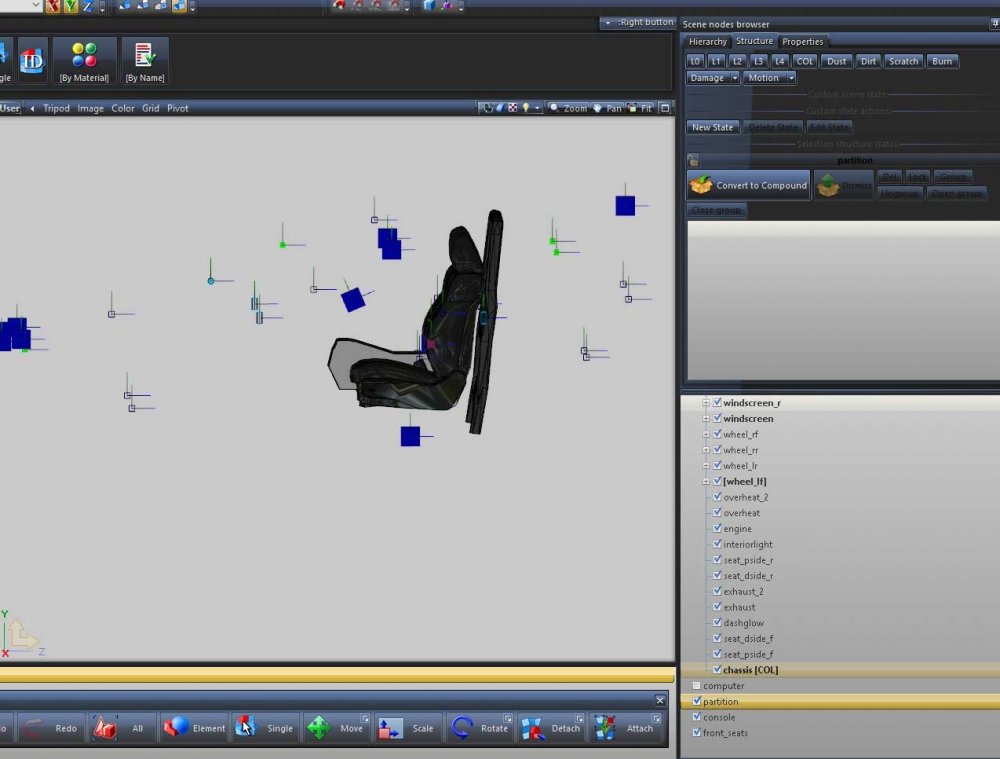
Can someone explain to me why these items that I've added to a vehicle model are showing up without L0 being selected, and how I can fix that? Thanks!
-
Thanks!
-
Thanks mate. How do I do that?
-
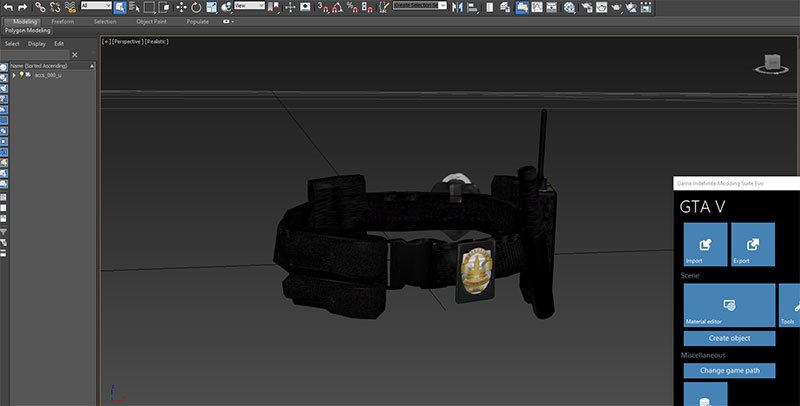
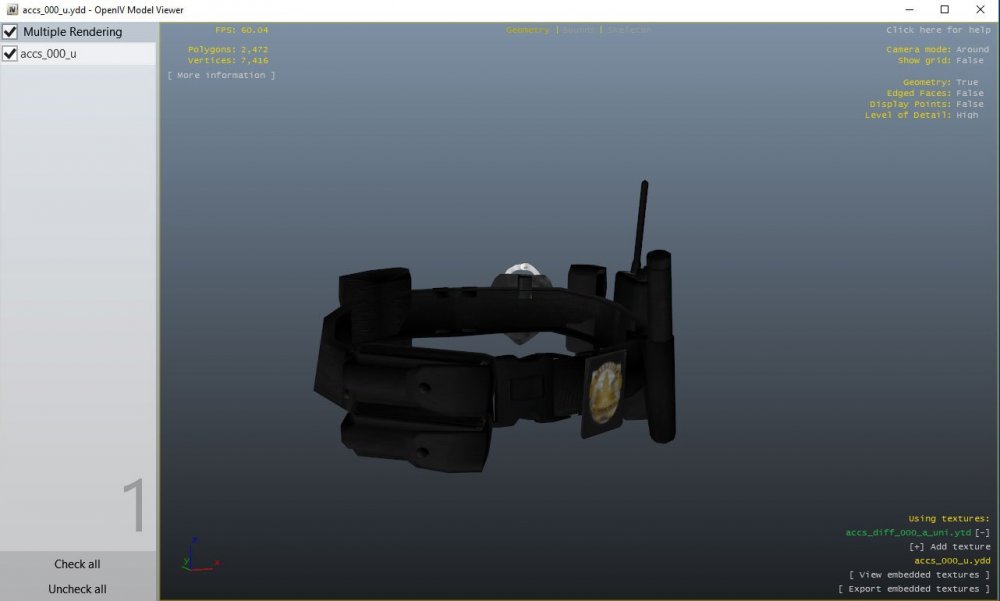
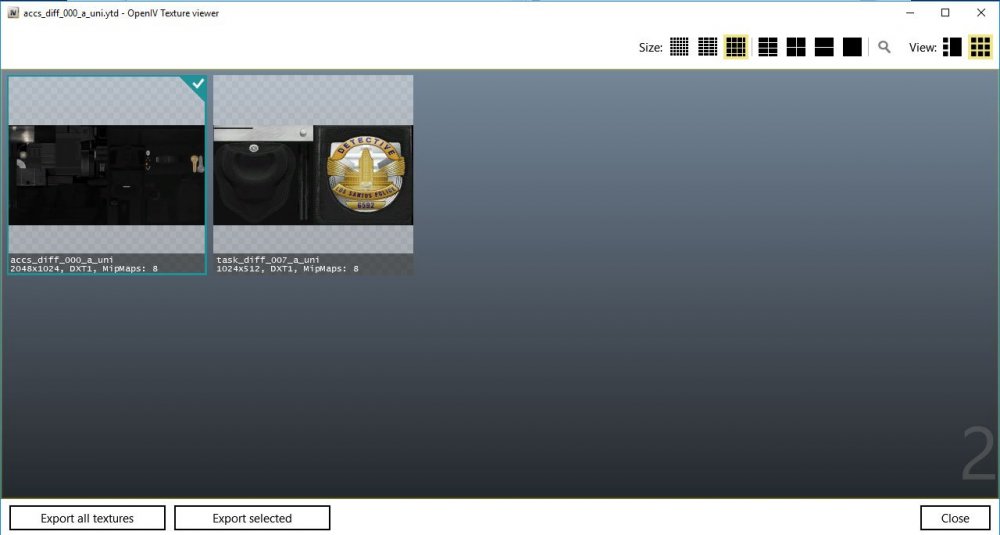
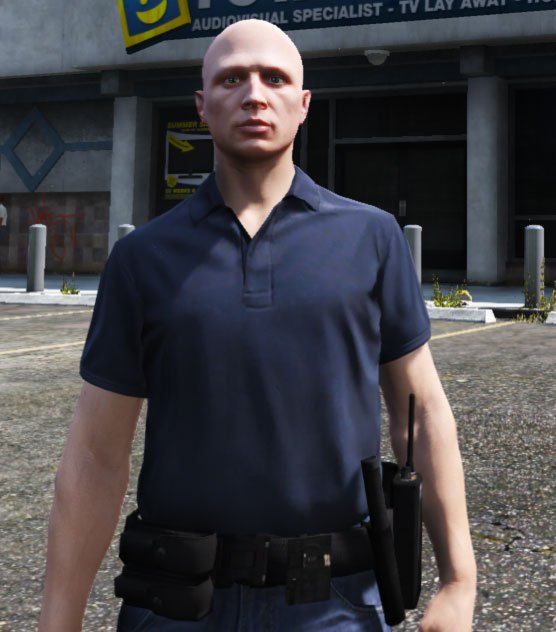
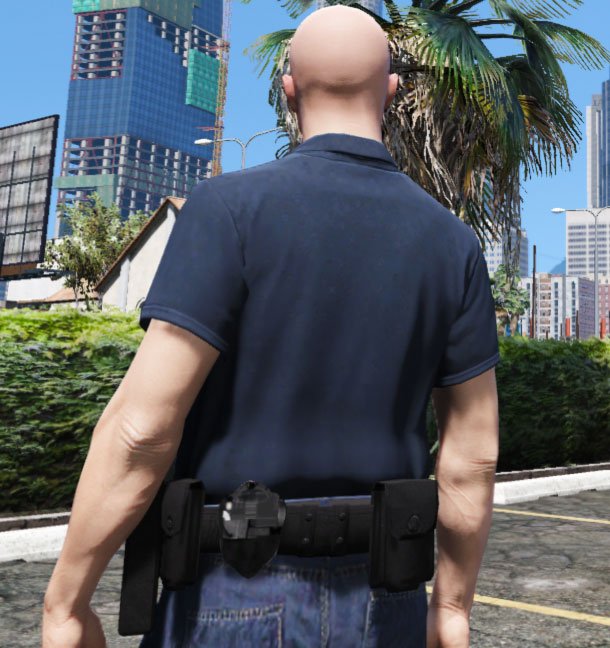
I've been playing around trying to learn 3DS Max, and I used a couple of items from the amazing EUP Law and Order pack to combine the badge/cuffs with a belt. Screenshots below show that they render fine in 3DS Max and OpenIV, but not ingame. I'm assuming the fix will be related to material editing, but I'm hoping someone here can point me in the right direction after many hours of trying to fix the issue with no success. For the record, if I just make adjustments to the belt WITHOUT combining the badge/cuffs (for example, scaling the radio and holder sizes or removing items entirely) the belt renders fine ingame. Thanks in advance!
-