


BlockBa5her
Members
-
Joined
-
Last visited
Everything posted by BlockBa5her
-
-
 It will just set the model, I still have to figure out the code to allow you to put the hats on the ped that you have on and stuff like that. Cheers
 -
I do something kind of different for conversations, I don't use a dictionary, I use a loop. It looks something like this string[] talkArray = { "Aggressor: I shot him!", "Victim: He shot me!" } for (i = 0; i < talkArray.Length; i++) { while (!Game.IsKeyDown(Keys.Y)) GameFiber.Yield(); Game.DisplaySubtitle(talkArray[i]); GameFiber.Sleep(1000); //You don't need the sleep I just like to have it in my code so the person reads the entire text } That really should give you the same effect but you could choose either way.
-
To: Luuxter Don't worry, I am adding the feature to have a custom spawn list, it has taken me a while but it works perfectly. Also, basically all of the lists in the menus now have a custom spawn list (Will be released soon!)
-
 THANK YOU SO MUCH FOR THIS! I am a plugin developer and when I test my plugin and make a mistake like deleteing a blip for dismissing a vehicle this will save my ass in game without having to completely restart the game. It annoys me so much to see blips on the map and other things. 5 out of 5 because you are an awesome person!
 -
.thumb.png.c7c45c0c5599c52941eafd0c8bd803d3.png) This is an amazing car with some amazing skills behind it due to the creator. I have enjoyed this car so much but I am a little bugged about 1 problem on this car. The window tint. It seems that you cannot change the window tint on this car. It is a pure black window tint. I tried on my menu but it still remains black. You cannot see the rear window lights without breaking the rear window (which look amazing). That is the only thing that is prohibiting me from giving this 5 stars. Thanks for the effort you put on this car and please fix the window tint issue soon! ~BlockBa5her
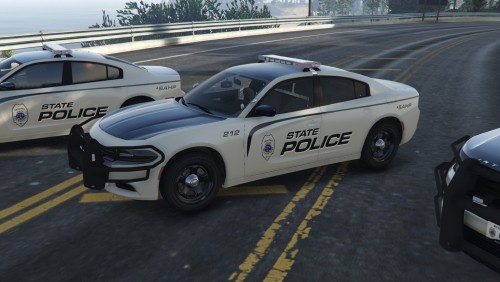
This is an amazing car with some amazing skills behind it due to the creator. I have enjoyed this car so much but I am a little bugged about 1 problem on this car. The window tint. It seems that you cannot change the window tint on this car. It is a pure black window tint. I tried on my menu but it still remains black. You cannot see the rear window lights without breaking the rear window (which look amazing). That is the only thing that is prohibiting me from giving this 5 stars. Thanks for the effort you put on this car and please fix the window tint issue soon! ~BlockBa5her- 10 comments
- 7 reviews
-
-

- 1
-
-
Yeah, it worked. Thanks for the lists! Will keep them in my bookmarks
-
To confirm, it would look something like this? NativeFunction.CallByName<uint>("GIVE_WEAPON_COMPONENT_TO_PED", Game.LocalPlayer.Character, 0x5EF9FEC4, 0x359B7AAE);
-
I was wondering how to add attachments to a weapon that a ped has. I know that you can do Game.LocalPlayer.Character.Inventory.AddComponentToWeapon(WeaponAsset, string) but I only know how to use WeaponHash. Can someone show me how to add components to a specific weapon and maybe provide a list of all the strings for the weapon components.
-
Thank you for liking my mod and for invincible, it still takes physically but not mechanically, therefore the engine will not smoke if you hit it enough times. If you want to repair the car physically, there is the "Repair" option in the vehicles menu :) Also, this mod is a plugin, to edit the handling you would see a different file in my mod and in reality I have no idea on how to edit those kinds of files
-
This is in beta and it should work, otherwise, you can change the Key Config in the INI and make sure the plugin is running first. (1.0 is coming out today I think)
-
-
Can you please give me the exact line of code you used for this (Learning developer)
-
Soon, I am till going to add stuff Its the PauseBreak button on your keyboard, above the Page Up and Page Down which is above your arrow keys.
-
Try again, I had a problem with the files where is had the wrong file inside that was not needed and now it does have the file it needs, it should work in your game now. Thank you of notifying me of this issue.
-
Thank you again.
-
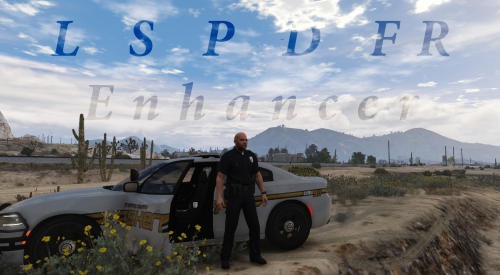
Welcome to the full release of LSPDFR Enhancer. I, BlockBa5her, have made this tool free for the community part because I like coding and part because I needed something like this in LSPDFR. It is a general trainer but has features that help you in day to day LSPDFR. Such as changing your character model to a Police officer on the spot. I have put many hours into development and I hope you enjoy this. If you have any suggestions to add to this, please feel free to put in the comments... VIDEO: (Video coming out soon because 1.0 is released) Known issues for current version: None at the moment :) WHAT IM ADDING IN THE NEXT VERSION: -Change vehicles in the INI Suggest more things in the comments! (I don't have a good imagination, tell me what you need in LSPDFR) BIG THANKS TO LEAERIAL FOR LETTING ME USE HIS SIMPLE CAR REPLACER CODE LeAerial's Simple Car Replacer (Link to the mod) Put bugs in the comments below and I will probably fix them in the next update! DEVELOPER STUFF: LSPDFR API Forums people who helped me out:
-
3rd question today. Anyway to clear this up I am coding in C# in visual studio with a standalone mod. I want to fix the player's vehicle after checking if he was even in a vehicle in the first place, I think it should look something like: //Checking if player was in vehicle if (Game.LocalPlayer.LastVehicle.Exists == true) { } But it gives me an error saying "Operator '==' cannot be applied to operands of type 'method group' and 'bool'" so show me how to check Also show me how to fix the vehicle (As in if the doors were taken off then replace them) I know how to bring the vehicle health to 100% already. Sorry for wasting your time responding to people who don't know what they are doing.
-
Hey this worked, thank you so much for helping a doesn't know C# very well person.
-
Hello, I think this is my second post this hour. I have another problem when developing my RPH plugin I have a segment of code where it gives the player full ammo for the weapon that they are holding, well if they aren't holding anything then it just crashed the entire plugin I tried adding this to the segment: if (Game.LocalPlayer.Character.IsWeaponReadyToShoot == true) { WeaponDescriptor equipWeapon = Game.LocalPlayer.Character.Inventory.EquippedWeapon; equipWeapon.Ammo = 9999; } but it still crashes the game. How do I detect if the player is holding a weapon?
-
Thanks, didn't know you had to put it in the inventory of the Character.
-
Hello, I know that I'm supposed to put this stuff on the RPH Forums but for some reason, I can't make an account. I need help with giving the LocalPlayer a weapon I know how to give a ped a weapon, but do I need to make the LocalPlayer into a ped and how would I do that There is no Game.LocalPlayer.Character.GiveWeapon or anything like that so IDK how to This is in C# btw.
-
Thank you so much, I couldn't find this for some reason but this will do. Thank you for helping me out with my crappy coding skills.
-
This really doesn't help because this says there is no support, but there is a great deal of support through the RPH API and this is not surrounding that, it is just surrounding C# as a whole.
-
So I have been developing a mod for RPH, I wanted to post something on the RPH forums but I tried registering and it wouldn't work. Anyway, I'm coding in C# in visual studio. I was wondering how I could add an INI to my code because I know RPH has support for that, read an INI for what button the user wants to press, and implement it in this string of code: if (Game.IsKeyDown(Keys.Pause)) I want to replace the "Keys.Pause" with the string gotten from the INI. I have been trying to do this forever and I cannot figure out how. I can't find any good forums, videos, or documentation to explain this to me. I also have this string of code to: iniFile = new InitializationFile("Plugns/My Mod.ini"); iniFile.Create(); string menuKey1 = iniFile.ReadString("openKey", "Pause", "Pause"); But came someone explain to me what the 3 strings in the parenthesis mean?

.thumb.png.c7c45c0c5599c52941eafd0c8bd803d3.png)