



Jedahdiah
Members
-
Joined
-
Last visited
Everything posted by Jedahdiah
-
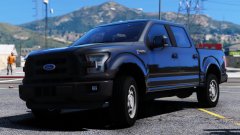 h0t damn, what a beaut!
 -
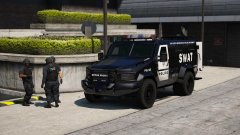
From the album: Jed's Models
This wasn't really going to be the next vehicle I showcased for the pack, and especially not this soon into development. But in life you gotta break some rules. An LSMPD Lenco Bearcat. Comes with interior and and standard SWAT package. SWAT guys not included.© Jedahdiah
-
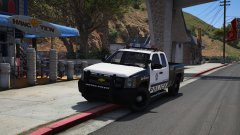 U can be my ho tho ;)
 -
oN wHaT hO
-
Oh what no
-
Que?
-
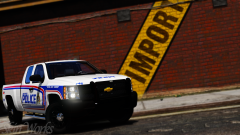 Thanks bb
 -
That. Skin. Is. Breathtaking. Also, Visual Settings?
-
From the album: Jed's Models
A LSMPD Silverado has been added to the cities patrol vehicle fleet. Comes with all the necessary ramming power you'd need in a densely populated city. I'm really proud of this Silverado, Ilove the way it turned out. (Updated the model, so updated the photo's)© Jedahdiah
-
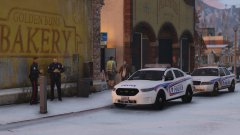 Nope. Currently under testing. Once that's complete, I will release the pack.
 -
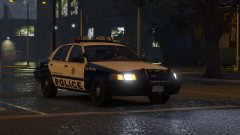 Keep an eye out here then, coz it's probably gunna be my winter LSPD pack for myself. And if people are that interested, I'll release it.
 -
I might do. It'll be LSMPD if I do. And it might not include all the vehicles.
-
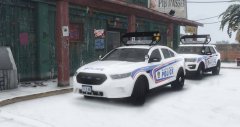 They're custom made (by myself), to mimic Toronto style light bars. But I enjoy fictional stuff, so these bb's were born. Good! Tester's have them currently ;)
 -
From the album: Jed's Models
I've been itching to use the vector for something, and I'm currently in love with Las Vegas Police vehicles. Being a lore type of person though, I've changed it to the Los Santos Metropolitan Police, but styled some of the look on LV cars. NFS payback also has some interesting lore police vehicles, of which I assume is very loosely based on the LVMPD, so I might create some like that too. This vehicle features something I haven't ever tried on my other vehicles, which is LED lights on the rambar, which flash R/W and B/W. Oh, and the lights on the trunk also move when the trunk is opened. (The white rotors also are active on the light bar, just didn't catch them when taking screenshots!)© Jedahdiah
-
-
@Blake M PM me on here
-
Yes. I prefer lore over accuracy. These are fictional units. They are just based on a range of Canadian units
-
From the album: Jed's Models
The pack is pretty much done. Added a '16 FPIU with and without an arrow board and a '16 FPIS with an arrow board. That makes the pack now consist of five vehicles. Just sorting out VCF's and other files my testers are going to need. Testers: Watch your inbox's, I'll be sending out the test pack within the next few hours.© Jedahdiah
-
From the album: Jed's Models
It's getting to winter time, some I've returned to my Canadian pack. Aiming for release with this one (actually mean it this time). Currently only have the updated CVPI and FPIS, but will include a FPIU and maybe an arrowboard variant too. Features my Canadian-ish light bar I made a while back. It has coloured rotors too when the light bar is off. I will swap out the plates so that they are templated.© Jedahdiah
-
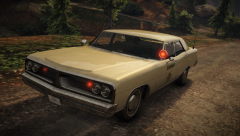 Stunner
 -
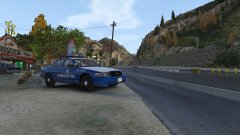
From the album: Jed's Models
Producing an all blue state patrol pack. Halogen (DRO2) of course. Favoured this lightbar over a modified version of my pseudo-canadian light bar on the sheriff units. -
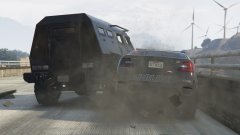
From the album: Jed's Misc. Pictures
GTA: Online adventures -
 haha yeah exactly! Ah well, we'll see. I'll have a think about it.
 -
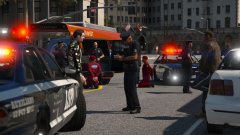
From the album: Jed's Misc. Pictures
'Three arrested after a foiled escape from a robbery at a Jewelry store in Rockford Hills. The suspects vehicle collided with a taxi during the escape. More to follow'© Jedahdiah
-
Going back to it this morning, I'm going to have to agree with you. It's very weird.



