
Jedahdiah
Members
-
Joined
-
Last visited
Everything posted by Jedahdiah
-
-
 As it clearly says in the readme, vehicle files going into the newest patch day (patch16ng) and the car variations files file goes into mpchristmas2. If you are using any form of dlc folder (albo's, captain14s, etc) you must make sure you change the vehicle slots siren setting in the carvariations to (to 15 in this packs case) for it to work.
- 114 comments
- 37 reviews
-
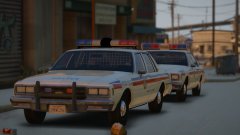
From the album: Jed's Models
Another couple of practice cars: Old 1980s style Los Santos Police Department Impala's ft. a Jetsonic light bar and a modified Aerodynamic. Thought I'd see the best way to adapt my DRO2 knowledge to some older style light bars. It's getting there. More pictures below.© Jedahdiah
-
-
They're do have push bar collisions. If there is an issue or bug, please PM me
- 114 comments
- 37 reviews
-
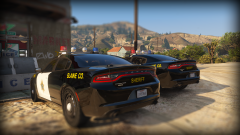 ^^ Likewise Great models bro!
 -
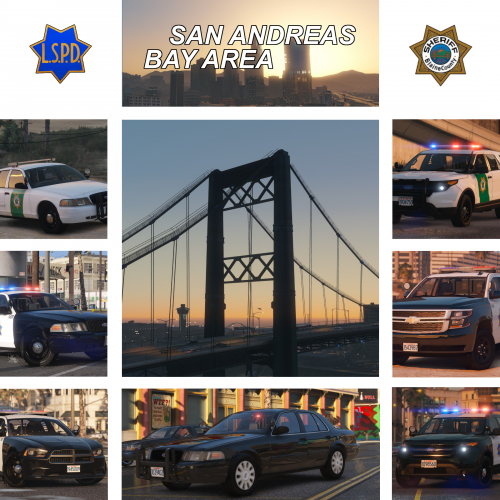 You've given my quite the dilemma of what pack I'm gunna have in game! Absolutely amazing work man!
- 21 comments
- 23 reviews
-
-

- 1
-
-
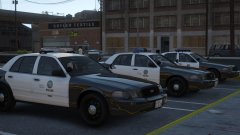 Thank you, If you have an issue or suggestion, please PM me
 -
-
-
-
-
NaturalVision Remastered with a couple of files I've edited Thanks bb PM me Everyones a crictic Only joking, thanks for this, I'll look into making some tweaks. With the regards the 'fake painted on door trims', they're not painted on, the models are causing that.
- 114 comments
- 37 reviews
-
Headaches are over: It's out: [REL] Los Santos Metropolitan Police Department - Mega Pack
-
Los Santos Metropolitan Police Department (LSMPD) Mega-Pack ----------------------------------------------------------------------------------------------------------------------------------------------------------------------------------------------------- Information: I've been working on this pack now for well over a month, with at least a week or so dedicated to testing to make sure this pack was fit for purpose. The pack contains 8 vehicles, ranging from patrol vehicles to SWAT trucks. They are based loosely off the Las Vegas Metropolitan Police Department, but instead it features a different light pattern. The pack features a full halogen light bar, with additional lighting across the vehicle. This pack contains: 2010-2013 Police Supervisor Vehicle 2011 Police Crown Victoria Patrol Vehicle 2014 Police Dodge Charger Patrol Vehicle 2016 Police Taurus Patrol Vehicle 2013 Police Ford Explorer Patrol Vehicle 2015 Police Chevy Tahoe Patrol Vehicle Lenco Bearcat SWAT Vehicle 2011 Expedition Patrol and Supervisor Vehicle 2014 Caprice Patrol Vehicle Chevy Express PT/ Detention Van Features: • Full halogen light bar • Compatible with my other packs • Optional 2k and 4k liveries (Found in the second download) The carcols.ymt and the carvariations files are necessary for the light bar to work properly. Full details can be found the ReadMe. THIS CARCOLS IS FULLY COMPATIBLE WITH MY OTHER PACKS. This download comes in 2 parts: Part one: Vehicles, VCFs, Documentation Part Two: Templates, Screenshots and Optional extras BIG THANK YOU to my discord testers: Whiskey98 HankVoight daddeln KallusRourke Revalation2 I have written a guide on how to get the rotors working in 2020 if you find you can't get them to work: Also, here is a file to help convert rotors and LEDs to all blues: These vehicles are not based of any specific department. Please don't comment on it being inaccurate or whatever. It's not meant to be. DO NOT USE the review system on the sites for reporting installation issues, issues already reported, or for anything other than review. I will not be providing support in installing these files. All the info is in the ReadMe. ----------------------------------------------------------------------------------------------------------------------------------------------------------------------------------------------------- Please consider donating, as you help keep myself making models and help show your appreciation towards my work. This is entirely optional though 🙂 ----------------------------------------------------------------------------------------------------------------------------------------------------------------------------------------------------- Known Bugs: Cuffed individuals will partially stick through the back panels of the Express. If they sit regularly, this does not occur (uncuffed). Insides of the Expeditions tires have no textures (fixing as we speak... I hope) If there are bugs or whatever, just PM me. ----------------------------------------------------------------------------------------------------------------------------------------------------------------------------------------------------- Disclaimer: DO NOT distribute my content without my express permission! DO NOT use the vehicles, custom light bars, etc. in a clan or group without my express permission. Just ask and we'll chat. The author accepts no responsibility for any damage caused to your PC, game, or anything else. DO NOT rip, dismantle or change the vehicle in any way (except for texture files). Vehicles are LOCKED for a reason. DO NOT upload this file anywhere else but LCPDFR.com Credits can also be found in the documentation. If I've missed anyone, please PM me.
- 114 comments
- 37 reviews
-
-
-

- 42
-
-
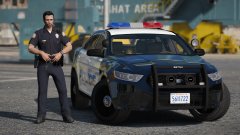 Thanks guys :) Coz halogens are the best ;)
 -
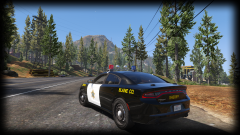 OH DAMN THEY'RE SEXC AS Great you're back btw ;)
 -
Nah man, nice! All LED or Rotor?
-
-
From the album: Jed's Models
I promised to stop spamming the gallery, but... yeah. Just wanted to show off the full halogen I've been working on. This variation has two LED lights within the light bar. Interior was just thrown on as it's a demo vehicle. This vehicle is very much a WIP. GIF of the stage 3 lighting (except TA) at the bottom. Oh and yeah, virtual Jed had a costume change mid way through. Not my skin, they're by IdeallyStoddy Lighting setup.gif© Jedahdiah
-
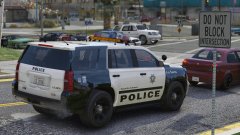
From the album: Jed's Models
Last vehicle of the pack. I'll stop plaguing the gallery with pictures now. Testers have the pack, so yeah. Sooner than 3 hours ago.© Jedahdiah
-
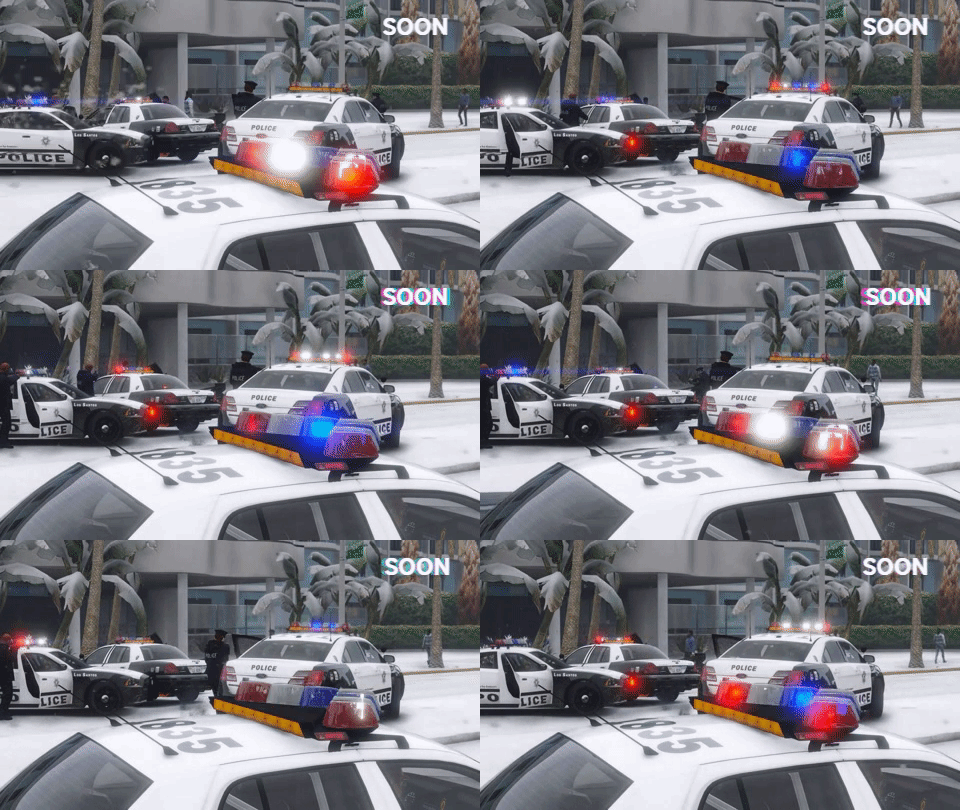 I really dislike those
 -
-
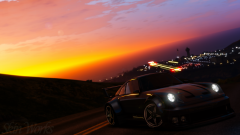 It's absolutely stunning! Maybe I could get that visualsettings file? ;)
 -
Hot damn. That's beautiful! What's the visual mod?! I want :)