Hystery
Members
-
Joined
-
Last visited
Everything posted by Hystery
-
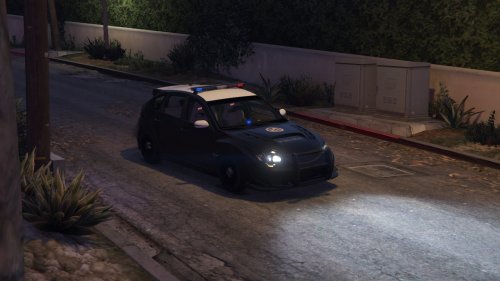 Still no template, still no download. Oh, and the lightbar is bugged, the leds are misplaced.
- 1 comment
- 1 review
-
Pretty much this. A Xbox 360 controller works perfectly fine on PC since it's on USB port. You technically can use a PS4 controller too but that requires third party programs to map the keys and stuff, so you're better off with a Xbox 360 one. They're a bit expensive still, but trust me, it's worth it. I bought some kind of rip-off before, and it didn't last long until the joysticks started effing up. I've my Xbox 360 controller since a while now and it works nice, on most games that support controllers. However as it has been stated by my neighbour above, you'll still need to use the keyboard for the different plugins and all, but the best is to bind them to controls that are easily accessible and easily memorable, like all the F5-F12 keys.
-
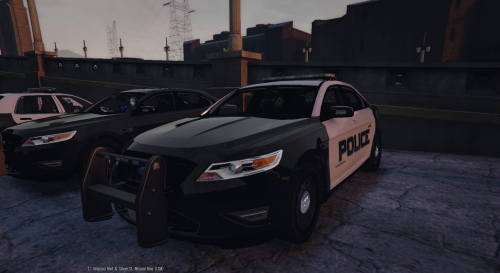
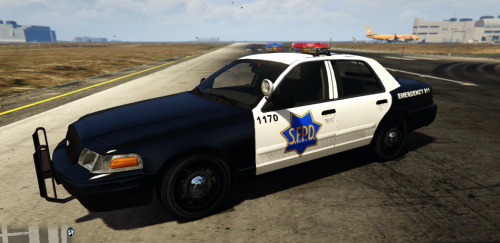 It definitely needs to be scaled down a bit. The unit number on the door is also a bit too bold.
 -
Alright! I just come back from the premiere that was today in France. I won't spoil any plot part, but I'll still put in spoilers my thoughts on the movie! But overall, definitely worth watching if you're a Star Wars fan or just like Star Wars in general.
-
-
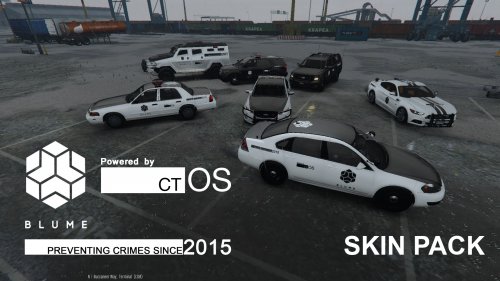 You should totally release them once you clean them up dude, they look awesome.
- 8 comments
- 2 reviews
-
Well that's strange. Did you look up in the graphic options? I didn't play the game since a little while so I can't remember what is there but maybe try to play with the different settings to see if it changes anything.
-
http://lmgtfy.com/?q=how+to+use+gta+online+character+offline
-
As in I kept playing with my controller all the time My phrasing was a bit derpy.
-
Oh no I kept my controller all the time. It's not that big of a deal when you get hacked by another player, as you have to first look for them (and sometimes those sneaky bastards can be very well hidden). Then you just shoot at them more or less towards their direction, Aiden is actually very squishy so it's not too hard to kill someone. The best remains the heavy caliber sniper if he's in a car since it disables any vehicle in one shot, and the grenade launcher if you want to explode everything on your way. But if you dislike to be hacked during your solo play, you can disable this in the options. But be aware it'll reset your reputation (the thing you get from hacking someone or killing a hacker, not your actual progression in-game).
-
Nope, I just use TheWorse and only that, hold on let me post some screenies.
-
Can't tell for the others, but I'm using TheWorse since the beginning and it's a really great graphic mod, without being resource draining.
-
-
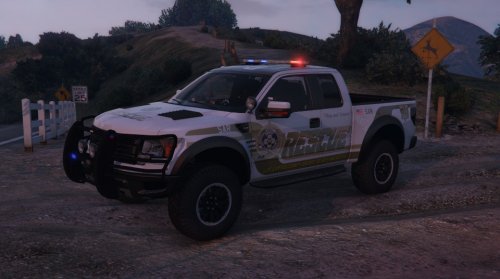 Can't help you any further at that point, that's the only problem I got when using that model =/ Did you install it on the pranger slot?
- 64 comments
- 13 reviews
-
-
Through a Super Native Trainer. I know that for me the Raptor spawns with the windows completely blacked out, and it blacks out the lightbar too which makes the lights almost invisible. Get the latest SNT, install it and once in-game, open it, go to vehicle options, then vehicle mod, go down the list to Window tint and then switch a few times between the different options and go back to None. Should solve your problem.
- 64 comments
- 13 reviews
-
-
fbi: x64e/level/gta5/vehicle.rpf fbi2: update/x64/dlpacks/patch2ng/dlc.rpf/x64/level/gta5/vehicle.rpf
-
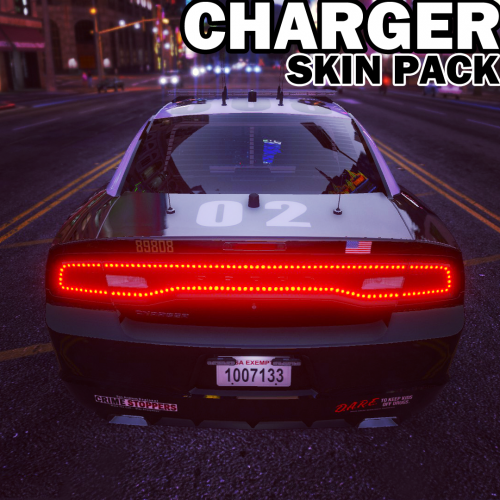 Man, you need to show more of the sides of the cars when you're showcasing a skin, that's what matters, especially on LSPD/LSSD where the only logo is on the door.
- 20 comments
- 3 reviews
-
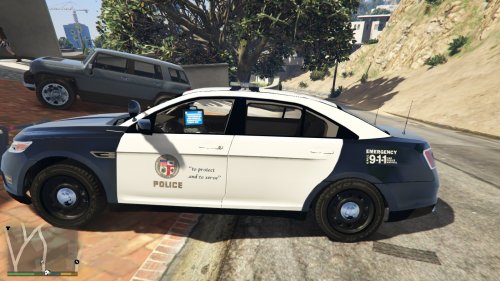 This is wrong on many levels. The logo is too big, the resolution is quite ugly, the onboard computer says LSPD and the LAPD motto isn't even there. 2 stars for the effort.
- 10 comments
- 2 reviews
-
-

- 1
-
-
Did you try launching RHP as an administrator? Have you tried to change the settings to increase the time limit before it gives up on loading?
-
No idea what can this be. But if every solution given fails, you've only one thing left to do. If you have the Steam/R* Warehouse version, reinstall the game and then retry after you made sure to delete every file. If you have the retail version (with the 7 DVDs), make sure to delete any file that wasn't originally in the game then insert DVD 1 and choose 'repair'. Once done, retry to mod your game.
-
If the models you used "screw up", you're probably doing something wrong, because all the models I've used in that slot, both marked and unmarked, worked just fine.
-
Yeah, I remember that comment ahah! But we definitely need some. I wish I knew how to skin peds. Maybe I should try at some point...
- 8 comments
- 2 reviews
-
-
- 1
-
-