Hystery
Members
-
Joined
-
Last visited
Everything posted by Hystery
-
-
Sorry to contradict you, but I know what I'm talking about. There is a vehicle.rpf archive in the dlc.rpf archive of the patchday2ng folder. And if you don't take my word for it, here's even a screen of it. If you don't have a vehicle.rpf archive at that location, then the problem is on your end.
-
carvariation.meta or vehicle.meta files. One of the two deals with that kind of stuff. But you'll have to find the right one and modify the right line.
-
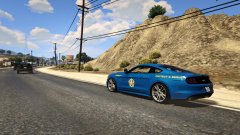
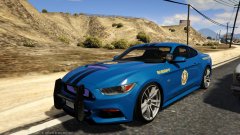
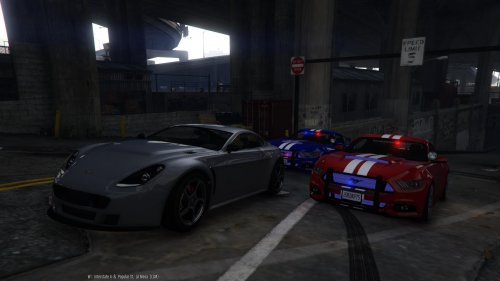 A little riddle for you: What is even more badass than patrolling in an unmarked 2015 Ford Mustang with its engine roaring in the streets of Los Santos? Answer: Patrolling in an unmarked 2015 Ford Mustang with its engine roaring in the streets of Los Santos but with awesome paintjobs! This is a quickly made skin pack for nicks0112's 2015 Mustang, more specifically for its unmarked version but hey, no one stops you from using it on the marked version as well! I made the classic blue and white stripes, red and white stripes and white and blue stripes liveries that are kind of a trademark of the Mustang, making the car easily recognizable. I also added a black with grey stripes livery for a more discreet look, and a black with orange stripes that, in my opinion, looks quick sick! Also included, 2 liveries with transparent background so you can choose whatever bodywork color you want through a trainer. To summary! Blue bodywork with white stripes Red bodywork with white stripes White bodywork with blue stripes Black bodywork with grey stripes Black bodywork with orange stripes Transparent bodywork with white stripes Transparent bodywork with black stripes I had quite some fun lately patrolling with those liveries, so I thought I'd share them, after all, nothing to lose doing so! Except maybe my sense of humor. No, that one was gone long ago. Anyway, have fun with these, and happy patrolling! PS: don't mind the weird looking grill, that's probably due to the fact I didn't change the carvariation.meta/vehicle.meta or whatever is needed to be changed when installing the car.
 -
Go to the .ini file, press Ctrl+F and search for keybinding, then look over the results until there's a "KeyBindingsDisabled" or something of the sort and set it to 1.
-
You posted the exact same topic, yesterday. http://www.lcpdfr.com/forums/topic/58237-can-someone-convert-a-iv-car-to-v-for-me-please/#comment-388006 If no one answered, either no one is interested in doing it, or no one wants to do it. Begging and multiplying threads about it won't change that, and will even have the exact opposite effect. People will be like on your profile .gif.
-
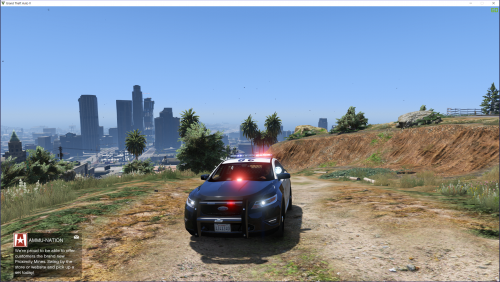 @ PimDSLR I think you should add the actual lines of the carvariations for people using already modified carvariation files, or simply using also your other cars since they all seem to need a modified carvariation file. So yeah, adding the actual lines to replace/change would be nice.
- 49 comments
- 10 reviews
-
-

- 1
-
-
The right path to replace the unmarked granger is as following: update/x64/dlcpacks/patchday2ng/dlc.rpf/x64/levels/gta5/vehicle.rpf
-
First, you don't say "I want", you say "Could I have". Second, skin makers don't necessarly take requests. Third, "please" and "thanks" are basic politeness.
-
1/ Make a mods folder. Always. Read this for info. 2/ Change models in the right vehicle.rpf. There are many of them, often one for each of the Online update. The most recent ones overwrite the older ones. That's why there's for example a police3.ytf file which is the interceptor vanilla police car both in the x64e archive and many others. But the latest one, located in patchday4ng, overwrite others. So basically, if you want to change the car in the police3 slot, you've to change the model in the according folder. 3/ Path to vehicles are as following (I put between brackets to what they refer in the game): update/x64/dlcpacks/patchday1ng/dlc.rpf/x64/levels/gta5/vehicle.rpf -> policeb (police bike) update/x64/dlcpacks/patchday2ng/dlc.rpf/x64/levels/gta5/vehicle.rpf - fbi2 (unmarked granger) update/x64/dlcpacks/patchday3ng/dlc.rpf/x64/levels/gta5/vehicle.rpf - police2 (LSPD buffalo), riot (armored truck), sheriff (sheriff stanier), sheriff2 (sheriff granger), towtruck (in case you want to change the towtruck with some model) update/x64/dlcpacks/patchday4ng/dlc.rpf/x64/levels/gta5/vehicle.rpf - police3 (LSPD police interceptor) x64e/level/gta5/vehicle.rpf - fbi (unmarked buffalo), police (LSPD stanier), police4 (unmarked stanier), policet (police transport), pranger (park ranger)
-
Nothing to do with Windows 10, you can be sure of that.
-
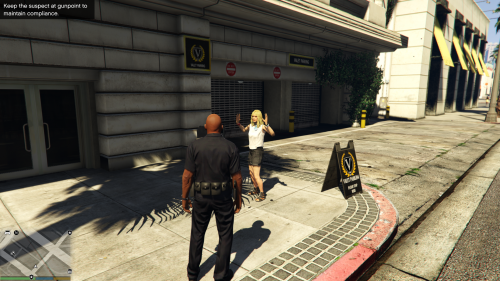 That's funny how Albo is doing a faster job than the LSPDFR dev team to provide us with content that should be in LSPDFR by default. Good job bro, you should definitely have a spot in the LSPDFR dev team rather than a mere scripter.
- 54 comments
- 22 reviews
-
-
- 1
-
-
 WIP
WIP -
 WIP
WIP -
-
 WIP
WIP -
-
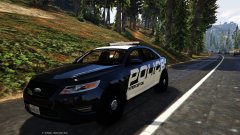 WIP
WIP -
-
-
Et si tu galères en jeu avec l'anglais, j'ai fait une traduction complète du mod, disponible ici http://www.lcpdfr.com/files/file/7479-lcpdfr-traduction-fran%C3%A3%C2%A7aiselcpdfr-french-translation/
-
-
Oh I'm aware of that, and I know it would be pretty much impossible or very very hard and time consuming to try and mod those games properly (even though the model swapping on Mafia 1 was actually pretty common), I was just questioning the OP's choice about a game that was not even released yet. The one game I wish it was possible to make a First Response mod on would be LA Noire personally, but one can dream.
-
In that case, why Mafia 3 and not Mafia 2 or even 1.
-
 It's his own, and don't ask for it. It'll be released when it'll be released. If it ever is released.
- 335 comments
- 70 reviews