



sjain
Members
-
Joined
-
Last visited
Reputation Activity
-
 sjain got a reaction from you_cat_heel for a file, Key bind presets for popular LSPDFR plugins [Word / PDF / RTF]Hey there!
Common to new users of LSPDFR, and people re-doing their game installs, is the conflict of keys / buttons between LSPDFR plugins. There are a lot of popular LSPDFR plugins on this site, which are of very high quality.
However, if you just install them without changing any keys, you will often find that you don't know what keys to press in game, or the keys you do press usually conflict with different plugins or game keys.
I had this issue as well, and it really ruined the experience for me and I ended up not using many features and it was a total mess. It takes so long to do this (at least for me).
So I made this document. Please ignore lack of colour or fun. I just want to push this out to the community as quick as I can.
Main Features
Simple document with simple formatting (not suggesting that the opposite is a bad thing) Easy to print, low on ink Some keys have been changed to be easier to use and/or so they do not conflict with each other. Available in three formats: .docx for Microsoft Word .pdf for Google Chrome or Adobe Reader .rtf for WordPad (comes with windows) for the convenience of those who cannot afford Microsoft Word / Office.
That's it. There is not much else to say.
Full list of plugins in the document:
PoliceSearch by FtDLulz
Police SmartRadio by Albo1125
Arrest Manager by Albo1125
Assorted Callouts by Albo1125
BetterEMS by PNWParksFan
LSPDFR Computer+ by PieRGud
LPCallouts by LowRid3r
LSPDFR+ by Albo1125
NiceCallouts by nicedude80
PeterUCallouts by PeterU
Search Warrant by DarkMyre
Traffic Policer by Albo1125
EUPMenu by PieRGud
(Note to developers: please don't be sad if your plugin isn't in here. I'm a student with little time and am installing more plugins, but the rest have not been updated recently and I don't have time to test them. I will someday. But that is the only reason)
Other highly recommended documents:
LSPDFR 0.3 Control Guide by OfficerSquare
The "DEFAULT CONTROLS (ELS-V).pdf" file in the "DOCUMENTATION" folder of ELS for GTA 5 by Lt.Caine
Printing:
I highly recommend utilizing the "Pages Per Sheet" option. This means that you save on printer paper by having all the pages on one page, but only if you can read small text.
For ELS, I used snipping tool and pasted it in Word, then printed. For OfficerSquare's LSPDFR 0.3 Control guide, I used my printer's options.
Microsoft Word (.docx download) click on the "Printer Properties" button and look through the window that appears. Unfortunately I cannot guide you further as there are huge differences between printers. Remember that pressing the "OK" button doesn't print but only saves settings (a mistake of mine).
Google Chrome (.pdf download) hold the CTRL key and tap P once. Then in the window that appears, click on "Print using system dialogue". After that, click on "Printer Properties" and look through the window that appears. Unfortunately I cannot guide you further as there are huge differences between printers. Remember that pressing the "OK" button doesn't print but only saves settings.
WordPad (.rtf download) hold the CTRL key and tap P once. Then in the window that appears, click on "Printer Properties". After that, look through the window that appears.
For all these points, unfortunately I cannot guide you further as there are huge differences between different printer models and brands. Remember that pressing the "OK" button doesn't print but only saves settings.
I hope this resource was helpful to you!
Feel free to ask questions in the comment section.
-
sjain reacted to Tacco for a file, Tacco Highway Callouts [OUTDADED]Hello Officers 🫡
After a long absence, I‘m back now.
Please do not download „Tacco Highway Callouts and use it ingame. It is outdaded and crashes your game.
Thanks and see you soon with fresh ideas and new motivation.
[version 2.4.2]
'Highway Callouts' contains several different, specific Callouts on the highways of Los Santos which real cops can get every day on their patrol.
It`s my aim to try to give you the most realistic feeling in being a cop in Los Santos.
Current Callouts
♦ Click on the pictures below to follow me on YouTube
Report Bugs
Known Bugs
© Copyright 2017 Tacco.
-
sjain reacted to timnboys for a file, ClearTheWayVThis is a simple script that is based on ragehook to make cars move over when only having your emergency lights running not your siren
no keys because it works as a standalone script what I basically mean is it doesn't need any user interaction it does everything by itself
I am trying to enhance the "default" without script behavior so the pullover behavior or "move over" behavior is improved because to be honest when I play the game every time I get to a crowded area in gta v I keep crashing into people because they don't move over correctly.
So I guess the gist of what I am trying to say is be respectful, don't say the obvious everyone knows this works without a script by default in gta v.
Also just wanted to say if you appreciate & like my work please consider giving me a donation as every bit helps considering how that makes me & my work feel appreciated and encourages me to continue making great scripts like this.
Please Follow community guidelines when posting, as in be respectful don't use rude language,etc.
Support - what to do if you encounter a bug or have problems:
Please leave a comment (not a review). Include your RAGEPluginHook.log file, located in your Grand Theft Auto V folder in a spoiler so it doesn't make the page too long for people not interested on reading the log. Also, please provide an accurate description of what happened. This allows me to help you as fast as possible without having to ask you for this information I need to help you, as if I don't get this information I cannot help you because I will not know what is causing the problem and will result in delayed resolution of the problem due to asking you for the needed information before proceeding.... please as said above provide this information with your initial comment (not a review) to allow the most quick resolution of the problem as possible. Leaving a review for support issues is against community guidelines, and will not even be answered at all, will be reported instantly instead.
README/Install Instructions:
extract the dll file from the zip file using 7-zip or winrar or whatever and then copy the dll file to your plugins folder to here C:\Program Files (x86)\Steam\steamapps\general\Grand Theft Auto V\plugins and that is where you place the dll file to make this script work If you have your game on any other drive replace the C:\ part with your drive you have the game on. User Submitted Videos:
FirstThirtyMinutes:
If any of you post a video review/or use my script in your video's please notify me about it and I will feature your videos here like I did for firstthirtyminutes.
Please do not re-upload, reverse engineer, modify, redistribute, or in any other way violate the copyright of this modification. DMCA Takedown Requests & actions will be taken if this is violated.
Do you have questions? Or do you need help with the script? Please make a comment, not a review for support and your question/support issue will be handled as soon as possible.
Important Notice regarding Obfuscation Used to Protect Copyright
Due to using Max Obfuscation Settings inside the .Net Framework Obfuscator that is used to protect copyrighted logic & such inside the software/plugin, it is likely a antivirus might see the obfuscation and several other obfuscation settings like anti-tamper/anti debug/etc that are used to further protect and prevent copyright infringement of the software/plugin as a False Positive.
To Date as of 8/23/2023 there has only been one lesser known antivirus named "Ikarus" that has even thought this plugin is a virus/trojan which it is not and is only due to the extreme protection settings set in the .Net Framework Obfuscator used to protect the software/plugin that causes this.
-
sjain reacted to obtainchi for a file, Default Police Pack [ELS]Those like myself who like to stick with the original look of the game
and keep the lore true then this is for you. Here are the default
police vehicles all with the original lightbars other than the
rotary lights which I am not aware of how to make yet.
The only changes are to make these models ELS compatable, I kept
the original lightbars and did not add anything to the interiors. The
models are also kept unlocked for anyone looking to understand
how it all goes together.
Vehicles that have a lightbar, also have working takedown lights
to light up the area brightly.
The VCFs' were quickly created but most colors and default patterns
should be set. Feel free to update these XML files and upload them
to lcpdfr.com for others to enjoy.
I may do other emergency vehicles if this pack does well enough to
warrant the time involved.
Includes
---------
Police Cruiser
Police Buffalo
Police Interceptor
Police Unmarked Cruiser
Sheriff Cruiser
Sheriff Granger
FIB Unmarked Buffalo
FIB Unmarked Granger
SAHP Motorcycle
Install
----------
Each file must be placed in a specific location, I've put a readme
in each folder so you know exactly where to put it. Enjoy and have
a wonderful day.
-
sjain got a reaction from HarwoKing for a file, Simple Ragehook Loading Screens [4K]NOTE: The images on this website are at a lower resolution than the actual mod as the max size per image is 2 MB.
Installation:
1. Copy the "LoadingScreens" folder into your GTA 5 game folder.
e.g. C:\Program Files (x86)\Steam\steamapps\common\Grand Theft Auto V
2.
a) Download RagePluginHook from http://ragepluginhook.net/Downloads.aspx and install by copying the files indicated by the readme.txt file to the game folder.
b) Launch ragehook by running RAGEPluginHook.exe.
c) Then, just under the logo that appears, click the silver cog for settings.
d) Go to the "settings" tab. Make sure the "Disable Custom Loading Screen" option is NOT TICKED.
e) Still in the settings tab, make sure the and the "Enable Custom Background for Loading Screen" option is TICKED.
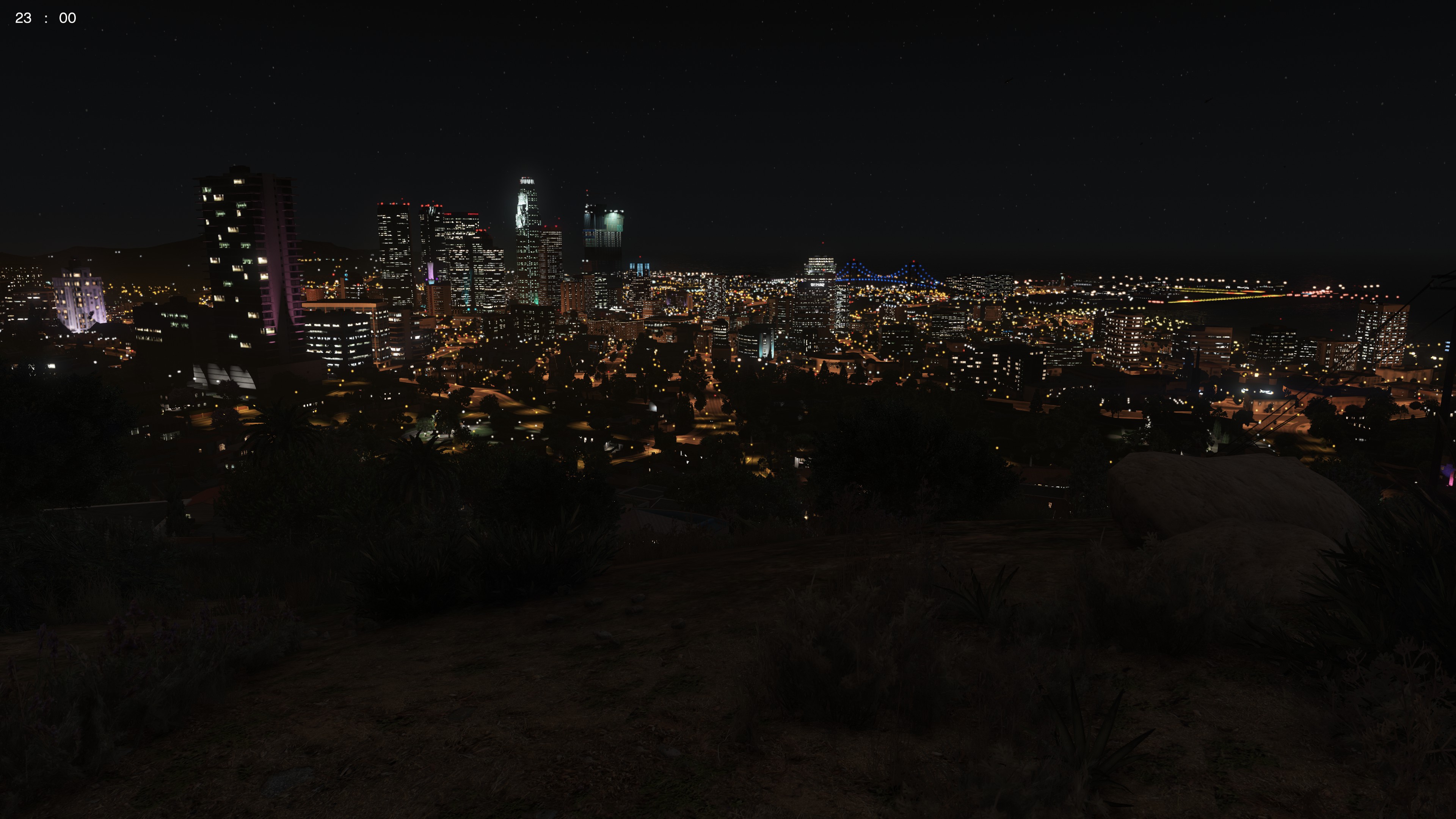
Simple screenshots of various GTA 5 locations at 4K Resolution to replace the default GTA 5 Loading Screens.
I put these together quickly because I didn't like the default loading screens, and I couldn't find any simple screenshots of the GTA 5 world in high quality anywhere as loading screens. I made these as a simple substitute for the default loading screens myself, but I decided to upload them as they aren't many online. I should update these with better screenshots soon.
To:
- Change the time
- Change the weather
- Disable HUD and Radar
- Make player invisible
Simple Trainer for GTA V was used.
For the graphics, I used:
VisualV with the RadianceV option only.
4K Bokeh Overhaul
L.A. Roads
L.A. Roads Patch
NOTE: If OpenIV gives a blue error message window after or during the installation of L.A Roads or the L.A. Roads patch, the mods folder has become corrupted. You have no option but to delete your mods folder and re-install. Try not to use your computer while the roads are installing. It should work most of the time. But keep a pair of fingers crossed :)
Enjoy!
A copy of this text is available in the archive as "ReadMe.txt"
-
sjain got a reaction from ToastinYou for a file, Key bind presets for popular LSPDFR plugins [Word / PDF / RTF]Hey there!
Common to new users of LSPDFR, and people re-doing their game installs, is the conflict of keys / buttons between LSPDFR plugins. There are a lot of popular LSPDFR plugins on this site, which are of very high quality.
However, if you just install them without changing any keys, you will often find that you don't know what keys to press in game, or the keys you do press usually conflict with different plugins or game keys.
I had this issue as well, and it really ruined the experience for me and I ended up not using many features and it was a total mess. It takes so long to do this (at least for me).
So I made this document. Please ignore lack of colour or fun. I just want to push this out to the community as quick as I can.
Main Features
Simple document with simple formatting (not suggesting that the opposite is a bad thing) Easy to print, low on ink Some keys have been changed to be easier to use and/or so they do not conflict with each other. Available in three formats: .docx for Microsoft Word .pdf for Google Chrome or Adobe Reader .rtf for WordPad (comes with windows) for the convenience of those who cannot afford Microsoft Word / Office.
That's it. There is not much else to say.
Full list of plugins in the document:
PoliceSearch by FtDLulz
Police SmartRadio by Albo1125
Arrest Manager by Albo1125
Assorted Callouts by Albo1125
BetterEMS by PNWParksFan
LSPDFR Computer+ by PieRGud
LPCallouts by LowRid3r
LSPDFR+ by Albo1125
NiceCallouts by nicedude80
PeterUCallouts by PeterU
Search Warrant by DarkMyre
Traffic Policer by Albo1125
EUPMenu by PieRGud
(Note to developers: please don't be sad if your plugin isn't in here. I'm a student with little time and am installing more plugins, but the rest have not been updated recently and I don't have time to test them. I will someday. But that is the only reason)
Other highly recommended documents:
LSPDFR 0.3 Control Guide by OfficerSquare
The "DEFAULT CONTROLS (ELS-V).pdf" file in the "DOCUMENTATION" folder of ELS for GTA 5 by Lt.Caine
Printing:
I highly recommend utilizing the "Pages Per Sheet" option. This means that you save on printer paper by having all the pages on one page, but only if you can read small text.
For ELS, I used snipping tool and pasted it in Word, then printed. For OfficerSquare's LSPDFR 0.3 Control guide, I used my printer's options.
Microsoft Word (.docx download) click on the "Printer Properties" button and look through the window that appears. Unfortunately I cannot guide you further as there are huge differences between printers. Remember that pressing the "OK" button doesn't print but only saves settings (a mistake of mine).
Google Chrome (.pdf download) hold the CTRL key and tap P once. Then in the window that appears, click on "Print using system dialogue". After that, click on "Printer Properties" and look through the window that appears. Unfortunately I cannot guide you further as there are huge differences between printers. Remember that pressing the "OK" button doesn't print but only saves settings.
WordPad (.rtf download) hold the CTRL key and tap P once. Then in the window that appears, click on "Printer Properties". After that, look through the window that appears.
For all these points, unfortunately I cannot guide you further as there are huge differences between different printer models and brands. Remember that pressing the "OK" button doesn't print but only saves settings.
I hope this resource was helpful to you!
Feel free to ask questions in the comment section.
-
sjain got a reaction from The Sheriff for a file, Key bind presets for popular LSPDFR plugins [Word / PDF / RTF]Hey there!
Common to new users of LSPDFR, and people re-doing their game installs, is the conflict of keys / buttons between LSPDFR plugins. There are a lot of popular LSPDFR plugins on this site, which are of very high quality.
However, if you just install them without changing any keys, you will often find that you don't know what keys to press in game, or the keys you do press usually conflict with different plugins or game keys.
I had this issue as well, and it really ruined the experience for me and I ended up not using many features and it was a total mess. It takes so long to do this (at least for me).
So I made this document. Please ignore lack of colour or fun. I just want to push this out to the community as quick as I can.
Main Features
Simple document with simple formatting (not suggesting that the opposite is a bad thing) Easy to print, low on ink Some keys have been changed to be easier to use and/or so they do not conflict with each other. Available in three formats: .docx for Microsoft Word .pdf for Google Chrome or Adobe Reader .rtf for WordPad (comes with windows) for the convenience of those who cannot afford Microsoft Word / Office.
That's it. There is not much else to say.
Full list of plugins in the document:
PoliceSearch by FtDLulz
Police SmartRadio by Albo1125
Arrest Manager by Albo1125
Assorted Callouts by Albo1125
BetterEMS by PNWParksFan
LSPDFR Computer+ by PieRGud
LPCallouts by LowRid3r
LSPDFR+ by Albo1125
NiceCallouts by nicedude80
PeterUCallouts by PeterU
Search Warrant by DarkMyre
Traffic Policer by Albo1125
EUPMenu by PieRGud
(Note to developers: please don't be sad if your plugin isn't in here. I'm a student with little time and am installing more plugins, but the rest have not been updated recently and I don't have time to test them. I will someday. But that is the only reason)
Other highly recommended documents:
LSPDFR 0.3 Control Guide by OfficerSquare
The "DEFAULT CONTROLS (ELS-V).pdf" file in the "DOCUMENTATION" folder of ELS for GTA 5 by Lt.Caine
Printing:
I highly recommend utilizing the "Pages Per Sheet" option. This means that you save on printer paper by having all the pages on one page, but only if you can read small text.
For ELS, I used snipping tool and pasted it in Word, then printed. For OfficerSquare's LSPDFR 0.3 Control guide, I used my printer's options.
Microsoft Word (.docx download) click on the "Printer Properties" button and look through the window that appears. Unfortunately I cannot guide you further as there are huge differences between printers. Remember that pressing the "OK" button doesn't print but only saves settings (a mistake of mine).
Google Chrome (.pdf download) hold the CTRL key and tap P once. Then in the window that appears, click on "Print using system dialogue". After that, click on "Printer Properties" and look through the window that appears. Unfortunately I cannot guide you further as there are huge differences between printers. Remember that pressing the "OK" button doesn't print but only saves settings.
WordPad (.rtf download) hold the CTRL key and tap P once. Then in the window that appears, click on "Printer Properties". After that, look through the window that appears.
For all these points, unfortunately I cannot guide you further as there are huge differences between different printer models and brands. Remember that pressing the "OK" button doesn't print but only saves settings.
I hope this resource was helpful to you!
Feel free to ask questions in the comment section.
-
sjain reacted to BLacKHaLLoW for a file, Flashlight 3.0THIS MODIFICATION IMPROVES THE FUNCTIONALITY & REALISM OF THE EXISTING GTA V FLASHLIGHT.
I like using my flashlight on patrol - I hate the default flashlight.
It is on par with the flashlight in Luigi's Haunted Mansion.
For whatever the reason, the beam is restricted to just 10 feet in front of you.
I'm no rocket scientist, but I'm fairly certain that this isn't an accurate representation of the physical properties of light.
Another small gripe I have is directed at the trace effects leaving the flashlight.
They make it seem like it is foggy/smoggy out when in actuality it isn't.
Even on a Maglight, this beam is minimal and it depends on current weather conditions.
This mod doesn't have variety like my past ones do - one size fits all.
I have spent about 20 hours perfecting this modification, and I am very happy with the results.
RECOMMENDATIONS
I recommend that you install ECED, as that what this mod was designed around.
(However, I see no reason that this wont work with other visualsettings.dat files. I simply haven't tried it.)
I recommend lowering your shadow quality if you experience an FPS drop.
I recommend you try shining the light in tall grass and in the middle of the city to ensure stability.
Understand that this light casts shadows. If you have a lower end GPU or CPU, you may experience an FPS drop.
My YouTube Channel - https://www.youtube.com/channel/UCxuYnQmCq_9FTZSq_fgKDCA
UPDATED DEMO VIDEO
BACK UP YOUR ORIGINAL FILES. I AM NOT RESPONSIBLE FOR LOST META FILES.
DO NOT REDISTRIBUTE WITHOUT GIVING PROPER CREDIT. 20+ HOURS WENT INTO THIS.
NO OTHER MODS DO WHAT THIS ONE DOES. THIS IS UNIQUE AND I WILL KNOW IF YOU RIP IT OFF.
ASK FOR MY PERMISSION TO INCLUDE IN A PACK.
IF YOU INCLUDE MY MODIFICATIONS WITH A PACK, YOU MUST PRESERVE THE ORIGINAL, UNALTERED, ENTIRE FOLDER INCLUDING MY README FILE.
DO NOT REUPLOAD TO ANOTHER SITE AS A STANDALONE FILE. I ONLY UPLOAD TO LSPDFR.COM
-
Dashcam V is a RageHook plugin that simulates emergency vehicle dashcams used in real life.
Note: An unfortunate downside to the method of centering the camera is that you cannot freely rotate it. In terms of immersion, however, it makes sense because most dashcams do not rotate. In light of this, the dashcam no longer replaces the first person vehicle view, so you can use it whenever you desire.
Features
- Grayscale filter: looks like the department's on a tight budget
- Two layouts: a regular dashcam layout and a remake of Sniper296's IVDashCam layout
- Remote view: view your vehicle's dashcam while on foot by pressing Ctrl + E or the Left Thumbstick + Left Shoulder
- Dynamic unit numbers
- Configurable settings: use the .ini file to adjust the following...
- Unit number/name
- Department name/colour/logo
- Imperial/metric
- Date format
- Layout style
- Remote view controls (both gamepad and keyboard)
- Grayscale filter
Installation
1. Download & install the latest RagePluginHook from http://ragepluginhook.net/Downloads.aspx if you haven't already.
2. Pick a folder. If you like the vanilla agencies, pick lore-friendly. Otherwise, pick real agencies.
3. Drag & drop "DashcamV.dll" and "DashcamV.ini" into the Plugins folder of your GTA V directory.
4. Using OpenIV, place the logos.ytd in update\update.rpf\x64\textures\script_txds.rpf (use your mods folder if you have it).
Find and open the file "startup.rphs". Once you open the file, start a new line and put the following...
LoadPlugin "DashcamV.dll"
This will make the modification automatically load when you start the game. If you do not want the modification to automatically load, launch the game and press F4. Once you see a panel, put in what you see above.
Known Bugs
- When entering a vehicle that you left on dashcam view, your view will reset
-
sjain reacted to Bxbugs123 for a file, RADIANCE VThis work is licensed under a
Creative Commons Attribution-NonCommercial-NoDerivatives 4.0 International License. By downloading this file you agree to the TERMS OF USE AND DISTRIBUTION, If you can not abide by those terms then do not download this file.
-
sjain reacted to Narobic for a file, Free Me! | [NO LONGER SUPPORTED] | Remove unnecessary controller bindingsThe successor to Free My Controller
This mod is no longer supported on a regular basis. I may, from time to time, complete custom sets requested from the request board. I can't promise it will be done right away, if at all.
How to Install:
In OpenIV, travel to 'update > update.rpf > common > data > control'
Then copy/paste the files from the provided .rar
Specialty Addons:
These addons are files that can be added on to any set. Make sure to install these files after installing the desired set. Simply install into the same location as the set. The options include
Remove Cover [LB,RB,X,RT]
Remove Handbrake [A]
Remove Handbrake [RB]
Remove Handbrake & Duck [A+RB]
Remove Jump [X,A]
Remove Stealth Mode [LS&A]
Remove Vehicle Duck [A&RB]
Similar Mods: Here are some sets provided to you by other users with similar mods:
Spoiler
If you want any of the following sets, click here. These sets are provided to you by @Delco24
LSPDFR Version:
Phone
Horn
Change Weapon in Vehicle
Vehicle Aim
Radio Wheel
Headlights
Character Wheel
Cinema Cam
Duck
Change Camera
Phone/Horn Only:
Phone
Horn
Phone Only:
Phone
Phone/Radio Only:
Phone
Radio Wheel
If you want the following set, click here. This set is provided to you by @ProMotivated
No Assault from B:
Phone Up (in vehicle/on foot)
Light Melee (on foot)
2
Current Sets:
Spoiler
8
Spoiler
[Set#1] What it removes:
Phone Up (in vehicle/on foot)
Select Weapon (in vehicle)
Cinematic Mode (in vehicle)
[LB] Aim (in vehicle)
Headlights (in vehicle)
Interaction Menu (in vehicle/on foot)
[Set#2] What it removes:
Phone Up (in vehicle/on foot)
Select Weapon (in vehicle)
Cinematic Mode (in vehicle)
[LB] Aim (in vehicle)
Interaction Menu (in vehicle/on foot)
[Set#3] What it removes:
Phone Up (in vehicle/on foot)
Select Weapon (in vehicle)
Cinematic Mode (in vehicle)
[LB] Aim (in vehicle)
Interaction Menu (in vehicle/on foot)
Expanding Minimap (in vehicle/on foot)
[Set#4] What it removes:
Phone Up (in vehicle/on foot)
Select Weapon (in vehicle)
Cinematic Mode (in vehicle)
Interaction Menu (in vehicle/on foot)
Expanding Minimap (in vehicle/on foot)
[Set#5] What it removes:
Phone Up (in vehicle/on foot)
Cinematic Mode (in vehicle)
Expanding Minimap (in vehicle/on foot)
Character Wheel (in vehicle/on foot)
[Set#6] What it removes:
Phone Up (in vehicle/on foot)
Select Weapon (in vehicle/on foot)
Cinematic Mode (in vehicle)
[LB] Aim (in vehicle)
Interaction Menu (in vehicle/on foot)
Expanding Minimap (in vehicle/on foot)
Radio Wheel (in vehicle)
[Set#7] What it removes:
Phone Up (in vehicle/on foot)
Select Weapon (in vehicle)
Cinematic Mode (in vehicle)
[LB] Aim (in vehicle)
Interaction Menu (in vehicle/on foot)
Expanding Minimap (in vehicle/on foot)
Character Wheel (in vehicle/on foot)
Radio Wheel (in vehicle)
[Set#8] What it removes:
Phone Up (in vehicle/on foot)
Interaction Menu (in vehicle/on foot)
Radio Wheel (in vehicle)
[Set#9] What it removes:
Phone Up (in vehicle/on foot)
Select Weapon (in vehicle)
Cinematic Mode (in vehicle)
[LB] Aim (in vehicle)
Interaction Menu (in vehicle/on foot)
Expanding Minimap (in vehicle/on foot)
Character Wheel (in vehicle/on foot)
[Set#10] What it removes:
Phone Up (in vehicle/on foot)
Select Weapon (in vehicle)
[LB] Aim (in vehicle)
Interaction Menu (in vehicle/on foot)
Expanding Minimap (in vehicle/on foot)
Character Wheel (in vehicle/on foot)
Radio Wheel (in vehicle)
Talk/Call Taxi (on foot)
Horn (in vehicle)
[Set#11] What it removes:
Phone Up (in vehicle/on foot)
Select Weapon (in vehicle)
Cinematic Mode (in vehicle)
[LB] Aim (in vehicle)
Headlights (in vehicle)
Interaction Menu (in vehicle/on foot)
[LS] Horn (in vehicle)
[Set#12] What it removes:
Phone Up (in vehicle/on foot)
Select Weapon (in vehicle)
[LB] Aim (in vehicle)
Interaction Menu (in vehicle/on foot)
Expanding Minimap (in vehicle/on foot)
Character Wheel (in vehicle/on foot)
Radio Wheel (in vehicle)
Talk/Call Taxi (on foot)
[LS] Horn (in vehicle)
[RS] Accurate Aim (on foot)
[LS] Look Behind (in vehicle/on foot)
[Set#13] What it removes:
Phone Up (in vehicle/on foot)
Select Weapon (in vehicle)
[LB] Aim (in vehicle)
Interaction Menu (in vehicle/on foot)
Expanding Minimap (in vehicle/on foot)
Character Wheel (in vehicle/on foot)
Radio Wheel (in vehicle)
Talk/Call Taxi (on foot)
[RS] Accurate Aim (on foot)
[Set#14] What it removes:
Phone Up (in vehicle/on foot)
[Set#15] What it removes:
Phone Up (in vehicle/on foot)
Select Weapon (in vehicle)
Interaction Menu (in vehicle/on foot)
Expanding Minimap (in vehicle/on foot)
Character Wheel (in vehicle/on foot)
Radio Wheel (in vehicle)
Talk/Call Taxi (on foot)
[LS] Look Behind (in vehicle/on foot)
Cinematic Mode (in vehicle)
[Set#16] What it removes:
Phone Up (in vehicle/on foot)
[LB] Aim (in vehicle)
[Set#17] What it removes:
Phone Up (in vehicle/on foot)
Select Weapon (in vehicle)
[LB] Aim (in vehicle)
Interaction Menu (in vehicle/on foot)
Character Wheel (in vehicle/on foot)
Radio Wheel (in vehicle)
Talk/Call Taxi (on foot)
Cinematic Mode (in vehicle)
[Set#18] What it removes:
Phone Up (in vehicle/on foot)
Select Weapon (in vehicle)
Cinematic Mode (in vehicle)
[LB] Aim (in vehicle)
Headlights (in vehicle)
Interaction Menu (in vehicle/on foot)
Expanding Minimap (in vehicle/on foot)
Character Wheel (in vehicle/on foot)
Radio Wheel (in vehicle)
[Set#19] What it removes:
Phone Up (in vehicle/on foot)
Select Weapon (in vehicle)
Cinematic Mode (in vehicle)
[LB] Aim (in vehicle)
Headlights (in vehicle)
Interaction Menu (in vehicle/on foot)
Expanding Minimap (in vehicle/on foot)
Character Wheel (in vehicle/on foot)
Radio Wheel (in vehicle)
Change Camera View (in vehicle/on foot)
[Set#20] What it removes:
Phone Up (in vehicle/on foot)
Select Weapon (in vehicle)
Cinematic Mode (in vehicle)
[LB] Aim (in vehicle)
Headlights (in vehicle)
Interaction Menu (in vehicle/on foot)
Light Melee Attack (on foot)
Look Behind (in vehicle/on foot)
[Set#21] What it removes:
Phone up (in vehicle/on foot)
Select Weapon (in vehicle)
[LB] Aim (in vehicle)
Interaction Menu (in vehicle/on foot)
Expanding Minimap (in vehicle/on foot)
Character Wheel (in vehicle/on foot)
Radio Wheel (in vehicle)
[Set#22] What it removes:
Phone Up (in vehicle/on foot)
Select Weapon (in vehicle)
Cinematic Mode (in vehicle)
[LB] Aim (in vehicle)
Headlights (in vehicle)
Interaction Menu (in vehicle/on foot)
[LS] Horn (in vehicle)
Pause Menu (in vehicle/on foot)
Light Melee (on foot)
[Set#23] What it removes:
Phone Up (in vehicle/on foot)
Cinematic Mode (in vehicle) Light Melee (on foot)
[Set#24] What it removes:
Phone Up (in vehicle/on foot)
Select Weapon (in vehicle)
[LB] Aim (in vehicle)
Headlights (in vehicle)
Interaction Menu (in vehicle/on foot)
[Set#25] What it removes:
Pause Menu (in vehicle/on foot)
Interaction Menu (in vehicle/on foot)
[Set#26] What it removes:
[LB] Aim (in vehicle)
Pause Menu (in vehicle/on foot)
[Set#27]
Phone Up (in vehicle/on foot)
Phone Up (in vehicle/on foot)
Select Weapon (in vehicle)
Cinematic Mode (in vehicle)
[LB] Aim (in vehicle)
Headlights (in vehicle)
Interaction Menu (in vehicle/on foot)
Expanding Minimap (in vehicle/on foot)
Character Wheel (in vehicle/on foot)
Radio Wheel (in vehicle)
Change Camera View (in vehicle/on foot)
[LB] Aim (in vehicle)
Expanding Minimap (in vehicle/on foot)
Radio Wheel (in vehicle)
[Set#28]
Phone Up (in vehicle/on foot)
[LB] Aim (in vehicle)
Radio Wheel (in vehicle)
[Set#29]
Phone Up (in vehicle/on foot)
Cinematic Mode (in vehicle)
Expanding Minimap (in vehicle/on foot)
Character Wheel (in vehicle/on foot)
[Set#30]
Phone Up (in vehicle/on foot)
Select Weapon (in vehicle)
Cinematic Mode (in vehicle)
[LB] Aim (in vehicle)
Interaction Menu (in vehicle/on foot)
Character Wheel (in vehicle/on foot)
[Set#31]
Phone Up (in vehicle/on foot)
Select Weapon (in vehicle)
[LB] Aim (in vehicle)
Interaction Menu (in vehicle/on foot)
[Set#32]
Phone Up (in vehicle/on foot)
Select Weapon (in vehicle)
Cinematic Mode (in vehicle)
[LB] Aim (in vehicle)
Headlights (in vehicle)
Interaction Menu (in vehicle/on foot)
[LS] Horn (in vehicle)
Pause Menu (in vehicle/on foot)
Light Melee (on foot)
Enter Vehicle (on foot)
Exit Vehicle (in vehicle)
[Set#33]
Interaction Menu (in vehicle/on foot)
Pause Menu (in vehicle/on foot)
Change Camera View (in vehicle/on foot)
[Set#34]
Phone Up (on foot)
Select Weapon (in vehicle)
[LB] Aim (in vehicle)
Change Camera View (in vehicle/on foot)
Interaction Menu (in vehicle/on foot)
Pause Menu (in vehicle/on foot)
[Set#35]
Phone Up (on foot)
Interaction Menu (in vehicle/on foot)
Radio Wheel (in vehicle)
Pause Menu (in vehicle/on foot)
[Set#36]
Phone Up (in vehicle/on foot)
Select Weapon (in vehicle)
Cinematic Mode (in vehicle)
Interaction Menu (in vehicle/on foot)
Expanding Minimap (in vehicle/on foot)
Pause Menu (in vehicle/on foot)
[Set#37]
Select Weapon (in vehicle)
[LB] Aim (in vehicle)
[Set#38]
Phone Up (in vehicle/on foot)
Select Weapon (in vehicle/on foot)
[LB] Aim (in vehicle)
Interaction Menu (in vehicle/on foot)
Expanding Minimap (in vehicle/on foot)
Radio Wheel (in vehicle)
[Set#39]
Phone Up (in vehicle/on foot)
Cinematic Mode (in vehicle)
[LB] Aim (in vehicle)
Expanding Minimap (in vehicle/on foot)
Character Wheel (in vehicle/on foot)
Radio Wheel (in vehicle)
Change Camera View
[Set#40]
Added set #40 which removes:
Phone Up (in vehicle/on foot)
Cinematic Mode (in vehicle)
Radio Wheel (in vehicle)
Change Camera View (in vehicle/on foot)
[LS] Horn (in vehicle)
[Set#41]
Added set #41 which remove:
Phone Up (in vehicle/on foot)
Select Weapon (in vehicle)
Cinematic Mode (in vehicle)
Headlights (in vehicle)
Interaction Menu (in vehicle/on foot)
Expanding Minimap (in vehicle/on foot)
Character Wheel (in vehicle/on foot)
Radio Wheel (in vehicle)
Talk/Call Taxi (on foot)
[LS] Look Behind (in vehicle/on foot)
Pause Menu (in vehicle/on foot)
[Set#42]
Phone Up (in vehicle/on foot)
[LB] Aim (in vehicle)
Radio Wheel (in vehicle)
[Set#43]
Phone Up (in vehicle/on foot)
Cinematic Mode (in vehicle)
Aim and shoot (in vehicle)
Headlights (in vehicle)
Interaction Menu (in vehicle/on foot)
Expanding Minimap (in vehicle/on foot)
Radio Wheel (in vehicle)
[Set#44]
Phone Up (in vehicle/on foot)
Light Melee (on foot)
Radio Wheel (in vehicle)
Character Wheel (in vehicle/on foot)
[LB] Aim (in vehicle)
Select Weapon (in vehicle)
[RS] Look Behind (in vehicle/on foot)
Headlights (in vehicle)
Expanding Minimap (in vehicle/on foot)
Cinematic Mode (in vehicle)
Interaction Menu (in vehicle/on foot)
[Set#45]
Phone Up (in vehicle/on foot)
Select Weapon (in vehicle)
Aim and shoot (in vehicle)
[RS] Look Behind (In Vehicle)
Interaction Menu (in vehicle/on foot)
[Set#46]
Phone Up (in vehicle/on foot)
Radio Wheel (in vehicle)
Character Wheel (in vehicle/on foot)
[LB] Aim (in vehicle)
Select Weapon (in vehicle)
Expanding Minimap (in vehicle/on foot)
Cinematic Mode (in vehicle)
[Set#47]
Phone Up (in vehicle/on foot)
Character Wheel (in vehicle/on foot)
Radio Wheel (in vehicle)
Expanding Minimap (in vehicle/on foot)
Cinematic Mode (in vehicle)
Horn (in vehicle)
[Set#48]
Phone Up (in vehicle/on foot)
[LB] Aim (in vehicle)
Select Weapon (in vehicle)
[Set#49]
Phone Up (in vehicle/on foot)
Light Melee (on foot)
Radio Wheel (in vehicle)
Character Wheel (in vehicle/on foot)
Select Weapon (in vehicle)
[RS] Look Behind (in vehicle/on foot)
Expanding Minimap (in vehicle/on foot)
Cinematic Mode (in vehicle)
Interaction Menu (in vehicle/on foot)
Pause Button (in vehicle/on foot)
[Set#50]
Phone Up (in vehicle/on foot)
[LB] Aim (in vehicle)
Select Weapon (in vehicle)
Light Melee (on foot)
[Set#51]
Phone Up (in vehicle/on foot)
Light Melee (on foot)
[LB] Aim (in vehicle)
Select Weapon (in vehicle)
Change Camera View (in vehicle/on foot)
Expanding Minimap (in vehicle/on foot)
[Set#52]
Phone Up (in vehicle/on foot)
[LB] Aim (in vehicle)
Select Weapon (in vehicle)
Change Camera View (in vehicle/on foot)
Interaction Menu (in vehicle/on foot)
Pause Button (in vehicle/on foot)
Cinematic Mode (in vehicle)
[RS] Look Behind (in vehicle)
Character Wheel (in vehicle/on foot)
Radio Wheel (in vehicle)
Horn (in vehicle)
Headlights (in vehicle)
Exit Vehicle (in vehicle)
[Set#53] What it removes:
Phone Up (in vehicle/on foot)
Change Camera View (in vehicle/on foot)
[Set#54] What it removes:
Phone Up (in vehicle/on foot)
Select Weapon (in vehicle)
Cinematic Mode (in vehicle)
[LB] Aim (in vehicle)
Headlights (in vehicle)
Expanding Minimap (in vehicle/on foot)
Character Wheel (in vehicle/on foot)
Radio Wheel (in vehicle)
[Set#55] What it removes:
Phone Up (in vehicle/on foot)
[LB] Aim (in vehicle)
Radio Wheel (in vehicle)
Character Wheel (in vehicle/on foot)
Select Weapon (in vehicle)
Expanding Minimap (in vehicle/on foot)
Cinematic Mode (in vehicle)
Headlights (in vehicle)
Light Melee (on foot)
Pause Button (in vehicle/on foot)
10
6
74
1
75
114
3
Do you want a custom version? Post your requests on the request board:

Important Information:
Please rate the mod for what it is, and not what it should be. Thank you.
Requests posted in the comments section below will be ignored and removed!
This modification may be incompatible with other modifications that use controller bindings. (ELS being one of them)
Unfortunately, some (if not all) sets may remove the ability to scroll up in a menu using DpadUp.
Changing weapons in your vehicle using TAB or the scroll wheel will crash your game if you're using a set that removes weapon select.
This can be fixed by removing or changing the key bindings in the game settings
I recommend using Xpadder or Controller Companion to fix any issues regarding controller bindings
Please post concerns and support questions in the comments section below rather than asking in the review section. Thank you.
If you want to re-upload these for any reason, ask permission and give credit where credit is due. Thank you.
-
sjain reacted to doofy23 for a file, Remove All Keyboard & Mouse Binds (Controller Users)I finally found the file to remove all keyboard and mouse bindings because I use a controller and hate the binded keys interfering with my lspdfr keys. I highly suggest you use this. follow instructions in readme
-
sjain reacted to xXTRAFTXx for a file, Fire Engine Air HornAbout this file:
Hello and thank you for downloading this mod
This mod is an audio overhaul of the air horn of the fire truck.
BEST USED WITH:
REQUIRED FILES:
None
INSTALLATION:
Use OpenIV and navigate to (mods)\x64\Audio\SFX\Resident.rpf Right click on vehicles.awc the Export to openformats (oac) Select a folder where you want to extract audio files of vehicles.awc then click select this folder Go to the folder where you extracted vehicles.awc, you'll got two files related to this operation, vehicles.oac and vehicles folder. Drag and drop file located in Files folder in this mod to the vehicles folder generated by the extraction. Now on OpenIV again go back to (mods)\x64\Audio\SFX\Resident.rpf and drag the vehicles.oac in the archive resident.rpf OpenIV will now import your new sounds. PREVIEW:
-
sjain reacted to FinKone for a file, Ticket TimeTicket Time
By FinKone
CURRENT SUPPORTED RESOLUTIONS
1920x1080 (download TicketTime(hotfix 1.01)
1600x900 (download TicketTime1600x900 v1.01)
If you are running a lower resolution, it will not work correctly.
What is Ticket Time? Ticket Time expands on the mechanics of LCPDFR (and requires LCPDFR) to work. It was made to work with 1.0d, and 1.1.
It gives the player more options in terms of collecting information from the driver of a vehicle. It does not generate it owns "persons" names, or wanted status.
It works in conjunction with LCPDFR.
Completing the form is not required - but adds that extra detail for players that want it.
Install - throw Ticket Time in your scripts folder.
Use - pull a vehicle over using LCPDFR. Once they've come to a stop, and you are behind them, press Z.
Follow the prompts from there...
Known issues of 1.01
Issues giving the suspect orders using LCPDFR once asked to step out of the vehicle (use other methods until I fix this if you want.)
Having another unit can sometimes (rarely) make the game crash. Still checking into this one.
Feel free to track me on youtube.
youtube.com/FinKoneFinney
-
sjain reacted to FinKone for a file, Turn TiresUPDATED 30MARCH2015
Throw this bad boy in your scripts folder. Works for KEYBOARD ONLY, once you press F to get out, your tires will stay turned during a traffic stop.
Don't modify, or redistribute. Thanks guys.
ONLY WORKS ON POLICE VEHICLES - PLEASE DON'T MSG ME ABOUT IT NOT WORKING ON CERTAIN CARS.
Funny things can happen. For example... a invisible man throwing you out of your own car. Shouldn't happen often, and ambient scenes can effect this. I'll be doing updates if the problems are large.
Its just a simple, fast script to keep your tires turned guys, using again, only the keyboad, not controller inputs. Default key is required for entering and exiting a vehicle (F).
Update Notes
1.03 - Includes detecting to make sure you are getting back into YOUR vehicle. Dippa located a bug at which if he moved a suspects vehicle for searching, Mr. Inv would gain control of the car... and would attemp to GTA your vehicle. He'll stay put now and only be removed when you go to enter your vehicle.
-
sjain reacted to IronicRainbow for a file, Ultimate NYPD Bundle8.5.2015
GTA-Mod-Center.com
IronicRainbow
DOWNLOAD OVERVIEW
- NAME: ULTIMATE NYPD VEHICLE BUNDLE
- VERSION: 1.0
~~~~~~~~~~~~~~~~~~~~
CREDITS
~~~~~~~~~~~~~~~~~~~~
____________________
VEHICLES
____________________
Chevy Volt
- Model is Chevrolet Volt from Forza 4, converted to IV by IronicRainbow
- Edited and poly filled by IronicRainbow
FPI
- Model is Ford Taurus SHO 2010 from Forza, converted by NIK161RUS, extensively edited into 2014 PI by IronicRainbow
- Front bumper by Ridgerunner
- Headlight and indicator by Turbosquid
- Taillights scratch made by IronicRainbow
- Rims by Bxborgs321, center cap by PoliceWag
Ford F-550
- Model is original 2008 Ford F-250 from Driver: San Francisco, converted to IV by PoliceFanatic
- Edited by IronicRainbow
- Converted into F-550 model by IronicRainbow
- Rims by Lt.Caine
- Rear box by IronicRainbow, using elements from TheHurk (top spotlights and side spotlights)
Chevrolet Impala
- Model is original Chevy Impala from Driver: San Francisco, converted to IV by Bxboooorgs321
- Rims by Schaefft
Ford Fusion
- Model is original Ford Fusion from Forza 4, converted to IV by TheHurk
- Templated and edited by IronicRainbow
CVPI
- Model is original 1998 Crown Victoria from Driver: San Francisco. Converted to GTA IV by F5544.
- Edited by CJ24 and KevinDV
- Steering wheel by EVI
- Dash cluster, door trim, Flex Fuel badge by IronicRainbow
- Grille by GeorgieMoon
- Bxborgs321 for liking little boys
- Seats by Schaefft
- Rims from NFS: MW, converted by Trewq34
____________________
LIGHTING
____________________
- Federal Signal Vision SLR by Bxass321, edited to DROT by IronicRainbow
- Federal Signal Vision SL by KevinDV, edited to DRO2 by Caitlin Jenner
- Further edited into NYPD setup by IronicRainbow
- Whelen ION by Kygo
- Whelen Slimlighter by Pfcbarefoot, ELS mapped by IronicRainbow
- Whelen message board by TheHurk
- Whelen vertex by GTAxB0SS, ELS mapped by IronicRainbow
- Federal Signal message board by Lt.Caine, edited by IronicRainbow
- Federal Signal Viper S2 by Traumapak
- Quadraflares by Ssanchez
- Federal Signal Jetstream Mini LED by IronicRainbow
- FS VPX by Pengi
- Whelen TIR3 by Hilth0
- McDermott Highriser by IronicRainbow
____________________
EQUIPMENT
____________________
- Federal Signal SmartSiren box by IronicRainbow
- Federal Signal messageboard box by IronicRainbow
- Motorola workstation from Driver: San Francisco, converted by Shmurda
- NYPD Rambar by Lt.Caine, edited for some vehicles by IronicRainbow
- Antennas by IronicRainbow
- Unity Spotlight by Bxbugs123
NOTES
This file was originally released at www.GTA-Mod-Center.com
TERMS OF USE
Use and modification of the contents of this package are therefore authorized, but fair credit is expected to be given in all circumstances as a matter of respect and decency.
This product is freeware and may not be exploited for personal, financial or commercial gain. The product is provided without any form of warranty. Therefore, responsibility for any damages caused by this product or its misuse rest solely with the user, as the author(s) will accept no liability. You may redistribute this product unless instructed otherwise above as long as the following condition(s) are met: proper credits must clearly be provided with this product at all times.
TOS by Lt.Caine
-
sjain reacted to Lt.Caine for a file, Default-Type EMS Vehicle PackThis is an EMS-themed vehicle pack containing 7 default-type vehicles, remapped to accept custom decals and with some adjustments.
DESCRIPTION
− A vehicle pack featuring lore-friendly reworked default vehicles with an EMS theme.
− Currently features 7 vehicle models: Stanier, Fugitive, Granger, Rumpo, V450 Ambulance, Landstalker Ambulance, and Contender.
− Vehicles have matching lighting configurations and all have slicktop variations.
− A Granger variation includes lifeguard equipment and the Rumpo has some in-game vehicle "mods” available to it.
− Vehicles have multiple matching liveries.
NOTES
− If your game crashes on start up, you likely need to install a "gameconfig.xml" modification to increase the number of add-on vehicles your game can accept.
− Whenever modifying XML files, an appropriate text editor (such as Notepad++) is recommended.
− Since the vehicles included in this pack are add-ons, a trainer is required to spawn them using option to type-in the model name.
− Model names: AMBULANCE, AMBULANCE2, EMSCAR, LGUARD, EMSCAR2, EMSSUV, EMSVAN.
− Ambulance and Lifeguard models will replace default ones.
− Known issue: Odd glass collisions on Rumpo when window panels/covers are equipped.
− Known issue: Entry into the EMSVAN via the rear doors is glitched and more work is needed to resolve it.
INSTALLATION
− Always make sure to create backups before overwriting any original game files.
− To avoid the need to overwrite original game files, use the “mod” folder method provided by OpenIV.
− 1. Add the “lux_vpack_ems” folder (included in the download) to “mods/update/x64/dlcpacks/” in your GTA V game directory.
− 2. Using OpenIV, extract the file “mods/update/update.rpf/common/data/dlclist.xml” to your desktop.
− 3. Open the file and add the following line at the end of it (just above </Paths>): <Item>dlcpacks:\lux_vpack_ems\</Item>
− 4. Save the file. This line will instruct to the game to load the vehicle pack along with all other game DLC.
− 5. Import the dlclist.xml file you just modified back into OpenIV, overwriting the original.
− 6. Close OpenIV.
CREDITS
− Base GTAV vehicle models made by Rockstar Games and modified by Lt.Caine.
− Vehicles remapped and reworked by Lt.Caine.
− Vent on Vapid V450 made by Lt.Caine.
− Some Vapid V450 model edits, including extra lights by BxBugs123.
− Yard1 for fixing vehicle glass collision issues on the Granger model.
-
sjain reacted to RedBullGermany for a file, Ford Crown Victoria 2011 LSPD Slicktop Steady Burn• Installation:
=================================
• x64e.rpf > levels > gta5 > vehicles.rpf
•Carvation: update\x64\dlcpacks\mpchristmas2\dlc.rpf\common\data
•!!! WARNING !!! DON`T REPLACE THE CARVATION DATA ONLY EDIT
• Features:
=================================
• Glass can break!
• Credits:
=================================
• Edited, put together by RedBullGermany
• Model is Ford Crown Victoria from Driver SF, converted to GTA IV by F5544, modified by KevinDV, Cj24, & OfficerUnderwood
• Wheels from NFS:MW and converted by trewq34, Textures by GreenAid
• Interior Parts by Ubisoft, modified by OfficerUnderwood
• Door Handles by Lundy
• Emergency Lightning by Sgt. Kanyo and Lundy
• 2K Los Santos Police Department Skins by F5544
• Cvpi Dome Light by LeoAllTheWay
• Spotlight Cam by LeoAllTheWay
• 2011 Ford Crown Victoria Hubcap modeled by Bueno
• Inner rim by DSF
• Tire by Rockstar Games
• Panasonic Toughbook CF-31 by Ridgerunner
• Panasonic Arbitrator Dash Camera by johnclark1102
• First Aid Med Bag by Sergiyj
• Dufflebag by HaLoPCDrAcO
• Thank you to OfficerFive0 for his amazing help
• Thank you to thegreathah for his amazing help
• Thank yout to SerekgPL for his amazing pictures
• Thank you to MephistoPheles for his awesome 2011 Ford Crown Victoria Police Interceptor
• A big thank to the lcpdfr community for the feedback!
• DISCLAIMER:
=================================
-You are not to attempt to modify or rip this model in any way shape or form.
-I (RedBullGermany) am not resposible for any damages done to your game. Please make a backup of any edited files!
-Do not attempt to make a profit off this model in any way shapr or form.
-Do not upload this file to any other site, claiming it as your own.
• RedBullGermany:
=================================
A day without a smile is a day wasted!
• Thank you on all Youtubers who use my car:
====================================
https://www.youtube.com/watch?v=OKvZmqiO8-g&ab_channel=BayAreaBuggs
-
sjain reacted to Vaskulis for a file, Voice MenuVoice Menu
This plugin allows you to choose your character's voice from a menu that gets its data from an editable XML file. That's it.
Originally made for use with EUP it soon became obsolete with the release of EUP Menu.
Now with LSPDFR 0.4 including most of EUP Menu's functionality, it has some purpose again, as there's (apparently) no way to change your character's voice from the standard cop voice.
So for those of you who like using the MP Characters and want to hear the occasional "Inbred Dickwad!" when performing traffic stops, I bring you a new and improved version of this little plugin.
Enjoy!
To install, just drag and drop the contents of the zip archive into your GTA directory. In the game, press LCtrl+V to open the menu (can be changed in the INI file).
Help! The audio played when I arrest someone is still the standard LSPD voice!
I'm sorry but I don't know why LSPDFR doesn't use the character's voice for that particular line and instead seems to play a random line from a predefined selection of lines in the standard character voice.
In any case, that is something I can't do anything about and that will hopefully be changed in an upcoming LSPDFR update.
-
sjain reacted to PieRGud for a file, LSPDFR Computer+Ever miss the LCPDFR computer? The one with the user-friendly realistic interface? LSPDFR Computer+ aims to bring that back.
LSPDFR Computer+ is open-source! Check out the git.
Looking for the Ped and Vehicle Images? Click Download, select Additional_ComputerPlusImageAssets.zip and extract the contents to your root folder
Features
Ability to search for persons and vehicles without keys conflicting with other mods. Ability to request backup using a nice looking interface. Uses the LSPDFR API to get ped and vehicle information. Also includes info left out of the regular LSPDFR police computer, like times stopped, number of citations, and a vehicle's stolen status. Uses the Traffic Policer API (if it is installed) to also show a vehicle's insurance information. Search fields are automatically filled out with the subject's information during a traffic stop, so all you have to do is press a button! Dynamic backgrounds! Depending on which police vehicle you're in, you'll get a specialized department background. Comes with RDE support. Looks practically identical to the LCPDFR computer (in terms of the layout). Active Calls screen, which shows all callouts sent by Dispatch, even the ones that AI units respond to! (Must have participating callout plugins installed for this to work) Computer+ has its own API, for callout developers to use!! Computer+ will automatically add LSPDFR+ court case when you create an arrest report. (LSPDFR+ by @Albo1125 is required). Computer+ now have ability to create citation for stopped ped on foot. After stopping a ped (by holding E key) or using "Stop The Ped", you may open Computer+ and create a citation for the ped. Make sure you have the latest "CitationDefinitions.xml" in place which has a public citation category. After it's created, return to the ped and give the citation to the ped (default key: LControlKey + PgUp). You may open Computer+ as a tablet while on foot. (default key: LControlKey + NumPad0)
Installation
Place ComputerPlus.dll, ComputerPlus.ini and the ComputerPlus folder in Plugins\LSPDFR\.
LSPDFR will automatically load Computer+ when you go on duty.
Usage
While in a stationary police vehicle, hold E or the Right D-Pad button to bring up Computer+.
Configuration
If you open the ComputerPlus.ini file, you will notice a few things.
You can change the username and/or password that is displayed on the login screen to anything you want.
You can also adjust which backgrounds are shown for which vehicles.
To give an additional police vehicle a background, simply add another entry in the format vehiclename:bgfile.jpg
ENSURE THAT THE VEHICLE YOU'RE ADDING IS A POLICE VEHICLE AND THE BACKGROUND FILE IS IN .JPG FORMAT.
Developers
Keep an eye on the Computer+ Developers Wiki, over at -- https://github.com/PieRGud/ComputerPlus/wiki
If callout developers need any help integrating their plugins, you can contact @BejoIjo, @ainesophaur or @PieRGud on the LSPDFR Developers Discord server (link is in the API forums)
Additional Info
Computer+ does not replace the default LSPDFR computer.
So, if you don't always want to use Computer+ during your patrols, then you need not worry - the default computer is still there.
Known Issues
Your cursor is frozen in the middle or does not move Pause GTA (if you cannot, unload LSPDFR) Go to Settings Keyboard / Mouse Mouse Input Method Set to "Raw Input" Your cursor does not appear ... make sure the display resolution in game matches your windows display resolution. If the resolutions do not match, you will not see a mouse cursor If you have multiple monitors, make sure GTA's Graphic Settings have the same "Output Monitor" set as the same monitor set as your windows primary monitor. Example, if you have three monitors and your left monitor is your primary windows monitor, make sure GTA's Output Monitor is set to the left monitor -- if GTA isn't set to the same primary monitor as windows, you will not see a mouse GTA5 freezes / drops to 1fps while computer+ is open.. ...after you alt+tabbed out of the game.. If you plan to alt tab out of the game, play in windows boardless Try to untick the option to draw the background before leaving the game screen. Until there is a way to detect if the game has focus, this seems to be the only solution ...after you opened the Rage console Don't do that.. seems to be an issue with Rage's handling of form events and the console key presses ....after you pressed the escape key Don't do that... Rage forms do not like the escape key pressed multiple times
Support
If you experience a bug, crash, or you just have a question/concern, please post in the Computer+ topic.
Contributions
If you would like to contribute to the project, feel free to fork the repo and open a Pull Requests. We work through feature branching and prefer to keep commits as scoped as possible (ie, not one large commit). If you have any questions, please contact @ainesophaur
Many thanks to contributions from the following members:
@BejoIjo, @Stealth22 and @Fiskey111
!!!!! VERY IMPORTANT NOTES !!!!!
If your game is crashing when opening ped or vehicle information window, please be informed that GTA V has very limited memory allocation for plugins which tends to crash your game when you have too many plugins installed. To prevent crashing, please try the followings:
Download and install a good "gameconfig.xml" which might increase memory space for plugins. We recommend the one created by "dilapidated" Reduce your mods and plugins by disabling them one by one until your game is stable => !!!! Especially reduce a few "RagePluginHook" plugins in "GTA V\Plugins\" folder !!!! If your game is still crashing, try to disable Computer+ components: Disable ped image by setting the flag in the .ini file (set DisplayPedImage=false) Disable vehicle image by setting the flag in the .ini file (set DisplayVehicleImage=false) Disable random history report generator in the .ini file (set RandomHistoryReport=false) -
sjain reacted to PeterU for a file, PeterUCalloutsAdd some variety to your LSPDFR experience with a handful of callouts designed in LSPDFR's "semi-realistic" style, with many different variants and outcomes — some of which might surprise you!
Support PeterUCallouts and get great rewards: https://www.patreon.com/peteru
Join the PeterUCallouts Discord: https://discord.gg/Q6ffcfH
Recommended Plugins for Integration
I highly recommend that you have these plugins installed for the full experience:
LSPDFR+ by Albo1125 — http://www.lcpdfr.com/files/file/11930-lspdfr/ Traffic Policer by Albo1125 — http://www.lcpdfr.com/files/file/8303-traffic-policer/ Search Warrant by Darkmyre — https://www.darkmyre.net/files/file/9-search-warrant/ Better EMS by PNWParksFan — http://www.lcpdfr.com/files/file/11647-better-ems/ Computer+ by PieRGud — http://www.lcpdfr.com/files/file/11453-lspdfr-computer/ Police Smart Radio by Albo1125 — http://www.lcpdfr.com/files/file/15354-police-smartradio-the-successor-to-police-radio/ Street Name Addon to LSPDFR Police Radio by bjonesy05994 — https://www.lcpdfr.com/files/file/9029-street/
Possible Burglary (Silent Alarm Response)
The wealthy and paranoid residents of Los Santos and Blaine County often invest in silent burglar alarm systems from Gruppe Sechs or Bobcat Security. Instead of alerting the intruder and encouraging them to flee, these devices give you a better chance of catching the culprit. These systems, combined with their owners' uncomfortably close relationships with the LSPD and LSSD means you'll be first on scene when one of the silent alarms is triggered.
You are called out to a hand-picked residence or business across the state. Each property has multiple locations a suspect will appear at — at the front door, behind a gate, round the back checking out the back door, etc. — and there are different scenarios for how the suspect will behave. You don't get a suspect blip, so it's up to you to investigate the area to try and locate the suspect. Hopefully, you'll not spook them and can make a nice easy arrest, but how things go is up to your skill and luck!
Sneak around the back, try and get juuust close enough them to have them surrender, or try and identify the getaway vehicle, stake it out and try and catch them leaving the property suspiciously.
If you let the suspect drive away without them having noticed you, concerned neighbors might make a 911 call to report the last known location of the suspect's vehicle. It's then up to you to try and stop them before they get too far away.
Illegal Radio Broadcasting
Policing the airwaves is an important task. After all, who will ensure the government gets a healthy paycheck for licensing those radio waves that are all around us? That's where you step in. The police department have made significant investment in radio broadcasting detection equipment, and you'll be testing it out to track down and stop any unlicensed transmissions.
You will be called out to perform a traffic stop on a vehicle that is broadcasting some radio signals without the proper license. Hopefully, you'll be able to have a calm conversation (pressing Y to advance the on-screen subtitled conversation) and convince them to stop broadcasting, but sometimes they will not be so inclined.
This was my very first callout.
Racing in Parking Lot
Appears as “Vehicles Racing” in the LSPDFR notification window.
Some San Andreas residents can think of nothing better to do with their spare time than take their vehicles (or those that belong to others) and ‘race’ them… around their local parking lot. You will be dispatched to the location to address the threat to public safety these individuals pose.
Featuring more than 50 locations around the map where vehicles will rev up, perform burnouts and race between set points in a relatively small area Can spawn up to 4 vehicles, giving you plenty of police work to do before the situation is fully resolved! A vehicle may have a front seat passenger, who also may flee or fight If multiple suspects flee, a single LSPDFR pursuit is launched for all the suspects, allowing you to call backup to pursue the other suspects while you focus on one If a vehicle’s occupants choose to flee, both driver and front passenger will be marked for the pursuit If a vehicle becomes too damaged (the AI driving is still GTA V!), the occupants will flee on foot Vehicles are sometimes stolen, configure likelihood in the .ini file for this callout Vehicles are sometimes uninsured (this feature requires Traffic Policer by Albo1125 to be installed and running), configure likelihood in the .ini file for this callout Configure the “chaos modifier” (in the .ini file for this callout) to determine how likely things are to get violent, allowing you to tailor the callout to suit your playing style Assist Security Guard
You're not the only one out there on the front line dealing with a variety of situations. Private security guards are often some of the first to encounter trouble on 'their beat' — and occasionally they will need help from you.
Scenarios include: Intruder in restricted area — impaired individual Intruder in restricted area — misguided activist Bouncer — uncompliant individual Bouncer — shots fired Unwilling to pay entry Misguided plane enthusiast in Los Santos International Airport Misguided movie star enthusiast in Backlot City Inappropriate behaviour towards other hotel guests University — expelled student Suspected thief There are dozens of places around the map where the callout can spawn — each supporting some of the scenarios above, as appropriate for the location. You are able to ‘speak’ with the guard and the suspect (on-screen subtitles) to determine what actions you would like to take. There are multiple conversation variants and possible outcomes for each scenario to keep things fresh. Some scenarios feature integration with @Albo1125’s Traffic Policer and its Breathalyzer and Drugalyzer functions. Some scenarios feature integration with @Darkmyre’s Search Warrant. Unauthorized Camping
Nosy neighbors and concerned citizens alike may call into the local Sherriff’s Department or Park Ranger station to report unauthorized campsites, or individuals behaving suspiciously in and around them. In these cases, you will be dispatched into the wilderness to determine what is going on, and see if anyone needs to be moved on. But not everyone’s reason for spending some time “off the grid” is the same, and mountain lions aren’t the only danger you might encounter.
Bicycle On Freeway
Whether the ‘eco’ you care about is ecology or economy, riding a bicycle has many advantages. Not every road is suitable for this kind of transport, though, and the car-loving residents of San Andreas will quickly lose patience if a bicycle gets in the way on a fast road! Respond to a call about a bicycle on a freeway, or other fast road — get traffic flowing normally again and keep the public safe!
Suspect Possibly Attempting to Board Flight
Los Santos International Airport is a bustling hive of activity and one of the primary ways for people and goods to come in and out of the state. Sometimes an individual of interest to police will be in the area. There might not be a warrant out for their arrest, but their presence at the airport offers an opportunity for further investigation. If there is a justification from preventing them traveling, you might be able to get another dangerous criminal off the streets of Los Santos.
Suspicious Activity near ATM
You’re called to an ATM after reports of “suspicious activity” nearby. The residents of San Andreas are vulnerable to all sorts of threats as they obtain their cash — your job may involve dealing with high-tech criminals, or those who are a bit more of a blunt instrument.
Several scenarios, so the “suspicious activity” has enough variety. You can speak with on-scene witnesses and victims and ask various different questions to try and determine what has happened and gather any evidence to track down the criminal. You are sometimes given descriptions of the suspect and their vehicle. The detail available will depend on how reliable your witness is! The Department’s ALPR system can be used to track down the general location of a suspect vehicle from the description you’ve gathered from the scene. You can ask suspects various questions to determine their guilt. In some cases, you will have multiple ways of approaching a line of enquiry, and the decision you make will impact how the suspect chooses to behave. Sometimes, if you ask the right questions, the suspect will manage to incriminate themselves!
Landlord/Tenant Dispute
With sky high rents, onerous rental agreement terms and defiant tenants, it’s no wonder that tempers fray in the Los Santos rental market. You are called to the scene of a dispute between a landlord and a tenant and must utilise your diplomatic skills and knowledge of the relevant legal complexities to keep the peace and uphold the law.
Insecure Vehicle Load
Everyone knows that the roads of San Andreas are dangerous places to be — and that was true before some residents decided to drive around with a little too much cargo for their vehicle! You will be called to a report of a vehicle carrying a load in an unsafe manner. You receive some detail about the target vehicle, but then must track it down and perform a traffic stop. Take any action that is necessary to keep the roads safe(r) and issue traffic citations accordingly!
Credits
@JFavignano for getting me into this whole thing in the first place through his excellent LSPDFR video series
@Albo1125 for Police Scanner audio originally extracted for Assorted Callouts, Traffic Policer, Arrest Manager
@LukeD for Police Scanner audio originally extracted for CalloutsV
@goigle for Police Scanner audio originally extracted for Federal Callouts Alpha
This is very much a work in progress, as mentioned earlier, so I am keen for feedback, constructive criticism and ideas, but I can only do my best, and can't guarantee response times etc. We're all here to have fun, so please be patient, kind, inclusive and reasonable. Thanks.
Hope you enjoy.
-
sjain reacted to Fire5133 for a file, California Highway Patrol (4K Paintjob)This is my first paintjob on this website. I hope you like it! :)
Installation instructions in the ReadMe file
special thanks to F5544 and BogdanM for this great model
Link to the original model:
http://www.lcpdfr.com/files/file/8870-ford-cvpi-lspd-mx7000/?
-
sjain reacted to TactileBiscuit4 for a file, Beefy V8 Charger SoundBEEFY V8 CHARGER
Are you tired of using "police" because it's the only one that has sound made for it? Well wait no longer, after a while of searching I finally found the file that the buffalo uses and mad a beefier engine sound for it. Some sounds in GTA V are really nice and sound really good, others are so bad or lazy that it makes me not want to use whatever it may be. This replaces the sound for the buffalo, police2, police3 and whatever else uses this file as well. If you have any questions, suggestions, or reports please feel free to contact me. Thanks!
Check out my Crown Victoria File:
-
sjain reacted to LoneWolfSpecter for a file, Los Santos Police Texture PackLos Santos Police Department
By Kpdofficer
Description:
This texture pack is loosely based of West Hartford, Connecticut Police with few changes to fit my taste. Originally this pack was going to be part of a large texture pack but due to the amount of textures for all departments, I decided to release each one independently. Feel free to use my textures in your screenshots, gameplay and show it off in your Youtube videos.
--------------------------------------------------------------------------------------------------------------------------------
Textures:
Each vehicle has 9 textures:
- Patrol
- Traffic Enforcement
- Gang Unit
- 3 K9 unit
- School Resource Officer
- Community Service Officer
- Parking Enforcement
** Silverado Textures **
- Beach Patrol
- Harbor Patrol
- Mounted Patrol
- Window Texture
- School Resource Officer
- Community Service Officer
- Parking Enforcement
- Patrol
- Traffic Enforcement
- Gang Unit
Textures were made with roleplaying in mind and aestethic purposes. Feel free to mix and match or use all.
---------------------------------------------------------------------------------------------------------------------------------
Installation:
To install a texture, it is very simple and by now everyone should know how to do it.
Follow the same instructions when installing a vehicle.
Once vehicle is installed, replace the car's original texture(s) with any texture you choose.
You can find the textures by right clicking on " carname.ytd " ,click on edit and scrolling down until you find " carname_sign_# "
replace and done. (Check the "carname+hi.ytd" for other textures. sometimes you need to replace this as well.
-----------------------------------------------------------------------------------------------------------------------------------
Permission:
EXCLUSIVE TO LCPDFR.COM
I grant permission for my work to be used, featured and released ONLY with any WIP/REL vehicle models as long as credit is given.
// DO NOT DOWNLOAD MY TEXTURES AND UPLOAD TO 3RD PARTY WEBSITES //
// DO NOT EDIT AND UPLOAD //
-----------------------------------------------------------------------------------------------------------------------------------
Check out my Steam profile screenshots by going to this link for more screenshots
I upload regularly new screenshots from GTA V and other games.
Vehicles used:
Texture folders are labeled to the year/type of car that should be used. But for those who would like a nice setup, here are some models I recommend
Ford Crown Victoria
2009 Dodge Charger
2014 Dodge Charger
2015 Dodge Charger
Chevy Impala
Chevy Tahoe
Ford Explorer
Ford Taurus
*New Added Textures*
2013 Ford Taurus PI
2015 Chevy Tahoe
2010 Chevy Silverado
-
sjain reacted to Albo1125 for a file, NewsHeliPursuitNewsHeliPursuit is a script modification that allows you to have a news helicopter follow your pursuits. After a certain time period (configurable in the INI file) a news helicopter is dispatched and will follow the pursuit you are engaged in.
NewsHeliPursuit allows you to customise the model and the livery of the helicopter that is dispatched to your pursuit in the INI file. The download contains a pre-built news helicopter livery that you can install. The default INI file is set to accommodate this by default.
Prefer a slightly more colourful news helicopter skin? Check out this texture by @koudai919!
Installation Instructions are provided in the readme. Requires RPH 0.36 or higher. Please read the credits for full acknowledgements.




