


Creators: Due to background reprocessing of files, approvals and file security checks may be delayed. Thanks for your patience.

sjain
Members
-
Joined
-
Last visited
Everything posted by sjain
-
Hmm.. you could try but it would probably take years to make and get textures losses. And you could try editing paths.img to make AI drive on the left, but it is hardcoded into the game :( But great idea!
-
Right click on the GTA IV shortcut and click properties. Then tick 'Run as Administrator' (option could be in 'Advanced')
-
Hey guys, I really need to clean up my LCPDFR install. If I pull someone over, they always cooperate. I wish it could be like my old days of LCPDFR: Everyone fleeing. I do not get any texture loss, meaning it maybe not to do with memory. I have tried ambient scenes, etc. But no luck D: My callouts also, I always have to use startcallout [ to generate a callout, even though in LCPDFR.ini the max time is 30, and the min 15. The multiplier as well - All I get is crashy homeless people and drunk drivers, even on 885. I have not changed my specs, I did use to get fleeing suspects and wide areas of calls. Please help me, the magic of LCPDFR is draining away, and I end up messing around with ELS :( Any support greatly appreciated, - cheesedude (P.S. I will soon upload a spoiler of LCPDFR.ini, attach my LCPDFR.log and attach a pic of my scripts folder, I am not currently on my PC)
-
 In the default_config.ini (or the ini you are using for the desired vehicle) do this: [ MISC ] LstgActivationType = jump < Press J once :D [ SECL ] Type = drct < Traffic Adviser Style DisableAtLstg3 = on < Does not activate on LTSG3 ForcePatForLstg = on < Forced Patterns PatId_Lstg1 = 17 < Traffic Adviser only on LTSG1 (Pattern is right to left) Use ALT + J twice, or as featured in ELS 8.5, just switch off all lights by pressing J again then pressing K. PatId_Lstg2 = 4 < Use ALT + J once for In-out PatId_Lstg3 = 4 < In-Out (Most PD's use this to clear traffic with all lights enabled) P.S. Don't leave that gap, I just couldn't get the formatting perfect in this comment.
- 153 comments
- 13 reviews
-
If you don't get the callout, in the console type startcallout GroundEscort
- 153 comments
- 13 reviews
-
Hello people :D I am planning to get the PC attached in the picture (laziness to the max lol) soon. Any thoughts? Please let me know if there are any better deals or compatibility problems etc. PC: https://drive.google.com/file/d/0B6ZiCcX1chArTHF6bmt1UXlIWXc/view?usp=sharing (LCPDFR Uploads aren't working for me right now) P.S. Anyone know a good mouse? I am not going to spend a fortune, just £15 will do lol - cheesedude
-
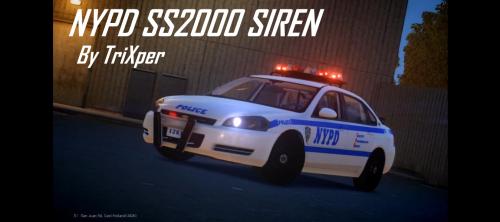 Great, just need a bit of improvement on Yelp and Priority, but I couldn't have made anything close :)
 -
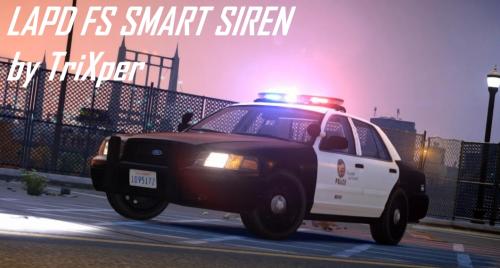 PERFECT! I just needed this for my LAPD install. Love the Yelp, finally someone who got it spot on. 10 cookies for you :D
- 9 comments
- 3 reviews
-
-

- 1
-
-
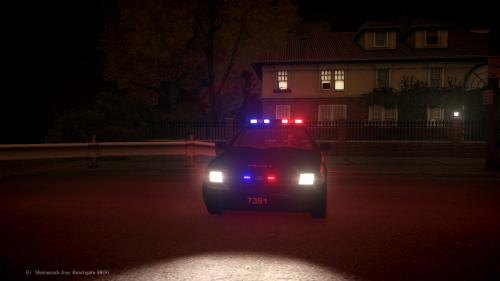 LOVE that idea of the TA on under the trunk, man I am putting this in my game NOW!
 -
-
Probably not lol. I can't use my laptop because my parents say it will help you 'keep up the good work' D: my life Just remember if you have Indian parents and get 98% in an exam all you will get is nothing lol
-
Crap, everyone is partying and I am stuck here with a 69MB GPU... Have to wait 3 more months for a gaming PC #IndianParentProblems
-
Some people mis-understood me, just saying this is NOT me!
-
Just came across this rager on YouTube: https://www.youtube.com/watch?v=gl48SxsQxgQ I have on word: LOL! What an idiot, why doesn't he try and make his own script? Fat chance lol. These asswipes have zero tolerance and probably are smashing their keyboards right now xD. Any thoughts? Sorry if it is a pointless post, though lol.
-
-
-
Hey pal, it won't work. I have made a loading screen mod, and it works amazing. Just GTA-IVaud isn't the way, I would have copied and pasted the instructions to make the loading screen sound in my mod, but I am not currently using my personal PC. For now, download this, it has a text file with instructions on how to make your own mod included: '?do=embed' frameborder='0' data-embedContent>> Enjoy :D *FACEPALM* Just saw @Annatalons post D:
-
Man, for the whole holidays I didn't touch LCPDFR, I would always sit down and do Maths every day, I would revise through all my notes when the test is 3 weeks away, and I came back with 83%. Not amazing, but a great jump from 58%. Seriously, just dedicate yourself and it works amazing :D I also greatly improved my grades, with two A* and nine As. (My reward: A gaming PC :D)
-
-
-
WOW, looks amazing, but the god damn download speeds here are crap. Screw DDoS people, they are probably autistic 9 year olds sitting behind terrible Toshiba laptops playing minecrap, trying to look cool.
- 14 comments
- 5 reviews
-
-
-
-
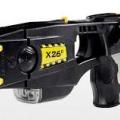 Just hit T twice. Or if it doesn't work, use the link in the desc of this mod which will link your to an install guide by LukeD.
- 10 comments
- 3 reviews

