


Creators: Due to background reprocessing of files, approvals and file security checks may be delayed. Thanks for your patience.

HulaRula
Members
-
Joined
-
Last visited
Everything posted by HulaRula
-
Looks insane the only thing I'm not sure on is how the text in the top right stays there, maybe is could disappear after a certain time? Great job though! Can't wait!
-
Look under G17 mods on this website.
-
Kayne and Lynch.., I think a few people might agree with me?
-
ahh thank you, I'll be sure to give it a go! :)
-
I don't know why it works for some and not for others either. Maybe is collides with another mod? Maybe it's the cars we use. Idk, I'd like to know though.
-
For me v5 does work for AI, however I don't get the little thing under my HUD saying my location. With v5 you can do everything with v6 except the spotlight and the location under the hud, but I'm willing to make that sacrifice to play for more than 10minutes without crashing :)
-
What .ini? What file are you talking about? Jichelson
-
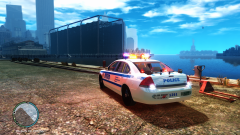 I believe it's this one, I'm not sure, might not be, but this is the once I use and it's very nice. Nice screeny btw :)
 -
So it's only the model, maybe a different one would work? I'll give it a shot. Thanks for all the help so far.
-
I only have Police, Police2, NOOSE, Polpatroit modded, however thy're all ELS enabled and demanding cars. I'm just not sure as to why sometimes it loads, and others it won't? (talking about the polpatroit btw)
-
I'm not bragging in anyway, but my computer specs are pretty good: Eight core processor, 16bg ram, Asus M5A97, NVIDIA GeForce GTX 570. I don't think I need to worry about updating my computer. I run at an average of 42FPS with ENB + ELS. It only happens with that car aswell, no other.
-
Hey, so 9/10 either selecting my car after exiting the police station or using the trainer to spawn one, I always get a message saying, 'Error loading vehicle model' I don't know if this happens a lot but is there some way to fix it? Anyone know what's causing it? Thanks!
-
Hey, When ever I go to the police station and after selecting my cop, in the lower right corner it says, "A new version of LCPD:FR is available: LCPD:FR Rc2 0.95. That's all well and good if you're running Rc1 or earlier versions but I AM using Rc2 0.95. The weird thing is I don't always get this message and sometimes I do. It's random, but when I do I can do everything like; arrest people, pull them over, parking tickets ect ect, but I can't frisk people and quite often get the same repeated callouts over again, such a domesticated violence, always in the same place. I made this topic before but it got locked without a proper response or help, so if anyone does know how to fix it, or simple why please, please tell me because it's really bugging me! Thanks, Sorry for making it again, but I'd like a proper answer. EDIT: I don't get the little thing under my HUD saying for eg: S, Dukes expressway, Hove beach.
-
I have Police1/2 with ELS cars and my game crashes about once every 1-2hours. I always get cars to come get the suspect and it's never crashed whilst on that bit. Btw for anyone that didn't know, ELS v5 is the least buggy of them all! :)
-
-
-
Hey, So just after I've selected my cop I just a little red message in the corner of my game (just above where it says, LCPDFR: V95 or w/e) and it reads, "A newer version of LCPDFR is available, V 0.95 RC2 and that would make sense if you were running older versions, but the problem for me is that V 0.95 RC2 is the version I'm already using. It doesn't tell me the place names or anything under my HUD and I can't frisk people, however I can still give tickets. Any ideas on what's gone on here? And if you know how to fix it, please tell me! Thanks, Demecast
-
-
Ahh I've got it, I was viewing them instead of editing :D Thanks!
-
For some reason I can't import the textures, any idea as too how too? Thanks for the reply though! :)
-
Hey, So I've seen some really nice police car skins, but after downloading them I find there a '.png' file and I don't know how to install these. I only know how to replace the '.wtd' and '.wtf 'ones, same goes for uniforms. I think I've almost figured it out for e.g: if I wanted to change the skin of a CVPI I'd go to the '.wtd' or '.wtf' and open them and see a selection of '.png' files, I can only figure out how to export the '.png' files though, but I can not find out how to import the '.png' into the '.wtd' or '.wtf' files. I'd also like to know how to open the handling.dat file in the normal GTA IV file. If that made sense to you I salute you because I found it confusing myself, and if you know how please tell me in detail. Any help would be widely appreciated. Thanks, Demecast (If you need any pictures to help explain this please ask me)
-
and how to do that? :/
-
Hey, Looking through a few screen shots and some videos I've seen a large number of people with nice state_trooper skins, where can I find some? For the player and not the car! Thanks :)
-
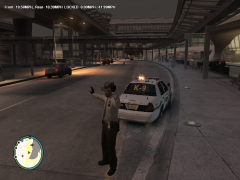 where did you get the uniform skin and how do you do the action of diverting traffic? Nice pic btw :)
 -
Thanks a lot, my game doesn't seem to be crashing thanks to ELS V5! :D Thanks man.


