



Slushy
Members
-
Joined
-
Last visited
Everything posted by Slushy
-
-
Will you be able to put 0.3.1 up for download as most plugins currently support that and 0.4 doesn't run on some people's computers at the minute? EDIT This was answered below, here is the comment:
-
@Sam would you be able to make 0.3.1 available for those having issues with 0.4 or will this never happen?
-
The support section isn't open yet for 0.4 because they are re-organizing or something like that I believe.
-
 Tested on 0.4. Works like a charm, would recommend, as it adds some unique callouts 🙂 Can't wait to see what is added in future!
- 635 comments
- 53 reviews
-
-

- 2
-
-
Very glad to know 😄 Are you on the latest Windows 10 update?
-
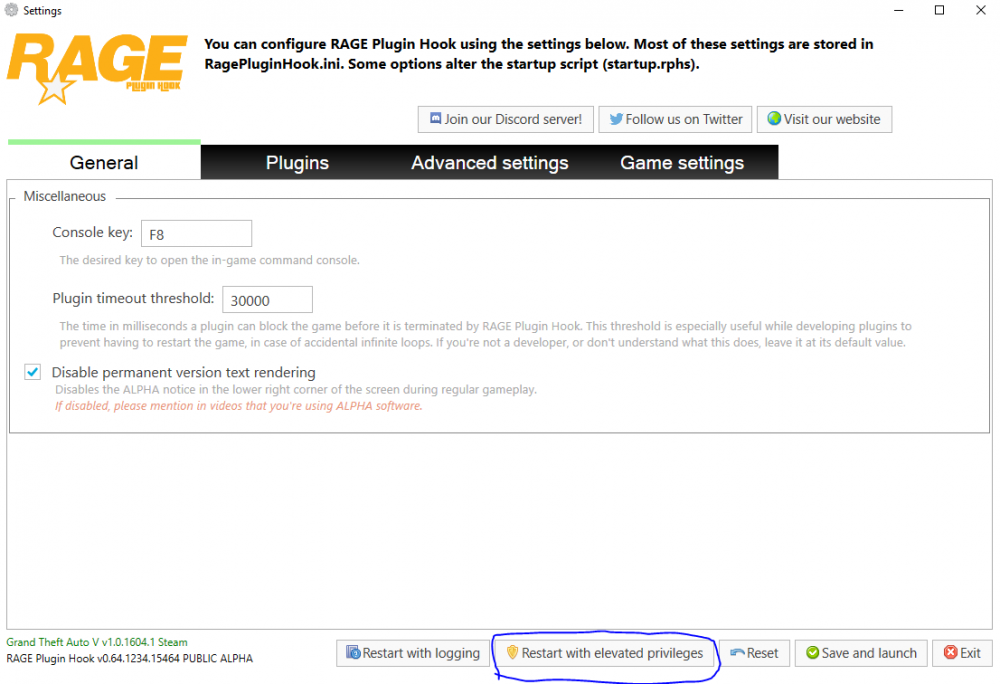
Did you try loading RageHook, either hold LShift or click the cog icon to bring up the settings, then click "Restart with elevated privileges"
-
Does the game launch without RPH, as RPH isn't event loaded at all. Maybe try and launch it as an admin?
-
Are you sure that is the full log? Can you upload the actual file of the log?
-
Calm down, the mod will eventually work for you. Would you be able to post your full RagePluginHook.log please?
-
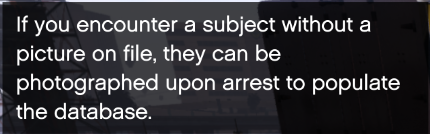
Anyone know what this actually means? Do I need to take the suspect somewhere?
-
Have you connected your account in the pause menu? Also if you synced your account after creating the character, you need to go to "Pause Menu > LSPDFR > Characters > Change Character" and then select your character and click SPACE to sync it.
-
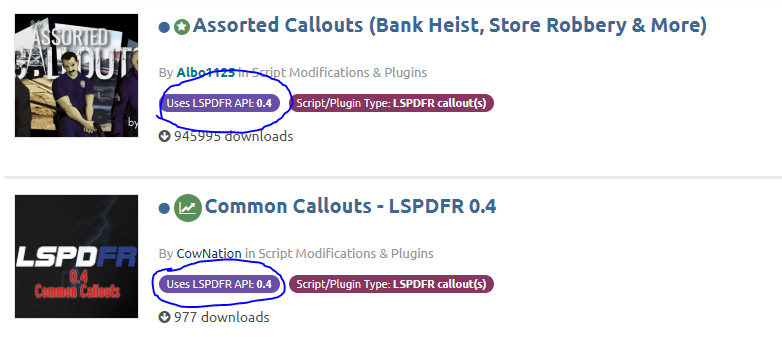
In the plugins section of the downloads, plugins compatible with 0.4 will have this marker under their title: You should be able to use any police car, ELS and non-ELS.
-
Hmm maybe not. It should definitely get added back as an option to download, even if it isn't supported anymore.
-
We didn't force them to release it now. 0.4 is a huge improvement to 0.3.1 in multiple aspects, we just need to give time for those bugs to get fixed and plugins to update, then 0.3.1 will never be heard of again. If you hate 0.4 though, 0.3.1 will always be available for download more than likely. EDIT: 0.3.1 is not available for download, shame.
-
What speed radar did you get working?
-
ELS requires both scripthookV and AdvancedHookV. Do you have both of these in your main directory, along with ELS.asi. Try and start without. When I start with admin perms it doesn't work for me.
-
It seems most people who are crashing are using the retail version. I would recommend either waiting for the dedicated support forum on this site, or head onto the RPH discord and post this there, as I do not know, sorry 😞 Actually, have you tried launching RPH with enhanced privileges (Run as administrator)?
-
Are you both using the Steam version or Retail version? Also does it load without RPH?
-
-
Currently there is only 2 callout packs that are compatible with 0.4, which can be found here. I find that RAGE is more friendly when I launch them both separately (GTA 5 first), but it probably doesn't make that much of a difference. Can you post your RagePluginHook.log which is found in the game's directory?
-
The only other thing that I can think of to try is to remove every mod/plugin/asi file/script from your game (just move to a different folder) and see if it works then with just the base game.
-
Maybe try and reinstall LSPDFR. If you didn't already, manually install the plugin (it is literally just drag and drop). If F4 doesn't work then your RagePluginHook isn't loading. When you launch GTA 5, make sure that you also launch RAGEPluginHook.exe as well, so that it can inject into the game and allow plugins to load. If you are already doing this, please post your RagePluginHook.log.
-
Does anyone have any information on taking peds mugshots to "fill the database", I keep getting the notification, but have no idea on how to act on it. I take suspects to the blue marker and then that is it, no taking mugshots. I see there is a command to TP to the mugshot room, but suspects don't teleport with you. Also I found that Enhanced Native Trainer was causing my game to crash a little after playing, weird. TrainerV works seamlessly though.
-



