xMoD
Members
-
Joined
-
Last visited
Everything posted by xMoD
-
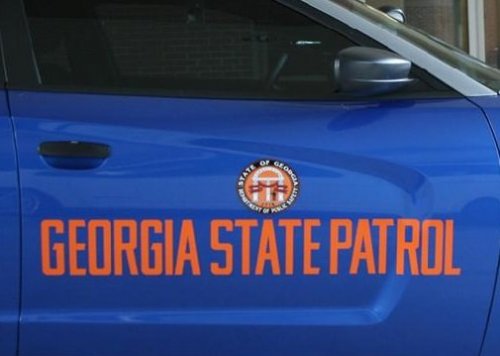 Bud I didn't say they didn't change colors, I said DESIGN.. design meaning the GADPS emblem with words on D and P door, wow, one state agency changed their design.. you know what, as time goes by cars change and they have to adapt their design onto the new cars and sometimes it doesn't look right so they have to adapt a new, modern design.
- 32 comments
- 3 reviews
-
I left my review, it points out the errors in your texture, no GSP will never change its design, no they will never adopt a Taurus, and no I will not waste my Tuesday arguing with you over your faulty texture. Good day and if you want this too look like a good texture fix those errors. no.. I actually did not.
- 32 comments
- 3 reviews
-
-
S T A T E A G E N C I E S I did not say city or county departments, they are very different.
- 32 comments
- 3 reviews
-
-

- 1
-
-
-
Unrealistic resembling any GSP vehicle. And no quite frankly it would not look like that if they did have any. for the door font it should look like this
- 32 comments
- 3 reviews
-
Why tho, it's unrealistic AND it is littered with errors Butthurt about my review, don't upload to this site if you don't want to be called out on your errors.
- 32 comments
- 3 reviews
-
-
- 2
-
-
-
I can say whatever I want in my review, if I didn't like it, I will say I didn't like it. I told him what was wrong and he can fix them. If you don't want realism them make lore friendly shit.
- 32 comments
- 3 reviews
-
-
- 2
-
-
-
-
Also the unmarked texture, we hardly have any unmarked cars if any. The only ones we have are for SWAT.
- 32 comments
- 3 reviews
-
First off, we don't and never will use the Taurus, the 2 stars is for the effort. -Wrong font on P and D doors -GSP decals on P and D doors are rotated too far and should stay on the door not clip into the rear door -Super low quality -Wrong fonts on the trunk -The star next to GSP in rear should be a 5 point star not 6 -State Trooper is in the wrong font -Missing unit # on roof I'm dissatisfied when people do my state wrong :)
- 32 comments
- 3 reviews
-
-
- 1
-
-
-
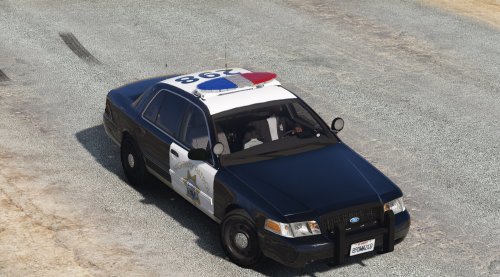 Well, I would say nice try but uh.. -Wrong fonts on P and D doors -Missing Highway Patrol on trunk -Missing Safety, Service, and Security decals on each side -Doesn't even look like a CHP vehicle other than the CHP decal Try This still don't understand why people try these on the wrong vehicles when there is already a CHP pack out there..
- 7 comments
- 1 review
-
-
-
-
-
-
-
R* should be the controller
-
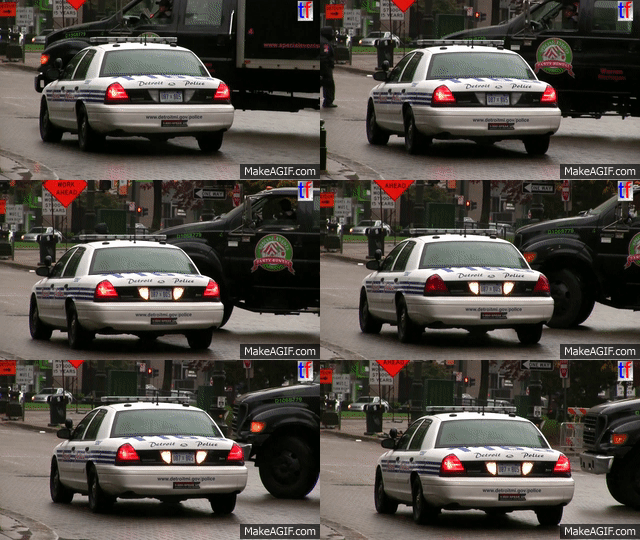 now sure how you mess up such a simple texture but you did.. wrong fonts all around and it is extremely low quality.
- 8 comments
- 1 review
-
While R* did state modding isn't illegal, they did not make the decision to make it illegal.
-
Not multiplayer, their whole game and it's files, they are within their rights to do this. Is it smart, hell no, but for some reason they think modding the game violates their rights, in other words they are not happy that we aren't making them money while playing SP.