lawenforcementjoker
Members
-
Joined
-
Last visited
Everything posted by lawenforcementjoker
-
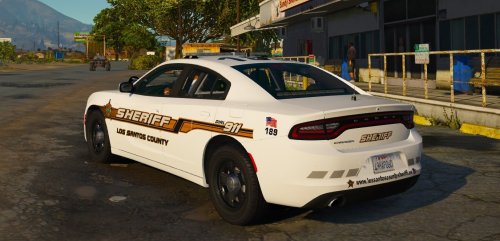 I am giving it 4 stars due to the fact the take down lights shine to the back of the vehicle and not the front like they should. If they gets fixed I will be glad to change this to 5 stars.
- 23 comments
- 7 reviews
-
 I tried to extract this with winrar and it says the fire is corrupt? Any ideas?
- 27 comments
- 5 reviews
-
The online site that had a built in CAD basically and would periodically dispatch you to calls? It would be cool if there was one for LSPDFR but in a way that’s kind of what FiveM is if you can find a legit server that isn’t over run with immature players.
-
I wasn’t able to test it. Once I put it in my game constantly crashed on start up. I went to natural vision remastered and it’s pretty decent. I would love to get MVGA to work though.
-
 I placed the 2014 charger with code3 javelin as my police 4 now whenever it is spawned the light bar has tint. How can I change that so when the AI is in it it looks right?
- 76 comments
- 55 reviews
-
I installed it and now at night certain vehicle headlights are so bright that they streak across the screen, also as they get away from me the taillights go from red to a bright color. As well as even with lens flare disabled my game is still fuzzy at a distance in third person...
-
Maybe I messed something up or because I also use radiance v. But the lights in the game head lights/street lights at night are so bright they go all across my screen, also when I’m sitting still the distance is blurry is there a fix to this that you know of?
-
Also what all from it do you have installed? Did you do the ENB? or did you just do the auto install?
-
Are you having any issues with Natural remastered? I was reading comments on it and people said they were having a lot of issues.
-
Honestly whatever you recommend. I am using the lspd based off of Boston for a while and just need a change.
-
Gotcha. I didn’t know the reboot thing. But yes everything is working so far so good now. Now to the fun part of finding a good car pack to use. Thank you for the help.
-
Well before I could try I shut my computer down and when I came back I tried via RPH and it launched just fine via RPH with only visual v and radiance v installed... Now I have to add my mods back in one by one and test what the issue was. I also noticed when I was trying to install a new gun that I do not have the folder mpgunrunning. I verified the files from steam and still don't gave it...
-
So now I have done that and made the new mods folder updated it, and placed visual v which has always worked and all I get with RPH is a black screen and then it crashes... I tried doing it without visual v and I still get the black screen and then the crash.
-
Okay, thank you. this might sound dumb but I have never had to do this so my question is how do I actually go about deleting the mods folder and making a new one?
-
Giordano, today I redid the step of renaming my mods folder... This time I renamed it _mods in OpenIV and the game launched just fine using RPH. Which would leave me to believe somewhere in my mods folder is the problem... Do you have any tips for this or should I completely delete the mods folder and start with one mod at a time?
-
Into my mods folder. Same place I installed visual v. I don’t install anything in vanilla.
-
Also I just realized when I switched from visual v to make visuals great again I did not remove radiance or visual. I just simply installed make visuals great again through the auto install.
-
I just tried this and I am still getting the same issue. I will launch RPH. It will give me the GTA V loading screen and as soon as it is populating game world it crashes to desktop. Also I verified my files through steam and now it crashes as soon as it gets to “loading story mode” even when I run it as admin.
-
I just installed make visuals great again using the automatic install. And my game crashes on startup. However, this happens to me quite frequently where I need to launch again or restart my computer and it works. Has anyone else had this issue and found a fix?
-
Nothing is killing my performance I just want something different that looks better.
-
I have been using visualv and radiance v. But I am looking to see if there is anything better that doesn’t kill performance
-
-
I personally use this in my game. https://www.gta5-mods.com/scripts/lspdfr-search-warrant just make sure you have everything that is needed for it to work correctly.
-
-
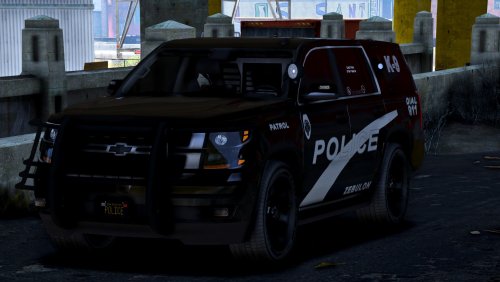 Has the issue been fixed with the takedowns shining backwards and the strange light on the spotlight?
- 22 comments
- 7 reviews