


lawenforcementjoker
Members
-
Joined
-
Last visited
Everything posted by lawenforcementjoker
-
I remember there used to be a way, just like there used to be an option to have your police buddy search, but ever since I updated both STP and ultimate backup I cant seem to find these options anymore.
-
 I am not positive. When I open my file all I have is mp_m_freemode_01_mp_m_january2016 So I just went in openiv and dragged and dropped.
- 51 comments
- 6 reviews
-
-
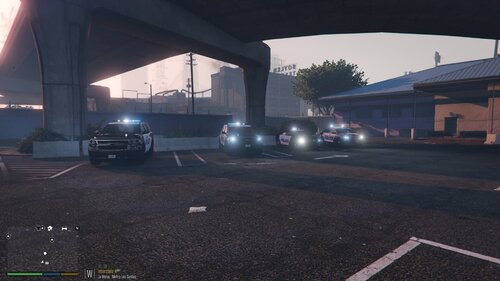 Anyone know which lights on the back off the light bar are whites in the ELS file, I love the white up front but want to change the back to be just blue and amber in my game.
- 12 comments
- 1 review
-
I cannot for the life of me find a way to lighten up the nights... The night is way to dark and I can't figure out a way to make it brighter... I thought it used to have an optional file for this but I could be mistaken.
-
It would appear I did not have the new rockstar games launcher installed! That fixed it.
-
I have never had this issue that I can recall. I have updated everything from LSPDFR, RPH, SCRIPTHOOK, and updated in OPENIV... I had adden my gta folder and the RPH to the exceptions for windows defender and nothing... I have RPH checked to start direct11, and forced windowed mode.
-
If you have the game through steam you need to verify your game files on steam.
-
Try reinstalling all the call outs. I had to do that.
-
Yeah same thing happened to me. I had it but for whatever reason the game didn’t pick up on it. The other issue I had after that was. Some of my plugins in messed up so I just had to drag and drop their files in again.
-
Windows defender is what did it to me. Like I said it randomly blocked it as a Trojan. I would double check that windows defender isn’t blocking it. I had this happen before. For me the problem was I didn’t have ragenativeui installed. Once I put that in it worked.
-
Make sure your antivirus isn’t blocking it. It happened to me randomly my antivirus determined it was a Trojan and blocked it. Once I allowed it, it worked.
-
When I did mine. It just showed ragepluginhook was marked as a Trojan and I allowed that. If I had to guess it would probably be the ragepluginhook.exe
-
Hmm if regular GTA isn’t loading the only solution I know of is a complete uninstall and reinstall.
-
Go into your antivirus and allow it to open. That happened to me the other night and that’s how I fixed it. For some reason it randomly started blocking it as a virus.
-
Hello, I am trying to put a Glock 17 into the game but when I install it per the readme it still does not show up in game. Does anyone know how to fix this? The first one I tried is that one. It says to install in mpgunrunning so I did but still nothing.
-
Yes, and that’s about all I use it for and then of course for spike strips from ultimate backup during a pursuit.
-
For me police smart radio was the issue. And EUP Menu because I didn’t install the ragenative. Once I installed that I had to reinstall all my plugins and call outs and everything has been working since.
-
Hello, Not that this is a game breaker, I am just curious if anyone knows how I can change it from always spawning me as noose when I forceduty. I have even used EUP and set my character up before forcing duty and it still spawns me as noose.
-
Awesome! I’m glad it worked and was easy to figure out.
-
I just had this happen and found out my antivirus just randomly started blocking it. Once I allowed it everything worked fine.
-
The only problem there is Albo has already said he won’t be updating his stuff much anymore. I got my game to work by figuring out which plugin was the issue. It was just time consuming.
-
Also traffic policer, arrest manager, and a few others by Albo have not been updated for 0.43 of LSPDFR. They may work but they could be unstable and cause problems.
-
Yeah I have to do it again as well. For whatever reason police smart radio will not open with the C key for me anymore and ALPRLite when I turn it on it automatically turns off... Fun times
-
Hmm the next step would be what I had to do which is take every plugin out and put them in 2 at a time and see which is causing the issue.

