


Nutt
Members
-
Joined
-
Last visited
Everything posted by Nutt
-
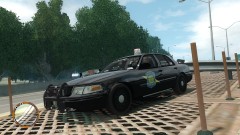
From the album: Michigan Police Departments
-
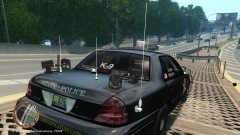
From the album: Michigan Police Departments
-
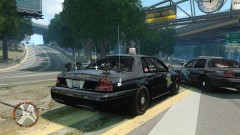
From the album: Michigan Police Departments
-
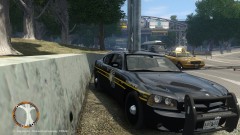
From the album: Michigan Police Departments
-
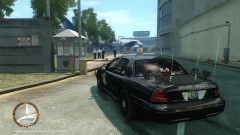
From the album: Michigan Police Departments
-
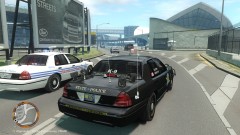
From the album: Michigan Police Departments
-
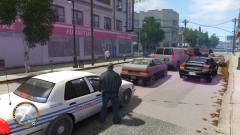
From the album: Michigan Police Departments
-
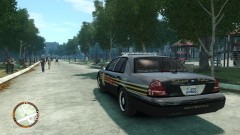
From the album: Michigan Police Departments
-
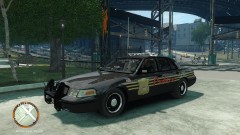
From the album: Michigan Police Departments
-
This is an upcoming 2012 Charger rendition of the 06-08 Charger () that was released about 2-3 weeks ago. This model is still in the early stages of being cleaned up and thoroughly tested. There will be two model versions... one with average emergency lighting and another with lots of emergency lighting. Lastly, there is a high probability that some of the emergency lighting fixtures/encasings will change (tires maybe). Original model by the Microsoft Forza team, model converted by James2012, current model build by Nutt & NickieB aka NateDogg89 and emergency lighting by BxBug's.
-
Hum, not saying your right or wrong about your opinion... however, I always felt it was the user responsibility to backup their files, regardless of what warnings may or may not be there. Especially aftermarket add-ons not officially supported by R*. I feel you... however unable to relate.
-
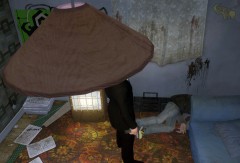 I wonder if Assassin 9 is actually this dude. Just saying...
 -
Why would he need permission? It's R* default Speedo, unlocked by Scyattica, with Lt. Caine’s available public lightbar and the skin he made for it. Am I missing something here?
- 6 comments
- 6 reviews
-
-

- 1
-
-
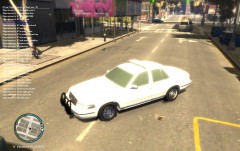 You have to make sure in vehicle.ide that the wtd. file name is the same as the vehicle model... something like this police, police, car, Police, Police .......... This is wrong below.... police, noose, car, Police, Police.... What makes this wrong is the wtd. name isn't matching the model name. P.S. I'm not in front of my computer, just remembering things off the top of my head.
 -
The hailer or hood side-stop sign was used when MSP officers would pull along side of a vehicle and would point to the driver - then the hailer - letting them know to pull over. HCSD also uses them...
-
^^ Correct. :)
-
Car is very impressive, but I'm more impressed by the ghost driver. Just saying...
- 20 comments
- 14 reviews
-
I'm going to bite and ask, why?
-
My computers and servers are very high-end when I designed them... so that accounts for some of it. The best solution for those with high-end graphic cards is to push them to their limits, or they will be CPU bound by poor performance. So everything in iCEnhancer 2.0 is cranked to the hilt, including super-sampling and some other setting I corrected. Only time I would suffer graphic problems, if I'm rendering shi**y fraps at the same time rendering a video in the background while I'm playing GTA 4. Usually it drops 10-15fps if I'm doing all that at the same time. But yes, the key is to make your graphic card push it bounds... P.S. Also, a good raid setup of SSDs for gaming purposes also helps.
-
Sorry to hear that EVI... still an awesome mod bud. :)
-
This video is a salute to MSP and thanks towards Bug's and EVI for providing them. The four CVPI shown are not available for download at this time... they're personal builds created by Bug's, requested by me and some MSP buddies. Maybe within a week or so I may upload them here for those who love MSP. Now, I have to work on getting an updated MSP Tahoe and getting an 06-08 MSP Charger. P.S. Yes, I love Christmas tress.... :P
-
The weirdest thing happen to me the other night while doing some undercover Vice work. I caught an officer (fat officer) and a prostitute in a car getting it on... I bullsh** you not. When I pulled her out of the car, she started stumbling, like drunkenly all over the place, and the officer pulled off in the civilian car (WTF???). But yes, very weird and yet funny at the same time...
-
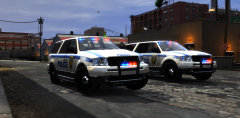 ELS Lighting Tip: If you’re using ENB/iCE modification, the best possible configuration or “Wow†factor is to make sure your ENB/iCE config.ini file has bloom enabled and the proper values that suites your taste. Also, having a decent “visualssetting.dat†file (i.e. Bug’s radiance mod) and a nice timecycle files will also increases the wow factor. Later tonight, I will post a video on different ELS configs… gives me a chance to show off some new vehicles not available to the public.
 -
Hum, sounds like Border and Customs was around there....
-
Van names and please describe the logos? Most, Michigan Law Enforcement special and covert/undercover vehicles are unmarked, and a few stealth marked vehicles, however all have some type of emergency lighting equipment present. Also, sometimes an agency will borrow a civilian work vehicle (Edison, gas, etc..), if it's a real covert operation.

