


Nutt
Members
-
Joined
-
Last visited
Everything posted by Nutt
-
I had this "hopping" issue before. Just for shits-and-giggles, Eagle, check the car file (wtf) with OpenIV and rotate the unit, until you see the undercarriage. If there is a tire in the middle of it, that's the problem. The center axis dummy is jacked-up. Sometimes exporting in Zmodeler screws up sh**, I'm not saying this is the case, just a possibility.
- 24 comments
- 6 reviews
-
What??? I'm talking about what is reported... why would i be talking about hypotheticals!? So if Chicago has 77 legitimate reported cases during June, they do "only" report a small percentage. Main reason being political - on keeping the city image as a great safe travel destination.
-
Chicago doesn't report all it crimes (sexual assault being one of them) at the federal level, hell not even at the state level. Chicago is a huge hub (prime spot) for vacation travelers/tourism... generating billions of dollars of income for the city. If Chicago was to report at the level that Detroit does, I can guarantee Chicago would be facing some of the same issues Detroit is going through. Let me rephrase "doesn't" ... If 77 sexual assaults occurred in June 2012, Chicago will only report about a quarter of them. Hence, doesn't report them all. Anything north of 16th, you should be fine.
-
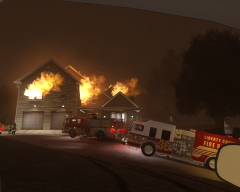 Isn't it possible to create a scripted mod on spawning this easier... better yet, a script that creates random house fires, car fires, etc... thus allowing emergency services (role play, or whatever) to respond to them?
 -
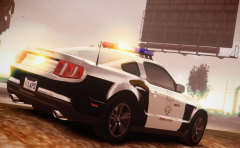 Where is this beauty located?
 -
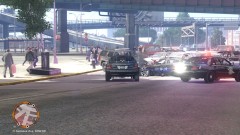 Just PM me... Lol
 -
This is my older ENB configuration... my newer tweaked configuration eats this one for breakfast.
-
GPU frame rate shouldn't be your biggest concern... the LCD-TVs response rate should be your biggest concern. Screen tearing and ghostly image lag are common factors of poor response rates, especially if the LCD-TV is poorly made *cough* COBY *cough*, and warns against PC usage. Me personally, I'm a Samsung guy... :thumbsup:
-
The flaming rolling cars got a snicker out of me...
-
-
Charger: NHP Challenger: FHP Challenger: http://www.lcpdfr.com/files/file/456-dodge-challenger-police/ E.V.I. Demo Tahoe:
- 16 comments
- 4 reviews
-
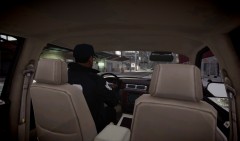 Ah, ok, thanks!
 -
It's on hold for a bit... hopefully a late June or early July release.
-
What settings or mod are you using to get the over the shoulder or rear seat view? I'm currently using the first person mod on seeing through the driver eyes... i.e. the cockpit view.
-
-
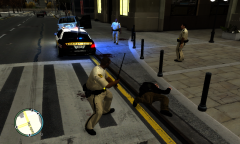 Ah yes, the donuts! No mind if do, make it large.
 -
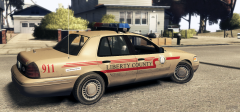 That actually looks nice...
 -
Michigan Police Departments: http://policecarwebsite.net/st22.html DPD Fleet (some units are not present): http://policecarwebsite.net/westside/detroit.html
- 16 comments
- 4 reviews
-
Yes. Most standard patrol units and traffic enforcement units (TEUs) are white, while special units and tiger units are black. However we do have other colors outside of those mentioned.... but yes, DPD has plenty of black units. I should be home within an hour, I'll post a link showing most of the DPD fleet.
- 16 comments
- 4 reviews
-
These are a couple of random skins (Detroit, Dearborn, MSP and West Bloomfield) for EVI's Challenger, EVI-Demo Tahoe and 06-08 Charger. Enjoy! FYI; the MSP skin comes in two colors (black/blue), West Bloomfield skins has two different layouts, and DPD has a Tiger Unit skin.
- 16 comments
- 4 reviews
-
Here you go....
-
If I understand you correctly; your Police Explorer program is using LCPDFR as a training tool? I love LCPDFR like the next person, however as a serious LE training tool
-
Cool, yes theses are the version I have.
-
I have the one Ross305 (Slimory :P) uploaded, the Beta FHP version, and now the one Ridgerunner uploaded. So three in all...
-
You sir, have earned a cookie... Lol Thank You!


