


Nutt
Members
-
Joined
-
Last visited
Everything posted by Nutt
-
-
-
-
Very awesome mod guys/gals... have been using/testing an earlier beta copy for about 2-3 days now. Awesome work Cj!!! This is a quick demonstration of the ELS and strobe lighting system using Cj24's upcoming 08 MSP Charger. Thanks Cj for this wonderful mod!!! FYI: Fraps butchers the speed of the lighting - amongst other things.
- 12 comments
- 8 reviews
-
I love it too, however I wish it was a way of changing the font size. My lettering is huge because of the ENB/ICE super-sample resolution that I use... this also happens with Braveheart policing tools mod. Something that "binds or restricts" the font size to 1920x1080 resolution, like LCPD:FR does.
-
Here: http://www.gta4-mods.com/player/female-lcpd-cops-f14311 Or: http://www.gta4-mods.com/player/new-cop-content-f15659
-
This is a quick demonstration of the ELS and strobe lighting system using Cj24's upcoming 08 MSP Charger. Thanks Cj for this wonderful mod!!! FYI: Fraps video capture butchers the speed of the lighting... amongst other things. http://www.youtube.com/watch?v=vNbsuWbvgs8&feature=youtu.be Based on: http://www.youtube.com/watch?v=9lEH9eNNeWw
-
Braveheart, in your next update can you increase the chances of general crimes when you're stationed (not patrolling) within the immediate area, such as solicitation (prostitution), road rage, or any other criminal events that can create a greater sense of undercover/vice missions?
- 356 comments
- 140 reviews
-
-

- 1
-
-
I haven't downloaded it yet, on duty at the moment (work), but I believe the script replaces that.
- 356 comments
- 140 reviews
-
I haven't downloaded yet, on duty at the moment (work), but I believe the script replaces that.
- 356 comments
- 140 reviews
-
Are you using any police vehicle mods? If so, try improving your vehicle handling...
-
Thoughts - opinion? Story: http://www.dailymail.co.uk/news/article-2183982/Watch-moment-Ferrari-driver-runs-police-officers-foot-refusing-accept-parking-fine.html#ixzz237Ba7ms1%5B/quote%5D
-
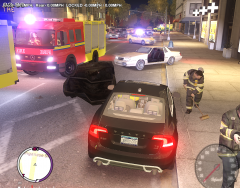 Nice shot.
 -
-
-
-
So the added helmet doesn't replace any of the current props? So I'm guessing it's a new added prop within itself - correct?
-
Just go into peds.ide file within the common folders area, find M_Y_PMEDIC and change the prop name into the actual prop... and yes, you can mix-match helmets and hats with peds... also use null, if you do not want hats/props with peds. Hope that helps...
-
-
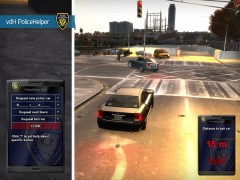 Meaning; the radius in which the tracking distance script covers (a block, miles, etc...).
 -
How effective is the tracking distance on the scripted device?
-
Try this; http://www.speedyshare.com/fzEpP/FORD-CROWN-VICTORIA-CVPI-V2.1V-ELS.zip Oddly enough it came from a topic I made a comment in... http://gtapolicemods.com/showthread.php?8812-NYPD-LCPD-Highway-patrol-(Highrise-lightbar)
-
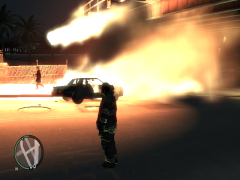 Anti your flames look more natural... good job.
 -
Are you using ELS, along with high polygon vehicle mods? If so, try disabling the SP A.I. (0 instead of 1) within the ELS.ini file and see if that helps...
-
I know, recognized my error a day later... then I was like F-it! Whenever I hear Washington, I'm always thinking of Washington, DC
- 22 comments
- 7 reviews

