




flwpheonix
Members
-
Joined
-
Last visited
Everything posted by flwpheonix
-
Should just overwrite it... here you go http://www.gta4-mods.com/misc/chikamruenb-11-eflc-or-1070-f12904
-
I am happy with Chikamru's ENB settings. Not overly bright.
-
use different keys. I have mine set primary=F1, Secondary=Tab,
-
While I would tend to agree, I myself, as a modeler appreciate when errors like that are pointed out. It helps me improve my skills in paying attention to those types of details.
-
Oh trust me, so do I ,but as you can see, the door was a massive amount of polys. This method saves me amount of time in remodeling it and making sure that it matches the rest of the body. This mustang model is by me.
-
Learned something new in 3dsMax 2012. Say for instance you have a model that is very high poly and you want to make a lower res (low poly) version of it, open your Graphite Modeling tools and go to freeform. You must make sure that the object you want to remodel is in Editable Poly. In the selction part look where it says GRID..Change this to draw on surface. Then click on Pick, and pick the object you want to redo. Then click on the Poly Draw and select new object. This tells 3dsMax that what you are about to do is a new object. Then draw vertical and horizontal lines on the object you are redoing. Make sure that the lines intersect. When they do the new polygon will show. You can then use the conform tool to move the polys to where you need. You can also move edges and such like you normaly would. As you can see in the pic how the original door is quite poly heavy. The new one is less so intesive.
-
Correct
-
Copy and paste that into visualsettings.dat, overwriting the original section....
-
# Other emissive lights car.defaultlight.emissive.on 65.00 car.defaultlight.emissive.off 0.05 car.brakelight.emissive.on 12.00 car.brakelight.emissive.off 0.05 car.middlebrakelight.emissive.on 12.00 car.middlebrakelight.emissive.off 0.05 car.reversinglight.emissive.on 12.00 car.reversinglight.emissive.off 0.10 car.extralight.emissive.on 22.00 car.extralight.emissive.off 0.05
-
copy the section for the visualsettings.dat that I posted.....
-
sure....basically, I upped the reflection on both cars and windows, adjusted the bloom down, and the multipliers for the headlights, turned off the blue shift of bloom... http://www.gta4-mods.com/misc/chikamruenb-10-eflc-or-1070-f12792 under visualsettings.dat # Other emissive lights car.defaultlight.emissive.on 65.00 car.defaultlight.emissive.off 0.05 car.brakelight.emissive.on 12.00 car.brakelight.emissive.off 0.05 car.middlebrakelight.emissive.on 12.00 car.middlebrakelight.emissive.off 0.05 car.reversinglight.emissive.on 12.00 car.reversinglight.emissive.off 0.10 car.extralight.emissive.on 22.00 car.extralight.emissive.off 0.05 and enbseries.cfg [PROXY] EnableProxyLibrary=false InitProxyFunctions=false ProxyLibrary= [GLOBAL] AdditionalConfigFile=lol UseEffect=true CyclicConfigReading=false ForceNVidiaCard=true ForceNVidiaCaps=false [ENGINE] ForceDisplaySize=false ForceAntialiasing=false ForceDisplayRefreshRate=false ForceAnisotropicFiltering=false MaxAnisotropy=16 AntialiasingQuality=0 DisplayRefreshRateHz=60 DisplayWidth=1920 DisplayHeight=1080 ReflectionsForceHighPrecision=true ReflectionsExtremePrecision=true AntialiasingUpScale=0.87 [EFFECT] EnableBloom=true EnableAmbientOcclusion=false EnableSkyLighting=false UseOriginalPostProcessing=false [iNPUT] KeyUseEffect=123 KeyCombination=16 KeyScreenshot=44 KeyAmbientOcclusion=121 KeyShowFPS=106 [bLOOD] ReflectionAmount=0.2 SpecularPower=100 [TREE] LeavesReflectionAmount=0.0025 LeavesSpecularPower=1 LeavesAmbientAmount=1 LeavesColorMultiplier=1.25 LeavesColorPow=2.5 LeavesColorFilterR=1.0 LeavesColorFilterG=1.0 LeavesColorFilterB=1.0 [bUILDING] WindowLightIntensity=1.0 [LIGHT1] //siren and some internal LightIntensity=0.2 LightAOAmount=1.0 LightILAmount=1.0 EdgeLighteningAmount=0.0 ColorPow=1.5 LightCurve=1.0 [LIGHT2] //street light LightIntensity=0.5 LightAOAmount=0 LightILAmount=1 EdgeLighteningAmount=0.1 ColorPow=1.5 LightCurve=1 ColorFilterR=0.7 ColorFilterG=0.7 ColorFilterB=1 [LIGHT3] //car front light LightIntensity=1.0 LightAOAmount=1 LightILAmount=1 EdgeLighteningAmount=0.0 ColorPow=1.5 LightCurve=0.7 [LIGHT4] //secondary LightIntensity=0.05 LightAOAmount=0 LightILAmount=0 EdgeLighteningAmount=0.0 ColorPow=1 LightCurve=1 [LIGHT5] //ambient spheres LightIntensity=1.0 LightAOAmount=1.0 LightILAmount=1.0 EdgeLighteningAmount=0.0 ColorPow=1.0 LightCurve=1.0 [LIGHT6] //ambient spheres for omni light LightIntensity=1.0 LightAOAmount=1.0 LightILAmount=1.0 EdgeLighteningAmount=0.0 ColorPow=1.0 LightCurve=1.0 [CARHEADLIGHT] EmissiveMuliplier=3 LightIntensity=2 [LIGHTSPRITE] UseExternalTexture=true Intensity=0 IntensityInReflection=1.0 UseRays=false RaysNumber=30 RaysIntensity=0.2 RaysRateOfChange=2.0 RaysLength=20 [CARWINDOWGLASS] ReflectionAmount=9.7 SpecularPower=60 SpecularAmount=2 OpacityMultiplier=1.8 [CHROME] ReflectionFront=1.45 ReflectionSide=2.0 SpecularPower=100 SideFade=1.5 MetallicAmount=0 [WHEELS] ReflectionFront=0.7 ReflectionSide=1 SpecularPower=1 SideFade=1.0 MetallicAmount=0 [REFLECTION1] ReflectionFront=2.7 ReflectionSide=2.7 SpecularPower=2 SideFade=0.9 MetallicAmount=0.05 [REFLECTION2] ReflectionFront=2.5 ReflectionSide=2.5 SpecularPower=1 SideFade=0.9 [REFLECTION3] ReflectionFront=2.5 ReflectionSide=2.5 SpecularPower=1 SideFade=0.9 [bLOOM] BloomQuality=2 BlueShiftAmount=0 Radius1=20 Radius2=50 Contrast=0.0 [sSAO_SSIL] ApplyAntialiasing=false SamplingQuality=0 SamplingRange=50 SizeScale=0.5 SourceTexturesScale=0.5 FilterQuality=0 AOAmount=1 ILAmount=1 EdgeLighteningAmount=0.2 [sHADOW] FilterQuality=2 CharacterShadowMultiplier=1.0 CarShadowMultiplier=1.0 [ADAPTATION] ForceMinMaxValues=true AdaptationTime=0.05 AdaptationMin=1.00 AdaptationMax=1.20 AdaptationMinMultiplier=1.0 AdaptationMaxMultiplier=1.0 [ENVIRONMENT] DirectLightingIntensity=4.5 NightLightingIntensity=1 DirectLightingCurve=1.0 ReflectionAmountMultiplier=1.0 SpecularAmountMultiplier=1.0 SpecularPowerMultiplier=1.0 ColorPow=1.5 AmbientSunMultiplier=1.0 AmbientSkyMultiplier=1.0 AmbientSunSaturation=1.0 AmbientSkySaturation=1.0 [sKYLIGHTING] FilterQuality=0 AmbientSunMix=1 AmbientSkyMix=1 AmbientContrast=1 AmbientMinLevel=1 [sKY] AzimuthHeight=0.5 AzimuthMultiplier=1 AzimuthSunAffectPower=1 AzimuthSunAffectAmount=0 TopColorMultiplier=0.5 ColorSaturation=1000 ColorPower=1.5 SunIntensity=1.0 SunMaxBrightness=100.0 SunColorFilterR=1 SunColorFilterG=1 SunColorFilterB=1.0 SunColorFilterCurve=2.5 SunCoronaCurve=4.0 SunCoronaIntensity=2 SunDesaturation=0.0 OverallPower=1.0 OverallIntensity=1.2 BrightnessUpperLimitMultiplier=3 CloudsUseCustomTexture=true CloudsCurve=1 CloudsIntensity=1 CloudsDesaturation=1 CloudsEdgeClamp=5 CloudsEdgeIntensity=8 CloudsEdgeRange=20 StarsUseCustomTexture=true StarsAmount=0.3 StarsIntensity=0.5 StarsBrightness=0 MoonIntensity=100.0 MoonGamma=1.0 MoonSize=0.025 MoonLightingCurve=1.0 NightCloudsEdgeClamp=5.0 NightCloudsEdgeIntensity=8.0 NightCloudsEdgeRange=10.0 Enable=true [PARTICLE] SoftParticlesEnable=true SoftParticlesEdgeRange=4.0 [DETAIL] DetailMapEnable=true [colorCORRECTION] UsePaletteTexture=true
-
Thanks Jam for moving it... Original, works just fine with RC2
-
I am using Chikamru's ENB with a couple of tweaks by me...
-
Oops...thought I put it in the right place.... I did end up arresting him...Yes...look at the two nice black streaks and you can tell he wasn't happy...
-
Pulled this guy over for speeding. I guess he wasn't too happy about it....
-
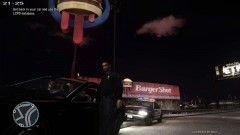
From the album: flwpheonix
-
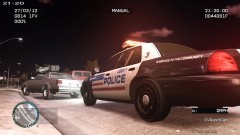
From the album: flwpheonix
-
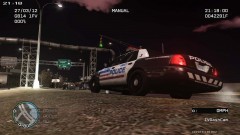
From the album: flwpheonix
-
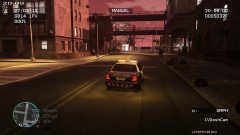
From the album: flwpheonix
-
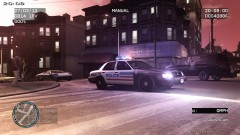
From the album: flwpheonix
-
U.S. Army- 7 years, got out as a SGT (P) Still work for the Army as a DoD civilian.
-
In my experience...9 times out of 10 there is something wrong with the timecyc.dat file..
-
I like it! Much more realistic than some...
-
No kidding...read the same article...I have the 550 GTX
-
Did you install the EFLC update (latest patch)? If not, install that and the reinstall RC2. I got the same error with a vanilla EFLC, and installed the patch, and installed RC2 with no problems.


