




flwpheonix
Members
-
Joined
-
Last visited
Everything posted by flwpheonix
-
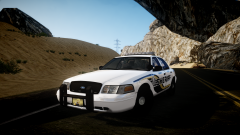
![[WIP] Unmarked 2003 Ford CVPI](//s3-gallery.int-cdn.lcpdfrusercontent.com/gallery/album_33/sml_gallery_523_33_512808.png) Looks like I will be making the light co-ordinates for a new car soon! Looks good!
Looks like I will be making the light co-ordinates for a new car soon! Looks good! -
I will see what I can do, it is a mix of various shaders, and ENB sets. I don't know if I have to get each individuals permission or just give them credit..I also still have a lot of tweaking to do. The good thing though is there is absolutely no red sky bug whatsoever!
-
No problem! As I said, if you need help, holler!
-
I do understand...Hence why I said you needed d3d9.dll (which you can get in any ENB package). The reason you can see something with Extra Sunny 2 is because Games4video made that one insanely bright. d3d9.dll is the ENB itself. Without that file you are not using any ENB at all. Hence why I told Ineseri that we really didn't need the computer specs.
-
I have managed to brighten it up during the daytime...still have to tweak the night
-
 What ENB are you using?
 -
Slimory, it is currently possible in V7. I have a unmarked vic that has red and blues in the corners and revers lights. All you have to do is adjust the co-ordinates. Check my post out in this section...If you need help, let me know. I would love to be able to have 2 light splashes per extra though...
-
try using another enbeffect file...either that or try using a different enb
-
can you post the Windows section of the ENBseries.cfg?
-
Thanks...Still tweaking it some. The advantage is that I do not have the red sky bug, and still can get nice reflections. I am going for a reality look, but no overpowered like most ENBs. While Game4video's ENB looks great, I was not a big fan of the almost neon blue color of the sky. Just noticed Boris released a new version of d3d9.dll for GTA IV...Will try it out tonight when I get home.
-
Brightened it up some...
-
Yup! I even adjusted the light positions for use with ELS V7. Check it here....'?do=embed' frameborder='0' data-embedContent>>
-
trying to figure out how to adjust that without messing with the timecyc
-
For me, I think the trees give it more of a Florida feel...
-
What do you all think? Mix of Game4video's ENB, Nutt's ENB, and a mix of shaders from Nutt's ENB and LCPDFR Red Bug Sky Fix shaders...
-
The Enb is not working on Extra Sunny2 only because that one with the ENB is WAY overpowered....I tested it. Without the ENB it looks like it is working...with it, you can barely see anything (all white)
-
Not really Ineseri. If the screen is black with Game4video's ENB, it is because he didn't include the d3d9.dll in latest update.
-
make sure you have d3d9.dll in your GTA IV main folder
-
Doing these configs, I noticed that my ELS V7 does not beep any more...I thought I read somewhere where someone found the audio file that is the beep. Anyone know where this file is and what it is called? It doesn't bother me, just wanted to see if I could get my beep back...
-
LOL! So true!!! 79 is quite aways down there now...
-
Happy Birthday man! Boy 17 years old huh!? Wow, you guys are making me feel OLD!
-
Then change the last line to 0 instead of 2
-
Set the config for the car [ WRNL ] Type = halo UseScnNotTkd = off ForcePatForLstg = on PatId_Lstg2 = 2 PatId_Lstg3 = 2
-
No problem! If you need help, let me know. I have come to find that not all models are the same as far as X,Y,Z goes....Normally, Z is front to back whereas these Imps are up and down on the Z axis...
-
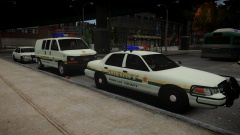 Nice pack! Let me know if you would like me to do the ELS V7 light Coordinates for it!

![[WIP] Unmarked 2003 Ford CVPI](http://s3-gallery.int-cdn.lcpdfrusercontent.com/gallery/album_33/sml_gallery_523_33_512808.png)
