




flwpheonix
Members
-
Joined
-
Last visited
Everything posted by flwpheonix
-
First of all, make sure that your newly created siren id number is unique in the carcols, meaning that no other siren id is using the same number. Then do the same with the siren name. Then make sure your carvariations.meta reflects that unique siren number.
-
Looks good, but the only problem will be that the sweeps make a full rotation, therefore you will have light shining where it is not supposed to be...
-
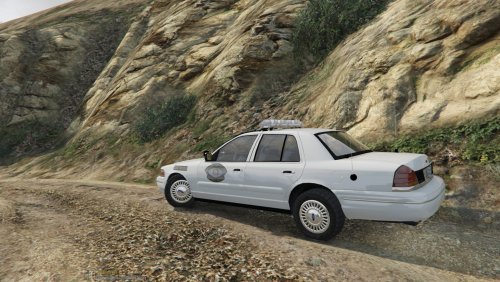 LOL! Used to hit up White Castle down on Lindberg on the South Side, back when cruising Lindberg on Friday nights was a 'thing' Acutally found a recipe online for sliders. Just doesn't taste the same though.
- 47 comments
- 10 reviews
-
-

- 1
-
-
Got ya beat..been almost 20 years...Will be back though next year....at least that is the plan. Where'd you go to high school?
- 47 comments
- 10 reviews
-
-
- 1
-
-
No problem!
-
Just the intensity of the lights on the surroundings.
-
Rng means range. Means how far the light will be thrown. Int is Intensity. Means how intense the light is. Higher numbers means the brighter the reflection will look. Just play with the numbers until it looks right to you.
-
In the ELS.ini you will find a lighting section... LightFlashDelayMainLts = 10 LightFlashDelayCoronas = 20 EnvLtMultExtraLts_Siz = 1.0 EnvLtMultExtraLts_Rng = 0.75 EnvLtMultExtraLts_Int = 1.0 EnvLtMultTakedwns_Siz = 1.0 EnvLtMultTakedwns_Rng = 1.0 EnvLtMultTakedwns_Int = 1.5 EnvLtMultCrnaHalo_Siz = 1.0 EnvLtMultCrnaHalo_Rng = 1.0 EnvLtMultCrnaHalo_Int = 3.5 EnvLtMultCrnaOthr_Siz = 1.0 EnvLtMultCrnaOthr_Rng = 1.0 EnvLtMultCrnaOthr_Int = 3.5 LodCoronaInitDistance = 50.0 The bold section that I have highlighted is what you want to change.
-
-
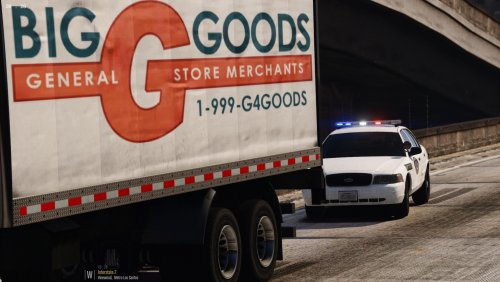 Honestly, I could care less what other authors do. I just figured y'all would enjoy something that no other author has done, and that is combine ELS with the stock lighting...
- 26 comments
- 8 reviews
-
@sheepdog6024 you do realize that you can check it without going in game right? Called OpenIV....but hey, that's just me...
- 26 comments
- 8 reviews
-
@sheepdog6024 I didn't know that was needed or required. But to answer your question, which unmarked CVPI? There are in reality 2, since both FBI and Sheriff2 have liveries attached to them.
- 26 comments
- 8 reviews
-
@FrenZie v2 Ok. I will see what I can do. It will not be before Monday though.
- 26 comments
- 8 reviews
-
-
- 1
-
-
@FrenZie v2 What would you suggest?....Just saying it needs more equipment doesn't help.
- 26 comments
- 8 reviews
-
@0taku...LOL. Been wanting to do the Fast Trax for some time now. I am a big believer in using the hybrid method, and I wanted to make sure that I got everything down. The rear bar was a royal PITA! Went thru about 4-5 versions of it before I settled on this one.
- 26 comments
- 8 reviews
-
-
- 1
-
-
-
@TheRazerBoy The Fast Trax is templated to the main cvpi_sign, on the top portion of the cvpi mapping. I did this so that when doing a livery, the Fast Trax will match.
- 26 comments
- 8 reviews
-
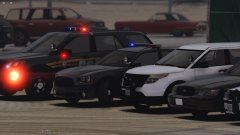
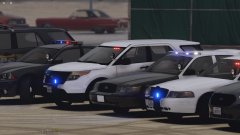
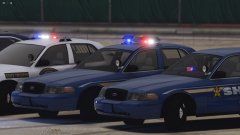
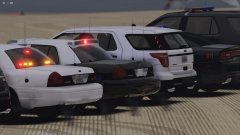
Here is a LSPD and County police pack. This is an ELS Hybrid pack. What does that mean? It means that ELS controls the extra like normal, but carcols controls the enviromental lighting. CVPI,Charger, and '16 FPIU by Thehurk '13 FPIU by JasonCT203 Police equipment and lightbars by various developers found on this site and on other sites. ( HDgamerzPC, OfficerUnderwood, 0taku,RoegonTV, Black Jesus, majorpaine2015,tomcat8492,OfficerFive0 ) MX7000,Dashlaser,Firebeam, and Fast Trax by flwpheonix Install: Just copy the contents from .rar to the respective folders in your /mods folder. In order all the cars to work correctly all of the files need to be placed EXACTLY in the respective folders. Also included is a updated siren light texture. This will increase the realism from vehicles that use carcols for the enviromental lighting. Install: If you have a graphics mod like VisualV or such where the graphics.ytd is in your update.rpf, then copy to your graphics.ytd. If you do not have graphics.ytd copied over, copy your graphics.ytd to your mods/update/update.rpf/x64/textures A special thanks to @Lundy for showing my how to do the carcols setup.
- 26 comments
- 8 reviews
-
-
- 6
-
-
From the album: My random patrols
-
From the album: My random patrols
-
From the album: My random patrols
-
From the album: My random patrols
-
From the album: My random patrols
-
From the album: My random patrols
-
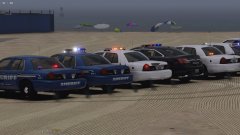
From the album: My random patrols

