




flwpheonix
Members
-
Joined
-
Last visited
Everything posted by flwpheonix
-
Not entirely true brother.... In the ELS .vcf for that vehicle, look for the entry that says "default siren" normally it says 3. change it to 1, and the carcol lighting actives as soon as you press the J key.
-
No problem!
-
If you want to send me the file, I will look at it tomorrow on my off day.
-
Yes and no....Yes that the axis has to be centered on One of the parts, no that the axis has to be perpendicular to how it is setup for takedowns. The best way to see how it is done is look at one of the cars in this pack...They are unlocked so just import into Zmodeler. http://www.lcpdfr.com/files/file/16537-st-louis-area-car-pack/
-
No problem....Now that is for takedowns...for alley lights the axis needs to be rotated 90 degress so that is is facing towards the outside of the car.
-
No! Just the axis of the part.....
-
correct
-
I don't have Zmodeler in front of me here at work, but you have a Red, Green and Blue axis arrows on each part in Zmodeler. The represent your X,Y, and Z axis. Make sure the Blue Z axis is pointing to the rear of the car.
-
make sure the blue arrow is pointing towards the rear of the vehicle in Zmodeler. (Of course I was having the same type of issue on my Tahoe....never did figure out why it was happening though)
-
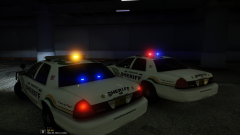
From the album: WIP
-
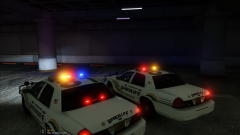
From the album: WIP
So the HCSO marked CVPI will come in 2 different flavors....One with just the standard Liberty up top, and the other with a pair of Dual Talons on the rear deck. -
Alt 1=Headlights Alt 2=Taillights Alt 3=Front Indicators Alt 4=Rear Indicators Alt 5=Reverse Lights Now be aware, you need to have the ELS control panel open in order to change them
-
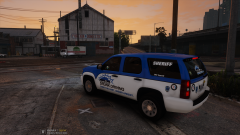 @nichankinson I changed the texture in Zmodeler.
 -
From the album: WIP
-
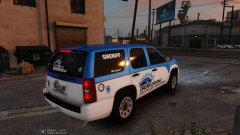
From the album: WIP
-
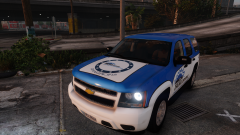
From the album: WIP
-
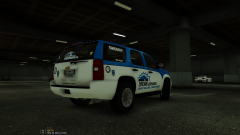
From the album: WIP
-
From the album: WIP
-
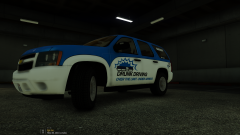
From the album: WIP
-
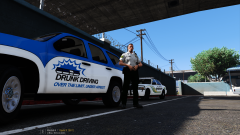
From the album: WIP
-
Agreed. After doing this on the HCSO pack and my Spartan Furion, I have found that I love using the carcols to control the enviromental lighting.
-
Did yu not check your pms Jonnhy?
-
@JClem , you are going to need to change the colors via the carcols. Look in the carvariations and see what siren setting it is using. Once you find that, you can change the color in each siren entry. Look for the entry called color value. For blue change the Hex to 0xFF0000FF
-
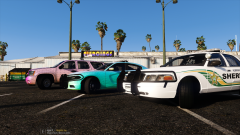
From the album: WIP
-


