




F5544
Members
-
Joined
-
Last visited
Everything posted by F5544
-
-
-
could you do that? would be awesome 😄
-
 I took the fire extinguisher and pilons from his car. But is it not made by him?
- 35 comments
- 10 reviews
-
Hmm don't know what the model setup needs.. so I think of a no. Try it I suppose
- 35 comments
- 10 reviews
-
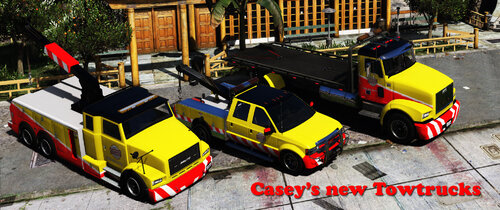
Casey's Towing company needed some upgrades in the fleed. So here are they. Templates included, you may modify only for personal use or with permission to release it. V1.1 fixed the install Model is original Rockstar Games, modified for GTAV and mapped by F5544 Liveries are made by F5544/Alvine12360 Lightbar made by F5544. Thanks to JacobMaate for the equipment, Reddington for testing.
- 35 comments
- 10 reviews
-
-

-

- 11
-
-
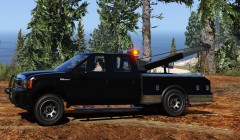 The whole pack is replacing the flatbed, towtruck towtruck2. But you can always make it add on
 -
Only need to map it. The I can release the pack.
-
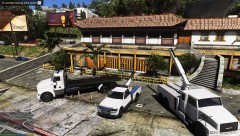 the big truck of the pack is a perfect match in size the big truck of the pack is a perfect match in size https://imgvol.cdn.lcpdfr.com/uploads/monthly_2019_07/20190717192703_1.jpg.0ba4f9945bdd8f2b0e7d22c3f74f0494.jpg
 -
looks good, but i think it's bit bit overkill for a normal towing. 😄
-
there is already a big towing truck. the phantom is more a normal truck
-
-
From the album: WIP
-
I think I am gonna use a sandking front. It's not a big effort to change it
-
Hmm. We already have all the types of towtrucks
-
Hmm instead of the towtruck2?
-
I have some skins for it. Thanks for the help. Are you good in scenario screenshots? When I am releasing the pack I need some nice screenshots
-
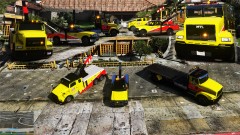 looking for some good scenario screenshot makers. who will be up for the challenge?
 -
From the album: WIP
Final testing and then will be the release -
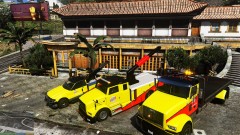 Hmm. I will include it in the release.
 -
final testing, this is a temp livery
-
From the album: WIP
-
Alvin is making some great skins right now. Thanks for the offer:)
-
yes making the big truck siren lights now. also adding some white surround lights and antenna's
-
Great. I will pm you this afternoon with the files. I think it's best to make it lore friendly. Livery for the GTA world. Something with Casey's towing service. And looking like the real one. An maybe for the crane(Casey's big rig towing). Let your inspiration do the work:)

