




F5544
Members
-
Joined
-
Last visited
Everything posted by F5544
-
-
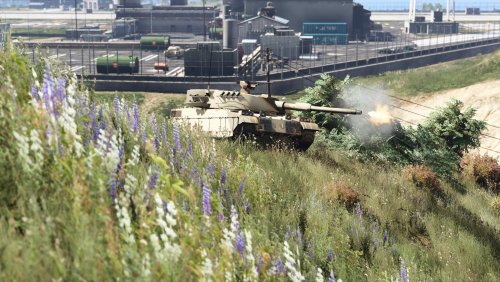 This edit will change the appearence of the rhino tank and adds a machinegun and smoke grenadelauncher on top of the tank. Instructions: Use the .iov to install all the data stuff, place the rhino files in the map Rhino, in a dlc of your choice. as long as they placed in a vehicles.rpf archive. This setup will make less dlc content, there is no need to make a extra dlc for just one car. Credits: Model is original Rockstar Games, modified for GTAV and changed by F5544. Thanks to FoxtrotDelta for looking in his info to learn how to add a Machinegun to the tank.
 -
-
-
 You can open the iov with winrar and extract the files. There is an assembly file just read it.
- 35 comments
- 2 reviews
-
 Yes you can lower this in the vehicle.meta of the update rpf. Look for frequency value. Lower that one. You can change it in the police smart radio in or the stop the ped ini.
- 35 comments
- 10 reviews
-
-
It's only the dlclist and the dlc folder. Remove that and it's uninstalled. It's to bad you can't get it working. Maybe something is blocking it from spawning. Have you used simple trainer to spawn it?
- 35 comments
- 2 reviews
-
-
-
 Oh I will check it. Heard this problem on gtamods. I think it has to do with the carvariation kit. Try to replace it with standard kit.
- 37 comments
- 2 reviews
-
-
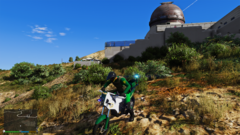
From the album: WIP
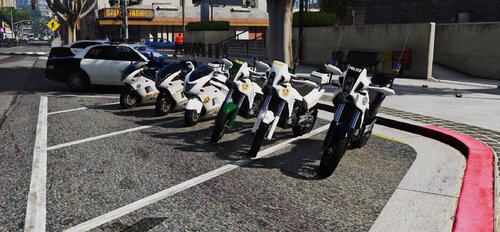
WIP dirtbike for dirtbike patrol. mapped and template included. -
-
I think that the real damage mod is the problem. You can open the iov package with WinRAR and then change the handling Id lines manual
- 35 comments
- 10 reviews
-
-

- 1
-
-
-
-
Do you have simple trainer? In vehicle add on spawn you can spawn them. And if you adapt dispatch.meta with these vehicles of use dispatch of variety.
- 35 comments
- 2 reviews
-
-
No. I don't want to let someone do all the work for me. But those cinematic shots are more for those who can make great shots. I just make vehicles. I only played gta to test them. And if someone like to do it why not? If I was leazy I didn't released anything and keep these vehicles for myself.
- 35 comments
- 2 reviews
-
thats why i posted this in the description: If someone want to make better (ambient) screenshots/movies please do so. take up for the challenge?
- 35 comments
- 2 reviews
-
-
- 1
-
-
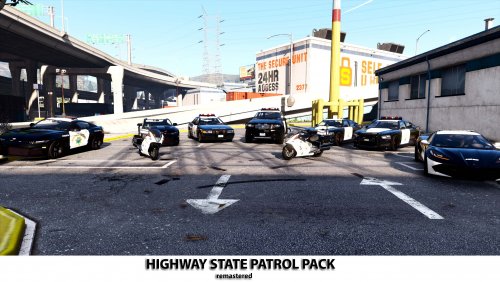
A whole new San andreas Highway pack pack at your disposal. This pack includes: Bravado Gresley Utility highway vehicle Bravado Buffalo S highway vehicle Hakuchou Police bike Vapid Dominator Highway interceptor Vapid Stanier Highway vehicle Vapid Coquette Interceptor Voit Tuvy - Power-Metal push-bar and speakers and Modified Police laptop 11John11 - Speed radar model Skitty - Police console model Fenton - Mapped and improved Stanier Police Bike made by F5544 Bravado Buffalo mapped by lt.caine Added Coquette If someone want to make better (ambient) screenshots/movies please do so.
- 35 comments
- 2 reviews
-
-

-
- 4
-
-
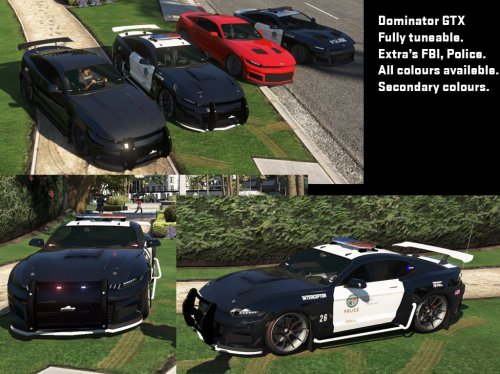 Hi I have released the updated version in a highway pack. It's now on gta5mods but I will upload it today on this website. Use that one please
 -
Woohoooo :D:D:D:D:D
-
 Looking great keep it up. Loving to see more accidents. Maybe building on fire and assist the fire department. The stolen vehicles and pursuits are in other plugins, so please don't make more. This plugin has the potential to be great if it brings more callouts that other plugins hasn't. Keep it up
- 1,023 comments
- 63 reviews
-
-
- 1
-




