




F5544
Members
-
Joined
-
Last visited
Everything posted by F5544
-
-
i'll keep you informed.
-
hey david, there is news about the ford.
-
 .... did you used the latest version? is this the only model with these problems? or do you have the problems on other cvpi's as wel
- 139 comments
- 21 reviews
-
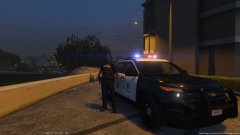 it is not my carmodel. so... no i can't fix it.
 -
If you change the sirensettings to value 13 above car works.
-
this lightbar was configured for the police slot. when making it for the jeep it needs renaming the siren lights.
-
 thanks, new version 1.2 fixes all the bugs. @GRAW fixed in v1.2. thanks for reporting
- 137 comments
- 22 reviews
-
-

- 3
-
-
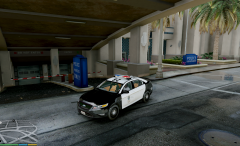 yes but it needs a lot of work before release, the whole interior must be converted.
 -
-
-
sorry but i am again on the limit of max 20 lights of the game. and i used it all for these lightbars. otherwise i had made it.
- 137 comments
- 22 reviews
-
-
- 1
-
-
-
-
-
For installation instructions look up on internet there are a lot of tutorials. I don't answer installation questions about where to install. the latest update pack. there are so many explanations about it. Install carcols in the meta otherwise it won't work. When Using this car on another slot. Goto Carvariations and change the sirensettings to the value of of the carcols id. or change the carcols id. For amber lights replace the cv_interior in the YTD with the .dds file provided in the rar. It has multiple extra set-ups to use. As many requested, a LSPD CVPI mx7000/Arjent s2 version. Credits: Model is original Driver San Francisco , modified for GTAV by F5544, marked to police version by Cj24 and KevinDV Liveries are made by BogdanM. Lightbar, Rhino Rambar made by F5544 and Textures by Lt.Caine/F5544. Arjent s2 textures by BogdanM. Mx7000 Texture by P1Ger. Console made by 0taku. Interior parts made by Bxbugs123/Schaefft with permission to use. Interior textured by F5544/BogdanM. LAPD hubcaps by Bxbugs123
- 137 comments
- 22 reviews
-
-
- 22
-
-
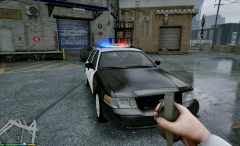 i am uploading now uploaded
 -
yes now today, no delay
-
because fcvp is making a real version of the lapd car, i will make a combo mx7000/arjent. and no slicktop. for everyone's choice each
-
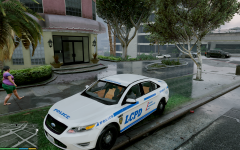 yep
yep -
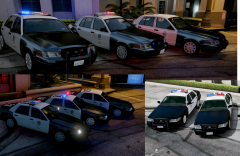 I will make a slicktop/arjent then and the above. But i am still busy with improving the arjent.
 -
Is possible. Then if users want both they need to add a extra police slot.
-
yes there is a limit of police lights on a car, and that is 20.
-
oh i see, sorry i am on the max of 20 lights. then i need to remove the mx7000
-

