Skip to content
View in the app

A better way to browse. Learn more.

LCPDFR.com

A full-screen app on your home screen with push notifications, badges and more.

To install this app on iOS and iPadOS
  1. Tap the Share icon in Safari
  2. Scroll the menu and tap Add to Home Screen.
  3. Tap Add in the top-right corner.
To install this app on Android
  1. Tap the 3-dot menu (⋮) in the top-right corner of the browser.
  2. Tap Add to Home screen or Install app.
  3. Confirm by tapping Install.

Jetstream88

Members
  • Joined

Everything posted by Jetstream88

  1. Jetstream88 posted a gallery image in GTA V Galleries
  2. Jetstream88 commented on Jetstream88's gallery image in GTA V Galleries
  3. Jetstream88 posted a gallery image in GTA V Galleries
  4. Jetstream88 posted a gallery image in GTA V Galleries
  5. Jetstream88 posted a gallery image in GTA V Galleries
  6. Jetstream88 commented on Jetstream88's gallery image in GTA V Galleries
  7. Jetstream88 commented on Jetstream88's gallery image in GTA V Galleries
  8. Jetstream88 posted a gallery image in GTA V Galleries
  9. Jetstream88 posted a gallery image in GTA V Galleries
  10. Jetstream88 posted a gallery image in GTA V Galleries
  11. Added the Code 3 Squadshield as a extra for the 91 Caprice and made the gumball light a bit smaller.
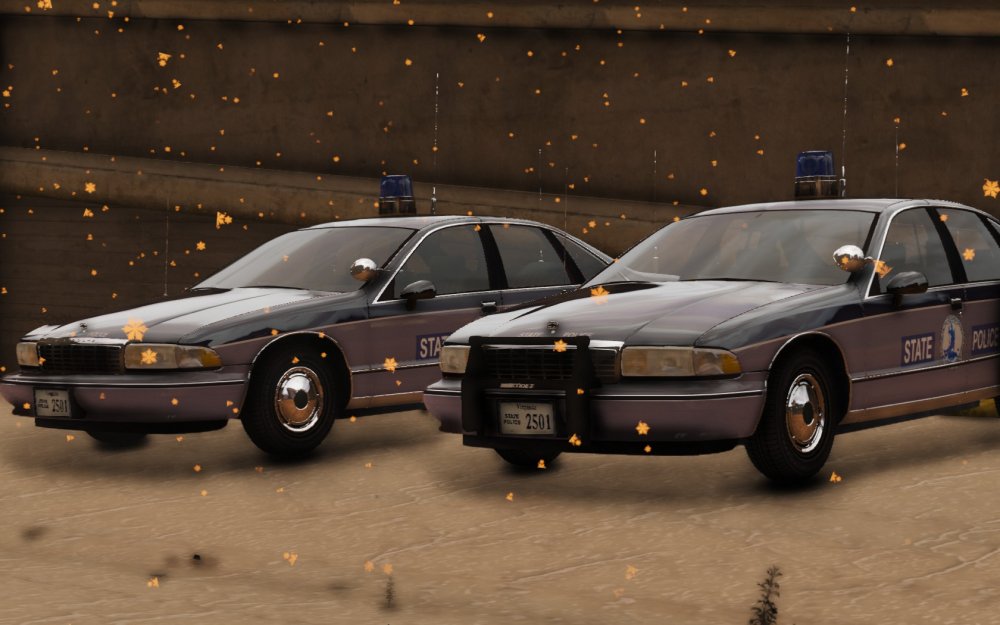
  12. Jetstream88 commented on Jetstream88's gallery image in GTA V Galleries
  13. Jetstream88 posted a gallery image in GTA V Galleries
  14. Jetstream88 posted a gallery image in GTA V Galleries
  15. I know how but I can't scale the beacon right for some reason.
  16. Mainly scaling, I'm trying to scale it to fit the car.
  17. I need help converting solo's Federal Signal Beacon CJ-184 and I having a hard time with it. Any help will be great.
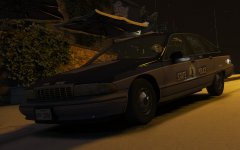
  18. I'm looking for someone to test the Caprice before I release it. PM if you want to test it.

Account

Navigation

Search

Search

Configure browser push notifications

Chrome (Android)
  1. Tap the lock icon next to the address bar.
  2. Tap Permissions → Notifications.
  3. Adjust your preference.
Chrome (Desktop)
  1. Click the padlock icon in the address bar.
  2. Select Site settings.
  3. Find Notifications and adjust your preference.