Murdnox
Members
-
Joined
-
Last visited
Everything posted by Murdnox
-
 After using this pack for quite some time (and many others), I keep coming back to it. Definitely one of my favorites. The slicktop Tahoe is absolutely one of my usual rides.
- 261 comments
- 37 reviews
-
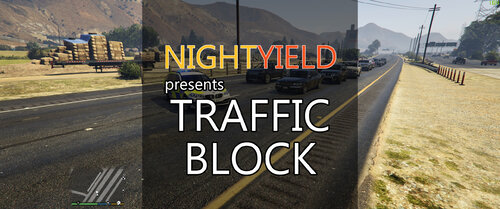 In case I missed it: is there a way to deactivate the vehicle traffic block without having to drive off? It's my favorite feature, but sometimes after the road is clear, I'd like to let traffic go without having to move my vehicle.
- 113 comments
- 10 reviews
-
I don't really use the barrier placement stuff, but the passive roadblock with the vehicle has quickly become an essential mod for my install and earns 5 starts by itself. I love rolling up to a scene on a street and just parking diagonal, not having to worry about cars pushing their way into my scene. Great idea and great work!
- 113 comments
- 10 reviews
-
-
 I had a bit of a glitch with one of the "Assistance Needed" locations. I didn't manage to get the log, however It's the second time this has happened, so I'll try to recreate it and post the log then. Here's the video in the meantime:
- 166 comments
- 75 reviews
-
 It has been fixed. I'm on the latest version of GTA V as well as LSPDFR and it's working fine for me. Which particular error are you referring to?
- 23 comments
- 12 reviews
-
.thumb.png.84adb823f7f653b8d654f1ab13098851.png) Wow. That's the reaction I had spawning these one after the other and finding out each one is as amazing as the last. This will be my daily driver and I won't be uninstalling these for a long time. Nice work.
Wow. That's the reaction I had spawning these one after the other and finding out each one is as amazing as the last. This will be my daily driver and I won't be uninstalling these for a long time. Nice work.- 89 comments
- 44 reviews
-
I'm very excited for this. Sometimes I just want to do some chill patrols like running traffic and having these calls in between would be great.
-
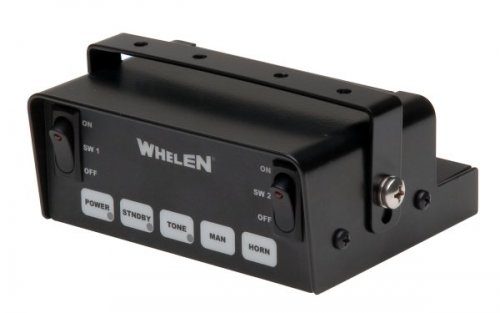 Whelen Gamma2 with "Machine Gun" Intersection Tone by: DavidJD051 A very unique siren that I stumbled across when browsing for projects. Some may find it a bit TOO unique, but I like making mods that no one else will. The "Machine Gun" intersection-clearing tone is a quick alternation between a yelp and horn, which can of course be previewed in the provided demo video. Install: 1. Using OpenIV, navigate to "x64 > audio > sfx > RESIDENT.rpf" 2. From the siren pack, open the "Easy Install Folder" 3. Drag and drop the "vehicles.oac" onto the page containing all of the ".awc" files. (Make sure OpenIV is in edit mode!) Tones: 0x0D329446: Wail SIREN_2: "Machine Gun" Intersection Tone POLICE_WARNING: Phaser 0x0EA58C7C: Horn Keep in mind that Shadowplay (used to capture the demo) made the siren come out a bit more screechy than it actually sounds. DEMO: Tones sampled from this video:
- 3 comments
- 3 reviews
-
-

- 1
-
-
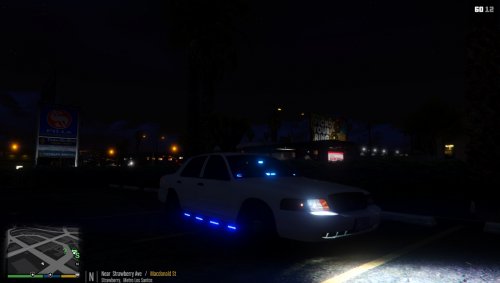 I just saw it and came back to comment. Awesome! Now I really love it. Thanks!
- 40 comments
- 14 reviews
-
-
- 1
-
-
This is interesting. I'm downloading it now but I don't see myself using it long term without any red lights.
- 40 comments
- 14 reviews
-
-
- 1
-
-
-
Hey guys! Thanks for the heads up on the error. I have been going to school and work full time for the past few months and have barely even had my computer on in that time. Since hearing about the release of 0.3, I've decided to try and make some time. This error is most definitely caused by recent updates. Whether that be the game itself, RageHook, I'm not sure. This is (don't mean to toot my own siren) my favorite sound mod myself so I'll definitely do my best to pull some research and get it working again.
- 23 comments
- 12 reviews
-
 The .oac file actually is the .awc file; OpenIV automatically converts it when you drag and drop. Just make sure that the "vehicles" folder is in the same directory as the .oac file, but with nothing else. They have to be alone, as the .oac reads the vehicles folder. Also, it's best to extract the entire archive first.
- 6 comments
- 2 reviews
-
-
- 1
-
-
It's definitely my favorite vehicle model. http://www.lcpdfr.com/files/file/8803-crown-victoria-with-multiple-extras/
- 6 comments
- 2 reviews
-
Very excited. Thanks team!
-
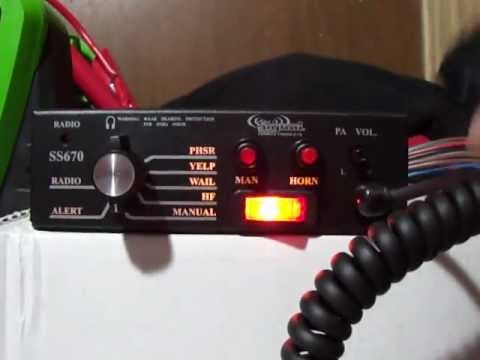
Signal Vehcle Products SS670 by: DavidJD051 Install: 1. Using OpenIV, navigate to "x64 > audio > sfx > RESIDENT.rpf" 2. From the siren pack, open the "Easy Install Folder" 3. Drag and drop the "vehicles.oac" onto the page containing all of the ".awc" files. (Make sure OpenIV is in edit mode!) Tones: 0x0D329446: Wail SIREN_2: Yelp POLICE_WARNING: Phaser Showcase: Sounds samples sourced from the following video: https://www.youtube.com/watch?v=8dd_fZDV1vE
- 6 comments
- 2 reviews
-
-
- 2
-
-
 Right on. I mostly use any fire truck/ambulance mods for aesthetics, since they're not really useful. I made this mod mainly to sound nice when driving by or arriving on scene. Hmm, maybe I should put that in the description.
 -
I couldn't find a decent, clear Q sample, so I went with this one and tweaked it a little bit to make it sound a little less screaming cat. Glad you like it!
-
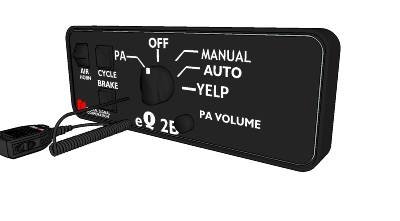
6Adam Powercall with E-Q2B for Fire Truck by: DavidJD051 This siren mod contains only one tone (more like a 2-in-1) to replace the default wail of the fire truck with a 6Adam Powercall and Federal Signal E-Q2B. It is not meant to be used with any other tones, however that's not entirely possible for the A.I. in GTA V. Install: 1. Using OpenIV, navigate to "x64 > audio > sfx > RESIDENT.rpf" 2. From the siren pack, extract the contents of the "Easy Install" 4. Drag and drop the "vehicles.oac" onto the page containing all of the ".awc" files. (Make sure OpenIV is in edit mode!) Tones: 0x159C9182: Powercall with E-Q2B NOTE: This mod does not contain the unique "6Adam" tone, nor any other tones other than a replacement for the main "wail" siren of the fire truck. Showcase: Sounds samples sourced from the following videos:
-
-
 Honestly, I completely agree. I tried making a Q/Powercall combination, but the file was simply too large to install while keeping a decent quality, as well as a not so repetitive tone. I'll keep trying at it though.
 -
Thanks for sorting that out guys, I'll be sure to include that in the README file.
- 23 comments
- 12 reviews
-
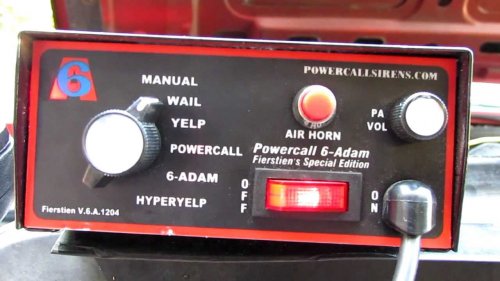
6-Adam Powercall for Fire Truck by: DavidJD051 Hi there, me again! Today I have brought you the beautiful 6-Adam Powercall. Please note that this it not the original and more common GE Powercall. This one is a bit more crisp and modern sounding. Install: 1. Using OpenIV, navigate to "x64 > audio > sfx > RESIDENT.rpf" 2. From the siren pack, open the "Easy Install Folder" 3. Drag and drop the "vehicles.oac" onto the page containing all of the ".awc" files. (Make sure OpenIV is in edit mode!) Tones: 0x159C9182: Powercall 0X161768E7: Yelp NOTE: This mod does not contain the unique "6Adam" tone. Showcase: Sound samples sourced from the following video:
-
Federal Signal Touchmaster Delta with Futura Tone by: DavidJD051 This is my first mod, of any game, ever! I couldn't quite find a siren that I wanted or knew I could comfortable keep for a while, so I made one myself and decided to share. Installation: 1. Using OpenIV, navigate to "x64 > audio > sfx > RESIDENT.rpf" 2. From the siren pack, open the "Easy Install Folder" 3. Drag and drop the "vehicles.oac" onto the page containing all of the ".awc" files. (Make sure OpenIV is in edit mode!) Tones: 0x0EA58C7C: Horn 0x0D329446: Wail SIREN_2: Yelp POLICE_WARNING: Futura Showcase: Tones sampled from this video:
- 23 comments
- 12 reviews
-
-
- 7
-


.thumb.png.84adb823f7f653b8d654f1ab13098851.png)