


President Shadow
Members
-
Joined
-
Last visited
Everything posted by President Shadow
-
This did not work. It keeps on saying that Rage.Vehicle is invalid. This is what the log is saying. [5/23/2017 6:57:38 AM.231] LSPD First Response: ============================== [5/23/2017 6:57:38 AM.231] LSPD First Response: UNHANDLED EXCEPTION DURING GAME FIBER TICK [5/23/2017 6:57:38 AM.232] LSPD First Response: ------------------------------ [5/23/2017 6:57:38 AM.232] LSPD First Response: Origin: Game fiber "CalloutManager". [5/23/2017 6:57:38 AM.232] LSPD First Response: ------------------------------ [5/23/2017 6:57:38 AM.233] LSPD First Response: Exception type: Rage.Exceptions.InvalidHandleableException [5/23/2017 6:57:38 AM.233] LSPD First Response: Exception message: Operation is not valid because the specified Rage.Vehicle is invalid. [5/23/2017 6:57:38 AM.233] LSPD First Response: ------------------------------ [5/23/2017 6:57:38 AM.234] LSPD First Response: Inner exceptions: [5/23/2017 6:57:38 AM.234] LSPD First Response: ------------------------------ [5/23/2017 6:57:38 AM.234] LSPD First Response: Stack trace: [5/23/2017 6:57:38 AM.235] LSPD First Response: at Rage.TaskInvoker.CruiseWithVehicle(Single speed, VehicleDrivingFlags flags) [5/23/2017 6:57:38 AM.235] at Shadow_Callouts.Callouts.RogueSoldiers.OnCalloutAccepted()
-
Hello, when I accept my callout I'm developing, it crashes and says "Operation Invalid Because Rage.Vehicle is invalid". SuspectVehicle = new Vehicle("CRUSADER", SpawnPoint, 0f); SuspectVehicle.IsPersistent = true; Game.LogTrivial("About To Spawn Ped"); Suspect = new Ped("s_m_y_marine_03", SpawnPoint, 0f); Game.LogTrivial("Ped Spawned"); Suspect.IsPersistent = true; Suspect.BlockPermanentEvents = true; SuspectBlip = Suspect.AttachBlip(); SuspectBlip.IsFriendly = false; if (Suspect.Exists()) { Suspect.Tasks.EnterVehicle(SuspectVehicle, 1); } Game.LogTrivial("Ped Told To Enter Vehicle"); Suspect.Tasks.CruiseWithVehicle(70f, VehicleDrivingFlags.Emergency); I'm really confused why this is happening and would like to know why and how to fix it.
-
Idea. I'm not sure If these will be implemented but here they are 1. Needing to Tow a stranded boat 2. Needing to seize a vessel and you find drugs or weapons or nothing 3. Needing to raid a vessel - Need a big boat and you and a small team inserted by Helicopter or Boat and you search it and you need to open containers or blow doors open. 4. Take down an Unauthorized Aircraft or search for the wreck site. 5. Random event - Flares from a boat activated and its stranded - Someone drowning off shore - boat crash.
-
Search Warrant Call is Finished. Beginning to work on the callout "Rogue Soldiers". Join my Discord to apply for the beta and to learn more about upcoming updates
-
Can you show me an example of how I would do this/where it would go
-
How would i get this random name: https://gist.github.com/drsn0w/4a8554ffe157513f4081389462ae73e0 to show up in my dialogue? "~r~Suspect~w~:A Warrant? What For? My Name Is ________",
-
Why do I get errors for the lowercase i in this? what does the i stand for?
-
Hello, I'm creating an arrest warrant callout. I want to have it randomly generate a name, that shows up in a dialogue when talking to the suspect, and then when you look suspect up in the computer, it shows as wanted, how would I do this?
-
Hello All. I am finishing up the Search Warrant call and it will be beta tested soon. If you want a chance to test it, please join my discord as this is where I'll do more frequent updates. They will still come out here but will be put on discord first. Discord: https://discord.gg/q7JPXaR
-
Thank You, I'll try this
-
I'm creating a Search Warrant callout and I'm wondering how I would script it that when I get close to the suspect, it creates a pursuit, then he needs to his vehicle parked outside, get in and drive away. How exactly would I do that if possible at all. Thank you for the help!
-
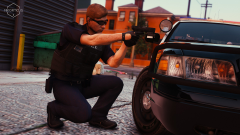 How are you getting him to crouch like that? This looks amazing
 -
Hello, I am currently starting the work on the Callout: Execute Search Warrant At A Workplace. No matter what I did, the paparazzi call is on hold and maybe stopped. I need help on how to get the ped/callout to spawn only at the life invader building. If you know how to do this let me know.
-
An idea, not sure if this a plan but instead of investigating murders and sexual assaults only, you would have to investigate a bank robbery where the suspects fled or try and find the person who stole a car or kidnapped a person and you would find the suspect vehicle burned in an alley or somewhere.
-
Looks Great! An idea, could you add a part where cops secure the scene first before they signal in the ambulance and the cops set up a perimeter.
-
This looks great!! Can't want for this.
-
Please read the first post for an update
-
How would i make a ped a certain model? I need Vector3 for Security Models, Beverly Models, and Lazlow model. Where would i find these?
-
I love this! This is such a good idea and i would love to see this done!
-
Sounds like a great idea. Can't wait for this
-
Thanks for the tip
-
Hello, I am the Creator of Shadow Callouts and I'm trying to figure out how to have a News Van (Paparazzi) chasing a Limo/Granger (VIP).
-
Yes, I'll try my best!
-
I'll try my best to do this. Love the idea.
-
I'll try it out! It would be neat. I'll see what I can do


