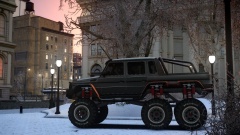
Creators: Due to background reprocessing of files, approvals and file security checks may be delayed. Thanks for your patience.


GT5abc
Members
-
Joined
-
Last visited
Everything posted by GT5abc
-
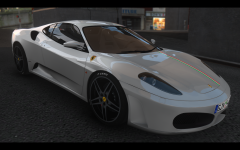
From the album: GTA IV #2
-
Nice to see you here haha
-
You obviously don't give a crap, so why comment?
-
Thank you
-
 RIP Really nice picture though :)
 -
Its funny you say that, I cut it down from 32 seconds at one point. xD
-
My specs: AMD FX-8350 4.0ghz, Nvidia GTX 670 2gb, 8gb RAM, 1tb Hard drive
-
Here is a video of how ELS looks in my ENB Videos are being added to the Download page: Smooth ENB '?do=embed' frameborder='0' data-embedContent>>
-
So here is a video of the ENB i uploaded a few days ago, Smooth ENB '?do=embed' frameborder='0' data-embedContent>> Quality is not that great and tomorrow I will release a video of ELS in action in better quality.
-
-
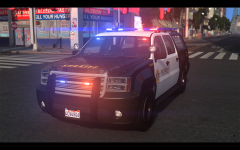
From the album: GTA IV #2
sweet. -
He has... Ludicrous Speed lol.
-
Just uploaded my ENB so you can give it a shot if you want. '?do=embed' frameborder='0' data-embedContent>>
-
-
-
One more thing I forgot to tell everything is that when you go in game settings, brightness has to be at the halfway point, no contrast and saturation has to be at the halfway point as well.
- 21 comments
- 4 reviews
-
-
-
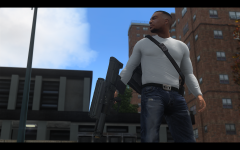 Once the ENB is uploaded, go into enbeffect.fx file (open in notepad) and go to the line that says "#define Black_Bars" Make it so it appears like this "//#define Black_Bars" (without the quotes)
 -
ENB is being approved as I type this haha :D
-
Smooth™ ENB by GT5abc ENB version 0.163 For patch 1.0.4.0 - 1.0.7.0 - EFLC (1.1.2.0) Works on Multiplayer All screenshots from patch 1.0.7.0 and EFLC (1.1.2.0) Features: -SSAO -Skylighting -No red sky -DOF -Motion Blur -FXAA -ELS friendly (seperate visualsettings.dat and enbseries.ini included) -Realistic Clouds -New rain texture How to install: Before installing, make sure you have Microsoft Visual C++ 2005 and 2008 Redistributable Packages installed: http://www.microsoft.com/en-us/search/DownloadResults.aspx?q=Microsoft%20Visual%20C%2B%2B%20Redistributable%20Package Install everything to the appropriate location in the GTA IV folder. MAKE SURE YOU BACKUP ANY FILES THAT HAVE BEEN REPLACED! Credits: -Boris Vorontsov -gp65cj04 -IceLaGlace (For the realistic moving clouds) -Buzzbass -Fabriciuz -Aditya_Fauzi (For the rain texture) -Dax1 (For the shader fix that allows for effects in the new patches) -Myster92 (For EDIT IV, allowing us to edit the timecycle) Special Thanks to PacketOVerload_x64Bit for helping me with clouds and BErad1502 for helping me with brightness of ELS lights New videos, sorry about the low quality of the first video.
- 21 comments
- 4 reviews
-
-
It is based on 0.163
-
From the album: GTA IV #2
W.I.P. but I really want to release it. :) -
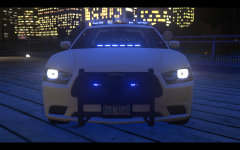 Thanks :)