




ASTK9
Members
-
Joined
-
Last visited
Everything posted by ASTK9
-
-
ok I see it now
-
it looks like that watch guard cam is inside the mirror a little
-
I don't say in this state. And technically we aren't always on duty.
-
I would especially if I'm off duty and some where else
-
I believe you are right cause i think ive seen this before but really didn't know much about the company
-
I know what it is but i can't think of the damn name
-
add the veshare and the vehicle taxtures then hit the import and import it. if the vehicle is a z3rd file then you go to file and hit merge, then select all, then merge.
-
same way with me. some parts of AST (Alabama) aren't allowed to take pics of themselves or vehicles. Only professional photographers are allowed to take pics of our vehicles.
-
also remember to answer your question thoroughly and its good to rephrase the question in your answer.
-
what exactly are you trying to do? are you trying to delete them or are you just trying to seperate?
-
-
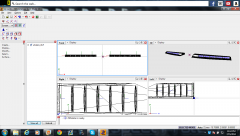
From the album: ASTK9'S scratch made equipment
another pic with the els -
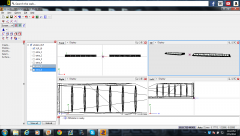
From the album: ASTK9'S scratch made equipment
Made new XLP. Hope you like!!! -
-
show a pic of your whole hierachy
-
or if there are two extra 1's and they are different lights you can attach them and it will make one.
-
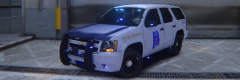 our tahoes should be like this one lol
 -
no show me the lightsemissive for the actual els lights.
-
do me a favor i think i know whats wrong. open up your materials editor and go to the els one and take a screenshot for me.
-
-
-
-
-


