



strike
Members
-
Joined
-
Last visited
Everything posted by strike
-
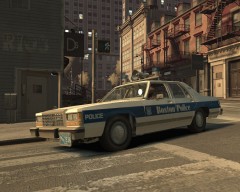 Thanks for your kind comments, glad you liked it! Tomorrow I'll also release two CHP textures for the Dodge Diplomat=)
 -
Hey guys, I'm looking for someone who can work with advanced textures, I mean reproducing real ones. I need someone to reproduce a wooden texture of the side of a car for adding it to a car model as livery, for a mod that is going to be released to GTA IV (it just need it to be completed and released). If you can, please post here or PM me, I'll send you the template and instructions. Thanks in advance.
-
First, welcome;) Take a look at the downloads, there are many interesting emergency vehicles;) For civil vehicles, skins, etc take a look at the pages here shown: For installing them you need Spark IV, here's a tutorial about using it http://www.youtube.com/watch?v=Ef4aN_MYp_4 Also, the car mods uses to come with some lines in the readme, called "handling", "carcols" and "vehicles". These lines make the car mods running correctly ingame. For installing them, you have to go to your GTA IV folder--> common--> data, and look for some files called "handling" "carcols" and "vehicles", open them with notepad and replace each line of the car you're installing with the respective that come in the readme. Then, if you install civil vehicles, you'll have an problem called Taxi Bug, that is that you'll only see taxis and police cars spawning. For solving that, you have to install a taxi bug fix, like Traffic Load, Traffic Flow (in the downloads section), or Traffic Control System, for example. By other hand, if you want a more realistic police experience, you can install Dash Cam: and First Person View. Btw, for running LCPDFR, you have to install Patch 1.0.7.0: http://www.rockstargames.com/downloads#/?collection=9 That's all, I think, enjoy it!
-
From the album: Strike's
Tomorrow will be released, along with other mods. Hope you like it! -
Well, I have to say that's part true, but that happens everywhere haha:P While I was there I had a small problem with a resident: I was in the subway, I don't speak fluent English so I didn't realize a woman was talking to me so she started complaining and treatening me in a rude way haha, and I also knew a rude donnut dealer:) Also many people in the street was complaining, but, hey, I'm focusing at a bad way, many more people was friendlier;)
-
No, you can install any car you want in 3 and 4, and about the other, yes, you can select the EFLC cars in lcpdfr.
-
Open Spark IV, go to cdimages, go to componentpeds and replace the files of the cop, like "m_y_cop.wtd, .wdd and .wtf", and if the model comes with new hats, go to cdimages -->pedprops, and replace the "m_y_cop". If you just want to replace the cop texture, go to Spark IV, open "m_y_cop.wtd" and replace the uniform texture like when installing textures in car mods.
-
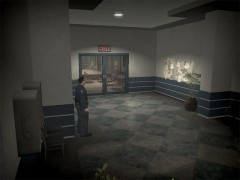 You should add a prisoner escorted by two guards using the phone, and maybe some civilian around the police station, for making it more real:P
 -
Well, if you mod San Andreas, gta-worldmods.de has some good mods others don't have.
-
Well, after visiting New York now I can't see Liberty City as New York. I got the game before going NYC, it was one of the reasons I got GTA IV, cause I wanted to play in somewhere similar to New York. It's true that in Liberty City are places that are similar to NYC, and as I guess you know, buildings copied to the originals in New York; but there are many places places, avenues, etc. missing, like the Greenwich and West Village zone, big part of Harlem... and many others are very differently located than in the real life, plus they are much smaller. Avenues are also much smaller in GTA IV; while in LC you go running in 5 minutes from its equivalent of Times Square to the downtown, in NYC you need about 1 hour. So don't expect something like LC, NYC is much better and beautiful:P I really liked New York, I can't wait to go back, but after visiting it, most GTA IV map dissapoints me. If you go, enjoy it!
-
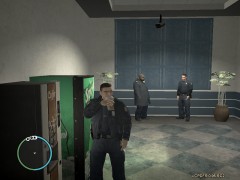 Can you tell me how to change the textures of the police stations, please?
 -
How do you did that??
-
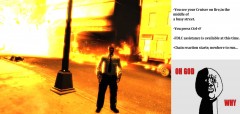 You can install Ambient Fire Dept. mod, they will respond to the fire and clean the scene;) http://www.gtagaming.com/downloads/gta-iv/script-mods/8510
 -
Mafia 2 have these kind of uniforms, since is based in the 1950s Prison guards Normal policeman Maybe they could be converted, ac.amir has converted Mafia 2 characters to GTA IV, maybe he could convert also the police officers.
-
Great, now I can continue with my work:) Thanks for your help Tom!
-
Hey guys, here I am, again, needing some help with fonts. Can anyone tell me what font uses the Boston police? Thanks in advance:)
-
I'm glad you are working on this Ram, there are tons of SRT-10 but any 02-08 Dodge Ram out there, which I think is a pretty nice truck and common every day car. Looking forward to see it ingame.
-
-
-
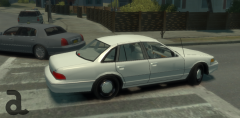 True. But well, there's also a 1992 Crown Vic to SA, I mean, why race, you can always do another year car haha:PAnyway, can't wait to see Teddy's and Harpers Crown Victorias;)
 -
Well, since the mod is based in police work, more than in the other emergency services could be taken the EFLC APC and replace the firetruck with it, so you would have a riot control unit (yep, you'd loose the firetruck). Then there should be a key for calling the riot control unit and it would start shooting with the water cannon the demonstrators.
-
Oh my f'cking god!!!!!!!
-
You got my point, man. It can't be said better!;)
-
I want K DST back, and feeling again the wind coming through the window while driving my muscle car at dusk in the desert, running away from the police!
-
Looks sick! These are graphics, details and effects! And Chicago, nice city:) But I think is not the type of game I'm interested on, and I also doubt my computer could handle it... Anyway looking forward to see something more gameplay:)


