



strike
Members
-
Joined
-
Last visited
Everything posted by strike
-
After some time without working on anything, I am back with more Amtrak Police 1989 Ford LTD Crown Victoria texture for Ceril's 1989 LTD - Installation instructions in the readme. - Link for the model: - Do not edit or redistribute without my permission. Download-----> ___________________________________________________________________________ Btw, I am working on the requested things, I haven't forgot of them lol.
-
Amtrak Police 1989 Ford LTD Crown Victoria texture for Ceril's 1989 LTD - Installation instructions in the readme. - Link for the model: - Do not edit or redistribute without my permission. Screenshots
- 6 comments
- 10 reviews
-
From the album: Strike's
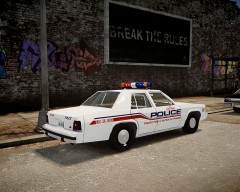
Nah, don't break da rules, yo. -
Well, epic video indeed. Gotta say I ended confused with the video, I prefered the FCV win, though I felt sorry for GM for losing These guys make some epic videos, I found this one pretty cool!
-
These screens are too small, so it can't be fully appreciate. You should use Fraps to take the screenshots. Anyway, I'd say they look good;)
- 7 comments
- 6 reviews
-
Con los terroristas...
-
 These are not NYC taxis anymore; now they are replacing them with some bullshit of nissan minivans...
 -
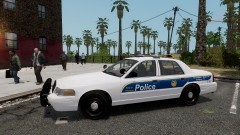 Very nice :D
 -
Streethawk...that's nice. I guess the car uses the same template than Ceril's version, right?
- 5 comments
- 6 reviews
-
-

- 1
-
-
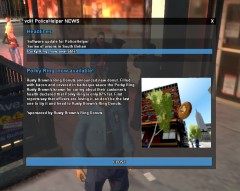 "is only 87% fat" "known for caring about customers health" haha pure R* humor!
 -
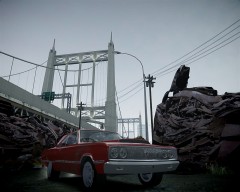
From the album: Strike's
Like Samuel L Jakson's wallet. -
As some of you may already know, the next 26th of March the next Battlefield will be presented. Meanwhile, the first artwork has been officialy released, which has plenty of similarities with the BF3. By other hand, a secondary version has been displayed too, which has small clues of the possible ambientation of the game. These small pictures over the main artwork show that the next Battlefield could be set in China, as it's shown a picture of Shangai next to the guy running and above the 'TM' appears to be a landscape that resembles to a place in China called Three Gorges. On the other hand, between the 'L' and the 'D', there's the face of a likely oriental woman, which, apart of evidencing the possible asian setting, allows to think about the presence of female soldiers ingame. In addition, in the picture, there's a Chinese fighter Chengdu J-20. The US Army will be clearly another faction ingame, just looking at the soldier running toward us and the vehicles behind him. Also, between the 'D' and the '4' there are two Amtraks running. The game seems to be set in the present days. The soldier of the artwork is armed with a tactical sig sauer and a silenced M39 rifle. Personal opinion: I have to say this hasn't whet my appetite. I see it like if it's gonna be a sequel of the BF3. I am tired of the modern warfare and I was hoping something different. Anyway, I am looking forward to see the presentation in a week and I hope I can change my mind about the game. So, what's your opinion, guys?
-
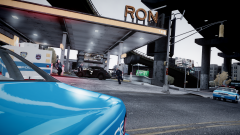 Bill Cosby description?
 -
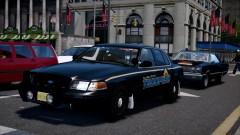 Dat Coronet in the back!
 -
-
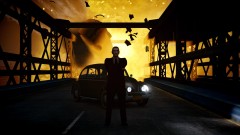 Badass guys don't look at explosions... :D Do you have the link for that VW?
 -
 looks gorgeous:)
 -
-
And imagine if R would have done the game - and do in their next games - like the Arma series developers, enhancing the modding support...
-
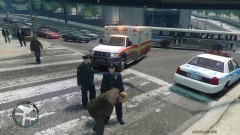 Ambulances that save more lives than they destroy in GTA IV??? Heresy!!!
 -
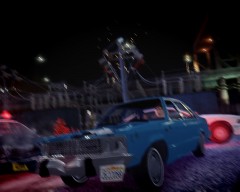
From the album: Strike's
A cop killer... A raging chase... A power station... End of the line? -
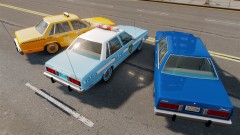 These look absolutely gorgeous, indeed hope you release them. The taxi would perfectly replace my failed taxi conversion of the Dodge Aspen, and I have some textures thought for the police version:) Btw, the civil Fairmont is an updated version of the one already released, am I right?
 -
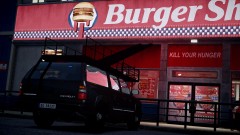 Kinda ironical the scene...
 -
Though I am not big fan of the newer Ford Interceptors, they look pretty good with the Halifax PD paintjob, are you gonna do it also for the Crown Vic? Looking good the pack, keep it up
-
Lol


