DaMomsMom
Members
-
Joined
-
Last visited
Everything posted by DaMomsMom
-
Ooh. The Bearcat does look very nice!
-
-
From the album: DaMomsMom GTAV Screenshots
-
From the album: DaMomsMom GTAV Screenshots
-
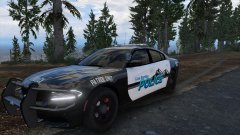
From the album: DaMomsMom GTAV Screenshots
-
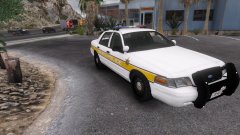
From the album: DaMomsMom GTAV Screenshots
-
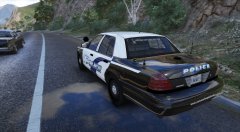
From the album: DaMomsMom GTAV Screenshots
-
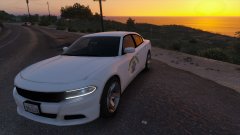
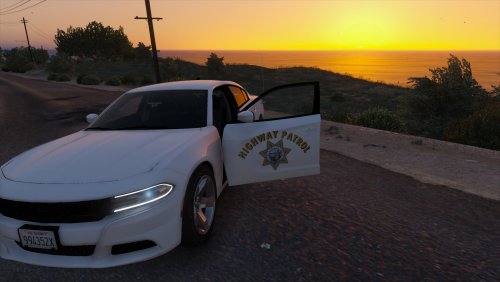 CHP 2015 Stealth Charger! Since I saw that the California Highway Patrol had unveiled a white 2015 charger, I really wanted to do this video with this style charger. I made a skin and I really enjoyed it and I found that a lot of other people wanted to use it as well. To clear things up, some divisions of the CHP use the all white skins for commercial vehicle enforcement and some use it now to stealth units. Installation 1. Replace the 'chgr_sign_1' texture in the vehicle texture file. 2. Save .ytd file. 3. Launch Game.
- 3 comments
- 3 reviews
-
-

- 2
-
-
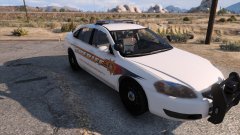
From the album: DaMomsMom GTAV Screenshots
-
From the album: DaMomsMom GTAV Screenshots
-
From the album: DaMomsMom GTAV Screenshots
-
From the album: DaMomsMom GTAV Screenshots
-
From the album: DaMomsMom GTAV Screenshots
-
-
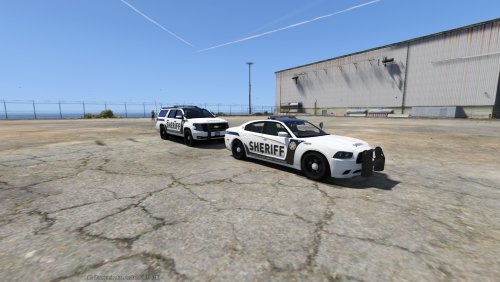 Love the skins man! Great job!
 -
-
-
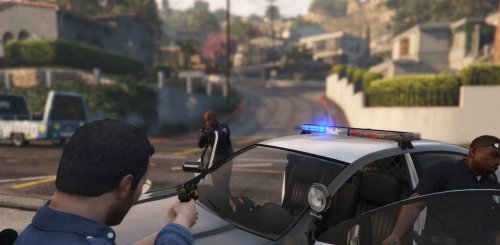 Taser Sound Effect for Grand Theft Auto Five! I used the Taser sound effect from GTA:IV LSPDFR and turned it into GTA:V's Taser sound, I removed the Taser Charge so it doesn't sound weird with the real taser clicks. I also added a custom deploy sound so it sounds more realistic. The taser deploy sounds better out o game then in game so I will be working on that in future versions. Video https://www.youtube.com/watch?v=jWANDd8-G_0 Taser Sound Effect Credit Original Taser for GTA IV - Sam Edited Taser for GTA V - DaMomsMom Installation 1. Go to x64 > audio > sfx > RESIDENT.rpf 2. Find weapons.awc, right click and "Export to openFormats (.oac)" and choose your file destination. It should create a weapons folder and a weapons.oac 3. Take the files "CHARGE.wav" and "0x1178999F" and move them into the weapons folder that came by exporting as openFormats and put the files in that folder and be sure that you select move and replace. 4. Go back to Go to x64 > audio > sfx > RESIDENT.rpf and go into editing mode. Drag the weapons.oac into RESIDENT.rpf THIS WILL NOT WORK IF THE FOLDER AND OAC FILE ARE IN THE SAME DESTINATION. Work In Progress Taser Deploy Sound Changelog 1.0 - Initail release - Converted GTA IV Sound to GTA V - Added deploy sound effect
- 6 comments
- 2 reviews
-
-
- 1
-
-
Is there one for multiplayer yet?
-
Hello, so whenever I join a multiplayer game, it disconnects me because I'm 'running to slow'. My specs bottleneck a bit, but not enough to impact my frames significantly. I have an AMD FX 6300 (6 cores @ 3.5 ghz) and a MSI GeForce GTX 970 4GB. I use a command line for 4GB of vram, but when i try to start my own lobbies, I freeze and go to the ocean looking over liberty city view, then crash, or It put me in my own lobby and does this. And when I try to join one, it will do infinite loading, starting a new game (and put me in my own lobby), or go past the lobby and crash because my computer is running to slow at the 4 fps loading to join the lobby. PLEASE HELP! I had this issue before. I use LCPDFR 1.1 and I have VSync off.
-
-
Hello, I know this problem was brought up before, but I have a special circumstance that I can't seem to find an answer for. I am using LCPDFR 1.1 and when I pull someone over in multiplayer (and I know LCPDFR doesn't support multiplayer, but I thought I'd ask) it tells me to park behind the vehicle, then the vehicle starts moving. I have tried the enable vehicles and peds, reload scripts, then enable them, and that worked until I re-installed LCPDFR. I use Callouts+, Backup, and Wasteland.
-
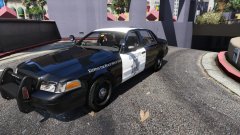
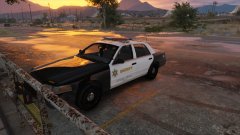
Once again releasing a GTA V light bar using a GTA V skin. We are aware of some bugs with the car, such as the invisible doors and un-breakable windows. We are also aware of the skin errors. If you have any other problems and or complements, please comment and rate! There will be a version of this skin for the CVPI we previously made! More GTA V lightbar series coming!
- 5 comments
- 1 review
-
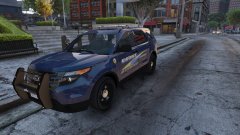
This isn't my favorite skin, but I know some people liked it, so I decided to upload it. It is semi based on Alabama state police, but not really, that's really it, enjoy the skin! Unfortunately, I could not find out who made the model or a link, so if you find it, please link me!
-
Yes, more vehicles to come. Cheezy and I are working on a whole GTA V light bar pack
- 11 comments
- 3 reviews
-
-
- 2
-


.thumb.png.5fbbb989547defaeeb5c22864df62b54.png)