



TaylorSwift
Members
-
Joined
-
Last visited
Everything posted by TaylorSwift
-
"Pathetic lives" No need to be so harsh lol, Maybe they just have "Spare Time" lol
-
I Already made one. I Used this form site thing and then created a police report, I Just keep another monitor or a laptop next to me to do it all... But, I Think it should be implemented in-game.. So that you don't need to do all that lol. It does feel nice to have a laptop next to me though...
-
Good conclusion. Option 2 it is... He hacks.. Alot.. And even more.
-
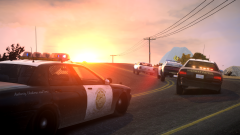 route 66? Or something else? Nice pic btw :)
 -
I'm not the biggest fan of caprices but... Holy crap! Simply Amazing work! Great job man, if i ever make a older patrol on my YouTube channel, i will be sure to use this for it!
- 25 comments
- 8 reviews
-
hit the right bracket or the ] key. These aux lights are called takedowns. They are meant to be used during warrant traffic stops to blind the driver and passenger of the suspect car. But in GTA4 there are many uses to them, Lighting up a crime scene or, During a traffic stop. Oh and if you would like the flashing ones to be just as bright, do this to els.ini Change this "Range_WRNL = 4" To around 25-30
-
-
-
Dude. Thats weird, My dad lives like 5 minutes from Trotwood lol *They call it "Trothood" lol
- 8 comments
- 5 reviews
-
Startairsoft780 has one of these in his clan pack so obviously it is very possible, If i had permission from one of those bike owners i could probably do it...
-
Wow! The taurus looks beautiful with that color! Simple skins, But very well executed! Nice job :)
- 6 comments
- 2 reviews
-
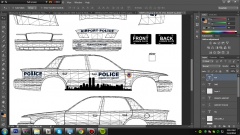 Well it turned out very nice in game, So im going to upload it here in a bit
 -
Forgot to quote you lol ^^^^^
-
Ahhh thats what it was! I Knew i was remembering the text from somewhere... Either way, I Like mine more due to the 9/11 Memorial stuff, And the cityscape
-
So.. I Just randomly wanted to do this. And i think i'm in love...
-
From the album: FIA POLICE (WIP)
So i just thought of doing an airport police car. And i think this has to be one of the best skins i've made. Any suggestions? Should be up tomorrow. -
1. Go to your ELS.ini Scroll down till you see this Lstg3LightsMoveTraf = off Switch that ^^^^^ To on. 2.Use the trainer and mute your character in the voice menu. No intercom speech will be said As for three, That would be very cool, Im sure its very doable, Maybe i can do it soon.
-
I Don't either, But i just found a model made by someone, Currently asking to use the unlocked for the CHP bike, Back on topic lol
-
Not to get off topic.. But does that mean i can buy anyone of these from turbosquid and convert them? Holy shit... I Think i might make a CHP BMW RT Bike.... Back on topic: This car would looks sweet as an unmarked, If someone can find that model... That would be sweet!
-
 It's the reptilians that homeless guy spoke of! "CALL AIR SUPPORT!"
 -
I Have seen "stevetrackzboys55" Do that before, Have you tried? Not sure if you can, But he did.
-
Thanks :P
-
Ooo i really like the old ones with those Rotators...
-
Yesh 8)
-
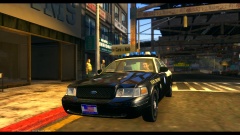 Ooooooo Are you releasing it?


