LMS
Management Team
-
Joined
Reputation Activity
-
 LMS got a reaction from enart for a file, Lenny's Mod LoaderThe general idea of Lenny's Mod Loader is to provide an easy way to install file modifications. This is achieved in two different ways depending on whether existing resources in the game are to be 'replaced' or if new resources are added to the game as 'addons'. To replace resources, the game file system can be modified on a per-file basis allowing you to quickly change the content of files without touching any RPFs. To add new resources, the new content can be loaded from disk directly into the game, again without the need for any RPF changes. Goodbye to patchday17 and dlclist.xml. Certain mods, such as vehicles, can even be loaded at runtime, making choosing your new favorite ride a breeze.
You can find more information on the dedicated Lenny's Mod Loader page here: https://www.lcpdfr.com/lml/index/
Getting Started Guide: https://www.lcpdfr.com/wiki/lml/lml-installation-guide-first-steps-r75/
-
 LMS got a reaction from OblongGaming for a file, [LML] Police Car Addon 50 SlotsThis example for Lenny's Mod Loader adds 50 (!) new police slots to the game, all based on POLICE2. The slots range from POLICE100-POLICE149. Please note that only POLICE100 and POLICE133 will have models (both the POLICE2 model) as I did not want to include models for all vehicles and two cars should be enough to understand how it works. Those two are the only ones that will spawn in-game by default. The data files are all set up so all you need to do is copy the model of your choice into the streaming folder, give them a name from POLICE100-POLICE149 and the next time you start the game, your new police car will be in that slot. Of course you can modify the entries for every slot, e.g. to change a vehicle's handling, but it is not necessary to get started.
Why 50 slots? Because why not.
I recommend to install this gameconfig first so the game can handle all the new cars.
-
LMS reacted to PNWParksFan for a file, Gameconfig.xml for LML or manual install by RDE TeamThis is the latest gameconfig.xml by @dilapidated, @PNWParksFan, and the RDE Team. A modified gameconfig is required for most add-on mods. We recommend installing this gameconfig using LML (Lenny's Mod Loader). If you are using LML, you can install this package using the Mod Manager, and it will load a working gameconfig.xml for the latest game version. You do not need to change the file in update.rpf, just load this package and you're ready to go.
You can also install this gameconfig manually by downloading the file, and copying gameconfig.xml from the "latest" folder to [mods]\update\update.rpf\common\data\.
Please see our github repository for further information and faster updates after new game versions are released.
-
LMS reacted to Will for a file, Stow That WeaponStow That Weapon - Version 3.1.0
The Details
Bring immersion to your GTA V / LSPDFR experience with Stow That Weapon, a highly customizable RPH plugin that visually stores your long guns and shotguns on your character when they're not in use. Weapons are attached realistically to your player, complete with attachments, tint, and fully adjustable positioning to suit your preference. With full AI support, the same realistic stowing behavior can be applied to NPCs as well - making patrols and scenes feel even more authentic.
The Features
Automatic Weapon Stowing: Once you switch away from an accepted weapon, it's automatically placed on your character until needed again.
Customizable Weapon Positions: Fine-tune weapon placement with adjustable offsets and rotation to achieve the perfect fit on your character.
Customizable Weapon List: Define exactly which weapons should be stowed via configuration settings.
Live In-Game Settings Menu: Use the built-in menu (default key F5) to tweak most settings on the fly, including positioning offsets and rotation.
Attachment Support: Stowed weapons display their attachments and accessories, with optional support for addon components.
AI Support: Enable weapon stowing for AI peds, with separate customizable settings, including only enabling support for cops or all peds.
Quick Remove Key: A configurable hotkey lets you instantly remove the stowed weapon if needed.
Additional Customization: Don't like the stowed weapon clipping through your vehicle? Choose to hide it while driving. Don't like how the game activates the flashlight on your stowed weapon while using the flashlight on your equipped weapon? Disable the flashlight from showing. Want the AI to show a stowed weapon even if they haven't equipped it? Enable best weapon to show whatever their best accepted weapon is in their inventory.
Installation
Installation is as simple as dragging the contents of the zip file to your GTA V folder.
BackWeapon.dll and BackWeapon.pdb will end up in the plugins folder and RAGENativeUI.dll is in the main directory.
Please note if you already have RAGENativeUI installed, it is recommended to keep whichever is newer.
Load with RPH.
Notes and Resources
GTA V NOTE: Sometimes the GTA V folder gets set as read-only. This may prevent the plugin from writing to the ini file which would likely result in a crash. Please ensure your GTA V folder is not set to read-only before using this plugin.
MENU NOTE: Almost all settings can be changed by the menu except the accepted weapons and addon components lists, which must be manually edited within the BackWeapon.ini file. The ini file can be reloaded via the Reload ini File menu option. The only setting that requires the plugin to be reloaded is EnableAI. Changing this in game will not have an effect until the plugin is reloaded.
INI NOTE: The .ini file is not provided with the download and is instead generated if it does not exist on first load of the plugin. If it does exist, the plugin will check for missing values and add them.
ADDON COMPONENTS NOTE: AddonComponents in the ini file is to be used if you have any addon weapon components (all default weapon components are already accounted for), so that they show up on the stowed weapon. You add them using the name (i.e., COMPONENT_AT_AR_FLSH) and separate multiple values with a comma.
LIST OF DEFAULT WEAPON IDs: https://wiki.rage.mp/index.php?title=Weapons
KEYS REFERENCE: https://docs.microsoft.com/en-us/dotnet/api/system.windows.forms.keys?view=netframework-4.8
DEFAULT INI VALUES AND EXPLANATION:
[Main] DeleteWeaponKey = Decimal "The key for deleting the weapon off the player's back." HideWhileInVehicle = true "If true, the weapon will be invisible while the player is in a vehicle." DisableFlashlight = false "If true, the weapon will not show the flashlight component on the back of both the player and AI." AcceptedWeapons = weapon_smg, weapon_pumpshotgun, weapon_pumpshotgun_mk2, weapon_carbinerifle, weapon_carbinerifle_mk2, weapon_specialcarbine, weapon_specialcarbine_mk2 "List of weapons that will show on the player's back." OffsetPosition = 0.0,-0.17,-0.02 "Position of the weapon relative to the player's Spine3 bone." Rotation = 0.0,165,0.0 "Rotation of the weapon for the player." MenuKey = F5 "The key for opening the menu added with version 3.0.0" [AI] EnableAI = true "If true, enables support for the AI." EnableBestWeapon = true "If true, the best weapon in the ped's inventory will show on their back if they have not yet equipped an accepted weapon." CopsOnly = false "If true, will only show weapons on the back of cops. Otherwise, will work on all peds in the game." HideWhileInVehicle = true "If true, the weapon will be invisible while the ped is in a vehicle." AcceptedWeapons = weapon_smg, weapon_pumpshotgun, weapon_pumpshotgun_mk2, weapon_carbinerifle, weapon_carbinerifle_mk2, weapon_specialcarbine, weapon_specialcarbine_mk2 "List of weapons that will show on the peds' backs." OffsetPosition = 0.0,-0.17,-0.02 "Position of the weapon relative to the ped's Spine3 bone." Rotation = 0.0,165,0.0 "Rotation of the weapon for AI." [Advanced] AddonComponents = None "Here you can add any addon weapon components you have installed so that they will show up on the stowed weapon. You need to use the name of component, ie COMPONENT_AT_AR_FLSH. Multiple entries should be separated by a comma." -
LMS reacted to Sam for a file, LSPD Police BadgeThis is a basic LSPD police badge which can be added to the game and used with LSPDFR 0.4.2.
The badge uses the same model and texture as the vanilla LSPD badge found in the game, with a slight metallic effect. It is optimized for use with LSPDFR 0.4.2's 'Flash Badge' feature and as such may not be ideal for other uses like spawning as a prop.
How to install:
Installation should be really simple, just use the OpenIV package manager. You need a mods folder with the latest update.rpf copied into it. This mod will not change any files, it installs itself as its own content pack.
After you install, you'll need to update your LSPDFR Agency data and assign the badge to an Agency of your choice. See below for how to do this.
LSPDFR 0.4 Agency XML:
Shown here is an example Agency configuration with the LSPD badge:
In other words, just make sure the Agency has the following:
<BadgeModel>prop_lspd_badge</BadgeModel>
Note that this model is released in an unlocked format, and the position and rotation of the model within 3D space might be useful as a template for others to create their own badge models that work nicely with LSPDFR 0.4.2.
Thanks to @Sniper296 for the artistic render.
-
LMS got a reaction from Cyan for a file, Infinite Oppressor Bike BoostBecause infinite boost means infinite fun! This RAGE Plugin Hook plugin equips your Oppressor bike afterburner with infinite boost, so you never have to leave turbo mode again. You can either toggle the turbo mode as usual (using the vehicle horn key) and it will stay active until you hit the key again or you can have even more fine control about your speed by only activating the turbo when you hold down the key. It's up to you. Please note that excessive speeding may result in legal consequences. If you get caught, that is.
As with all DLC vehicles, the oppressor is also despawned by default thanks to our very good buddies at R*. This plugin kills the shop_controller script to prevent this from happening. If you want to keep that script running and use a different method to keep the vehicles loaded (such as setting the global ptr), set DontKillShopScript to true. There are 3 .ini options in total:
ToggleMode = true // Whether or not the turbo mode is toggled.
DisableScreenEffect = false // Whether or not you want the "flash effect" when going full turbo (it is disabled entirely for non toggle mode to prevent epileptic seizures).
DontKillShopScript = false // Whether or not the shop_controller script should be killed to enable DLC vehicles
Only works on patch 1103!
-
LMS got a reaction from
Deactivated Memberfor a file, Infinite Oppressor Bike BoostBecause infinite boost means infinite fun! This RAGE Plugin Hook plugin equips your Oppressor bike afterburner with infinite boost, so you never have to leave turbo mode again. You can either toggle the turbo mode as usual (using the vehicle horn key) and it will stay active until you hit the key again or you can have even more fine control about your speed by only activating the turbo when you hold down the key. It's up to you. Please note that excessive speeding may result in legal consequences. If you get caught, that is.
As with all DLC vehicles, the oppressor is also despawned by default thanks to our very good buddies at R*. This plugin kills the shop_controller script to prevent this from happening. If you want to keep that script running and use a different method to keep the vehicles loaded (such as setting the global ptr), set DontKillShopScript to true. There are 3 .ini options in total:
ToggleMode = true // Whether or not the turbo mode is toggled.
DisableScreenEffect = false // Whether or not you want the "flash effect" when going full turbo (it is disabled entirely for non toggle mode to prevent epileptic seizures).
DontKillShopScript = false // Whether or not the shop_controller script should be killed to enable DLC vehicles
Only works on patch 1103!
-
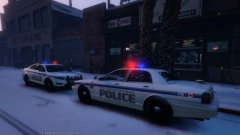
LMS got a reaction from Operation for a file, GTA V Snow Mod + Snowball pickupThis modification brings the snow from GTA: Online to single player! Enjoy all of its glory with the latest additions & fixes by Rockstar to make a snowy Christmas happen in Los Santos! It also includes the ability to pick up snowballs from the ground, because why not?
Installation
There are two downloads provided, both installing exactly the same mod version.
SnowMod.rar just contains the plugin dll file. Put it into game folder\plugins as usual.
SnowMod_inst.rar contains an installer that will install the dll file for you automatically (note that the installer shows ad during the installation).
Usage
Snow Mod requires RAGE Plugin Hook 0.29 or later to run and is loaded as a plugin using the console (or automatically at startup if you have configured RPH that way). The snow effect is enabled automatically when loaded. To disable the snow effect in-game, use the console command ToggleSnow.
If there is no snow on the ground, but only a snowy weather effect, please disable Frame Scaling under Advanced Graphics options (see https://www.reddit.com/r/GrandTheftAutoV_PC/comments/3y1xjf/psa_if_you_cannot_see_the_snow_on_the_ground/ for more information).
Snowy Christmas guys!
-
LMS got a reaction from TheCanadianDream for a file, GTA V Snow Mod + Snowball pickupThis modification brings the snow from GTA: Online to single player! Enjoy all of its glory with the latest additions & fixes by Rockstar to make a snowy Christmas happen in Los Santos! It also includes the ability to pick up snowballs from the ground, because why not?
Installation
There are two downloads provided, both installing exactly the same mod version.
SnowMod.rar just contains the plugin dll file. Put it into game folder\plugins as usual.
SnowMod_inst.rar contains an installer that will install the dll file for you automatically (note that the installer shows ad during the installation).
Usage
Snow Mod requires RAGE Plugin Hook 0.29 or later to run and is loaded as a plugin using the console (or automatically at startup if you have configured RPH that way). The snow effect is enabled automatically when loaded. To disable the snow effect in-game, use the console command ToggleSnow.
If there is no snow on the ground, but only a snowy weather effect, please disable Frame Scaling under Advanced Graphics options (see https://www.reddit.com/r/GrandTheftAutoV_PC/comments/3y1xjf/psa_if_you_cannot_see_the_snow_on_the_ground/ for more information).
Snowy Christmas guys!
-
LMS got a reaction from Lennyy for a file, GTA V Snow Mod + Snowball pickupThis modification brings the snow from GTA: Online to single player! Enjoy all of its glory with the latest additions & fixes by Rockstar to make a snowy Christmas happen in Los Santos! It also includes the ability to pick up snowballs from the ground, because why not?
Installation
There are two downloads provided, both installing exactly the same mod version.
SnowMod.rar just contains the plugin dll file. Put it into game folder\plugins as usual.
SnowMod_inst.rar contains an installer that will install the dll file for you automatically (note that the installer shows ad during the installation).
Usage
Snow Mod requires RAGE Plugin Hook 0.29 or later to run and is loaded as a plugin using the console (or automatically at startup if you have configured RPH that way). The snow effect is enabled automatically when loaded. To disable the snow effect in-game, use the console command ToggleSnow.
If there is no snow on the ground, but only a snowy weather effect, please disable Frame Scaling under Advanced Graphics options (see https://www.reddit.com/r/GrandTheftAutoV_PC/comments/3y1xjf/psa_if_you_cannot_see_the_snow_on_the_ground/ for more information).
Snowy Christmas guys!
-
LMS got a reaction from MadMaks for a file, GTA V Snow Mod + Snowball pickupThis modification brings the snow from GTA: Online to single player! Enjoy all of its glory with the latest additions & fixes by Rockstar to make a snowy Christmas happen in Los Santos! It also includes the ability to pick up snowballs from the ground, because why not?
Installation
There are two downloads provided, both installing exactly the same mod version.
SnowMod.rar just contains the plugin dll file. Put it into game folder\plugins as usual.
SnowMod_inst.rar contains an installer that will install the dll file for you automatically (note that the installer shows ad during the installation).
Usage
Snow Mod requires RAGE Plugin Hook 0.29 or later to run and is loaded as a plugin using the console (or automatically at startup if you have configured RPH that way). The snow effect is enabled automatically when loaded. To disable the snow effect in-game, use the console command ToggleSnow.
If there is no snow on the ground, but only a snowy weather effect, please disable Frame Scaling under Advanced Graphics options (see https://www.reddit.com/r/GrandTheftAutoV_PC/comments/3y1xjf/psa_if_you_cannot_see_the_snow_on_the_ground/ for more information).
Snowy Christmas guys!
-
LMS got a reaction from The Sheriff for a file, GTA V Snow Mod + Snowball pickupThis modification brings the snow from GTA: Online to single player! Enjoy all of its glory with the latest additions & fixes by Rockstar to make a snowy Christmas happen in Los Santos! It also includes the ability to pick up snowballs from the ground, because why not?
Installation
There are two downloads provided, both installing exactly the same mod version.
SnowMod.rar just contains the plugin dll file. Put it into game folder\plugins as usual.
SnowMod_inst.rar contains an installer that will install the dll file for you automatically (note that the installer shows ad during the installation).
Usage
Snow Mod requires RAGE Plugin Hook 0.29 or later to run and is loaded as a plugin using the console (or automatically at startup if you have configured RPH that way). The snow effect is enabled automatically when loaded. To disable the snow effect in-game, use the console command ToggleSnow.
If there is no snow on the ground, but only a snowy weather effect, please disable Frame Scaling under Advanced Graphics options (see https://www.reddit.com/r/GrandTheftAutoV_PC/comments/3y1xjf/psa_if_you_cannot_see_the_snow_on_the_ground/ for more information).
Snowy Christmas guys!
-
LMS got a reaction from Andartu for a file, GTA V Snow Mod + Snowball pickupThis modification brings the snow from GTA: Online to single player! Enjoy all of its glory with the latest additions & fixes by Rockstar to make a snowy Christmas happen in Los Santos! It also includes the ability to pick up snowballs from the ground, because why not?
Installation
There are two downloads provided, both installing exactly the same mod version.
SnowMod.rar just contains the plugin dll file. Put it into game folder\plugins as usual.
SnowMod_inst.rar contains an installer that will install the dll file for you automatically (note that the installer shows ad during the installation).
Usage
Snow Mod requires RAGE Plugin Hook 0.29 or later to run and is loaded as a plugin using the console (or automatically at startup if you have configured RPH that way). The snow effect is enabled automatically when loaded. To disable the snow effect in-game, use the console command ToggleSnow.
If there is no snow on the ground, but only a snowy weather effect, please disable Frame Scaling under Advanced Graphics options (see https://www.reddit.com/r/GrandTheftAutoV_PC/comments/3y1xjf/psa_if_you_cannot_see_the_snow_on_the_ground/ for more information).
Snowy Christmas guys!
-
LMS got a reaction from DrZepto for a file, GTA V Snow Mod + Snowball pickupThis modification brings the snow from GTA: Online to single player! Enjoy all of its glory with the latest additions & fixes by Rockstar to make a snowy Christmas happen in Los Santos! It also includes the ability to pick up snowballs from the ground, because why not?
Installation
There are two downloads provided, both installing exactly the same mod version.
SnowMod.rar just contains the plugin dll file. Put it into game folder\plugins as usual.
SnowMod_inst.rar contains an installer that will install the dll file for you automatically (note that the installer shows ad during the installation).
Usage
Snow Mod requires RAGE Plugin Hook 0.29 or later to run and is loaded as a plugin using the console (or automatically at startup if you have configured RPH that way). The snow effect is enabled automatically when loaded. To disable the snow effect in-game, use the console command ToggleSnow.
If there is no snow on the ground, but only a snowy weather effect, please disable Frame Scaling under Advanced Graphics options (see https://www.reddit.com/r/GrandTheftAutoV_PC/comments/3y1xjf/psa_if_you_cannot_see_the_snow_on_the_ground/ for more information).
Snowy Christmas guys!
-
LMS got a reaction from Sniper296 for a file, GTA V Snow Mod + Snowball pickupThis modification brings the snow from GTA: Online to single player! Enjoy all of its glory with the latest additions & fixes by Rockstar to make a snowy Christmas happen in Los Santos! It also includes the ability to pick up snowballs from the ground, because why not?
Installation
There are two downloads provided, both installing exactly the same mod version.
SnowMod.rar just contains the plugin dll file. Put it into game folder\plugins as usual.
SnowMod_inst.rar contains an installer that will install the dll file for you automatically (note that the installer shows ad during the installation).
Usage
Snow Mod requires RAGE Plugin Hook 0.29 or later to run and is loaded as a plugin using the console (or automatically at startup if you have configured RPH that way). The snow effect is enabled automatically when loaded. To disable the snow effect in-game, use the console command ToggleSnow.
If there is no snow on the ground, but only a snowy weather effect, please disable Frame Scaling under Advanced Graphics options (see https://www.reddit.com/r/GrandTheftAutoV_PC/comments/3y1xjf/psa_if_you_cannot_see_the_snow_on_the_ground/ for more information).
Snowy Christmas guys!
-
LMS got a reaction from Ralph00035 for a file, GTA V Snow Mod + Snowball pickupThis modification brings the snow from GTA: Online to single player! Enjoy all of its glory with the latest additions & fixes by Rockstar to make a snowy Christmas happen in Los Santos! It also includes the ability to pick up snowballs from the ground, because why not?
Installation
There are two downloads provided, both installing exactly the same mod version.
SnowMod.rar just contains the plugin dll file. Put it into game folder\plugins as usual.
SnowMod_inst.rar contains an installer that will install the dll file for you automatically (note that the installer shows ad during the installation).
Usage
Snow Mod requires RAGE Plugin Hook 0.29 or later to run and is loaded as a plugin using the console (or automatically at startup if you have configured RPH that way). The snow effect is enabled automatically when loaded. To disable the snow effect in-game, use the console command ToggleSnow.
If there is no snow on the ground, but only a snowy weather effect, please disable Frame Scaling under Advanced Graphics options (see https://www.reddit.com/r/GrandTheftAutoV_PC/comments/3y1xjf/psa_if_you_cannot_see_the_snow_on_the_ground/ for more information).
Snowy Christmas guys!
-
LMS got a reaction from V E K T R 0 . for a file, GTA V Snow Mod + Snowball pickupThis modification brings the snow from GTA: Online to single player! Enjoy all of its glory with the latest additions & fixes by Rockstar to make a snowy Christmas happen in Los Santos! It also includes the ability to pick up snowballs from the ground, because why not?
Installation
There are two downloads provided, both installing exactly the same mod version.
SnowMod.rar just contains the plugin dll file. Put it into game folder\plugins as usual.
SnowMod_inst.rar contains an installer that will install the dll file for you automatically (note that the installer shows ad during the installation).
Usage
Snow Mod requires RAGE Plugin Hook 0.29 or later to run and is loaded as a plugin using the console (or automatically at startup if you have configured RPH that way). The snow effect is enabled automatically when loaded. To disable the snow effect in-game, use the console command ToggleSnow.
If there is no snow on the ground, but only a snowy weather effect, please disable Frame Scaling under Advanced Graphics options (see https://www.reddit.com/r/GrandTheftAutoV_PC/comments/3y1xjf/psa_if_you_cannot_see_the_snow_on_the_ground/ for more information).
Snowy Christmas guys!
-
LMS got a reaction from RolandHUE for a file, GTA V Snow Mod + Snowball pickupThis modification brings the snow from GTA: Online to single player! Enjoy all of its glory with the latest additions & fixes by Rockstar to make a snowy Christmas happen in Los Santos! It also includes the ability to pick up snowballs from the ground, because why not?
Installation
There are two downloads provided, both installing exactly the same mod version.
SnowMod.rar just contains the plugin dll file. Put it into game folder\plugins as usual.
SnowMod_inst.rar contains an installer that will install the dll file for you automatically (note that the installer shows ad during the installation).
Usage
Snow Mod requires RAGE Plugin Hook 0.29 or later to run and is loaded as a plugin using the console (or automatically at startup if you have configured RPH that way). The snow effect is enabled automatically when loaded. To disable the snow effect in-game, use the console command ToggleSnow.
If there is no snow on the ground, but only a snowy weather effect, please disable Frame Scaling under Advanced Graphics options (see https://www.reddit.com/r/GrandTheftAutoV_PC/comments/3y1xjf/psa_if_you_cannot_see_the_snow_on_the_ground/ for more information).
Snowy Christmas guys!
-
LMS got a reaction from Carrythxd for a file, GTA V Snow Mod + Snowball pickupThis modification brings the snow from GTA: Online to single player! Enjoy all of its glory with the latest additions & fixes by Rockstar to make a snowy Christmas happen in Los Santos! It also includes the ability to pick up snowballs from the ground, because why not?
Installation
There are two downloads provided, both installing exactly the same mod version.
SnowMod.rar just contains the plugin dll file. Put it into game folder\plugins as usual.
SnowMod_inst.rar contains an installer that will install the dll file for you automatically (note that the installer shows ad during the installation).
Usage
Snow Mod requires RAGE Plugin Hook 0.29 or later to run and is loaded as a plugin using the console (or automatically at startup if you have configured RPH that way). The snow effect is enabled automatically when loaded. To disable the snow effect in-game, use the console command ToggleSnow.
If there is no snow on the ground, but only a snowy weather effect, please disable Frame Scaling under Advanced Graphics options (see https://www.reddit.com/r/GrandTheftAutoV_PC/comments/3y1xjf/psa_if_you_cannot_see_the_snow_on_the_ground/ for more information).
Snowy Christmas guys!
-
LMS got a reaction from Steele1925 for a file, GTA V Snow Mod + Snowball pickupThis modification brings the snow from GTA: Online to single player! Enjoy all of its glory with the latest additions & fixes by Rockstar to make a snowy Christmas happen in Los Santos! It also includes the ability to pick up snowballs from the ground, because why not?
Installation
There are two downloads provided, both installing exactly the same mod version.
SnowMod.rar just contains the plugin dll file. Put it into game folder\plugins as usual.
SnowMod_inst.rar contains an installer that will install the dll file for you automatically (note that the installer shows ad during the installation).
Usage
Snow Mod requires RAGE Plugin Hook 0.29 or later to run and is loaded as a plugin using the console (or automatically at startup if you have configured RPH that way). The snow effect is enabled automatically when loaded. To disable the snow effect in-game, use the console command ToggleSnow.
If there is no snow on the ground, but only a snowy weather effect, please disable Frame Scaling under Advanced Graphics options (see https://www.reddit.com/r/GrandTheftAutoV_PC/comments/3y1xjf/psa_if_you_cannot_see_the_snow_on_the_ground/ for more information).
Snowy Christmas guys!
-
LMS got a reaction from Rocking_Star101 for a file, GTA V Snow Mod + Snowball pickupThis modification brings the snow from GTA: Online to single player! Enjoy all of its glory with the latest additions & fixes by Rockstar to make a snowy Christmas happen in Los Santos! It also includes the ability to pick up snowballs from the ground, because why not?
Installation
There are two downloads provided, both installing exactly the same mod version.
SnowMod.rar just contains the plugin dll file. Put it into game folder\plugins as usual.
SnowMod_inst.rar contains an installer that will install the dll file for you automatically (note that the installer shows ad during the installation).
Usage
Snow Mod requires RAGE Plugin Hook 0.29 or later to run and is loaded as a plugin using the console (or automatically at startup if you have configured RPH that way). The snow effect is enabled automatically when loaded. To disable the snow effect in-game, use the console command ToggleSnow.
If there is no snow on the ground, but only a snowy weather effect, please disable Frame Scaling under Advanced Graphics options (see https://www.reddit.com/r/GrandTheftAutoV_PC/comments/3y1xjf/psa_if_you_cannot_see_the_snow_on_the_ground/ for more information).
Snowy Christmas guys!
-
LMS got a reaction from JohnMcClane for a file, GTA V Snow Mod + Snowball pickupThis modification brings the snow from GTA: Online to single player! Enjoy all of its glory with the latest additions & fixes by Rockstar to make a snowy Christmas happen in Los Santos! It also includes the ability to pick up snowballs from the ground, because why not?
Installation
There are two downloads provided, both installing exactly the same mod version.
SnowMod.rar just contains the plugin dll file. Put it into game folder\plugins as usual.
SnowMod_inst.rar contains an installer that will install the dll file for you automatically (note that the installer shows ad during the installation).
Usage
Snow Mod requires RAGE Plugin Hook 0.29 or later to run and is loaded as a plugin using the console (or automatically at startup if you have configured RPH that way). The snow effect is enabled automatically when loaded. To disable the snow effect in-game, use the console command ToggleSnow.
If there is no snow on the ground, but only a snowy weather effect, please disable Frame Scaling under Advanced Graphics options (see https://www.reddit.com/r/GrandTheftAutoV_PC/comments/3y1xjf/psa_if_you_cannot_see_the_snow_on_the_ground/ for more information).
Snowy Christmas guys!
-
LMS got a reaction from SerekgPL for a file, GTA V Snow Mod + Snowball pickupThis modification brings the snow from GTA: Online to single player! Enjoy all of its glory with the latest additions & fixes by Rockstar to make a snowy Christmas happen in Los Santos! It also includes the ability to pick up snowballs from the ground, because why not?
Installation
There are two downloads provided, both installing exactly the same mod version.
SnowMod.rar just contains the plugin dll file. Put it into game folder\plugins as usual.
SnowMod_inst.rar contains an installer that will install the dll file for you automatically (note that the installer shows ad during the installation).
Usage
Snow Mod requires RAGE Plugin Hook 0.29 or later to run and is loaded as a plugin using the console (or automatically at startup if you have configured RPH that way). The snow effect is enabled automatically when loaded. To disable the snow effect in-game, use the console command ToggleSnow.
If there is no snow on the ground, but only a snowy weather effect, please disable Frame Scaling under Advanced Graphics options (see https://www.reddit.com/r/GrandTheftAutoV_PC/comments/3y1xjf/psa_if_you_cannot_see_the_snow_on_the_ground/ for more information).
Snowy Christmas guys!
-
LMS got a reaction from TheUniT for a file, GTA V Snow Mod + Snowball pickupThis modification brings the snow from GTA: Online to single player! Enjoy all of its glory with the latest additions & fixes by Rockstar to make a snowy Christmas happen in Los Santos! It also includes the ability to pick up snowballs from the ground, because why not?
Installation
There are two downloads provided, both installing exactly the same mod version.
SnowMod.rar just contains the plugin dll file. Put it into game folder\plugins as usual.
SnowMod_inst.rar contains an installer that will install the dll file for you automatically (note that the installer shows ad during the installation).
Usage
Snow Mod requires RAGE Plugin Hook 0.29 or later to run and is loaded as a plugin using the console (or automatically at startup if you have configured RPH that way). The snow effect is enabled automatically when loaded. To disable the snow effect in-game, use the console command ToggleSnow.
If there is no snow on the ground, but only a snowy weather effect, please disable Frame Scaling under Advanced Graphics options (see https://www.reddit.com/r/GrandTheftAutoV_PC/comments/3y1xjf/psa_if_you_cannot_see_the_snow_on_the_ground/ for more information).
Snowy Christmas guys!
-
LMS got a reaction from xmirror for a file, GTA V Snow Mod + Snowball pickupThis modification brings the snow from GTA: Online to single player! Enjoy all of its glory with the latest additions & fixes by Rockstar to make a snowy Christmas happen in Los Santos! It also includes the ability to pick up snowballs from the ground, because why not?
Installation
There are two downloads provided, both installing exactly the same mod version.
SnowMod.rar just contains the plugin dll file. Put it into game folder\plugins as usual.
SnowMod_inst.rar contains an installer that will install the dll file for you automatically (note that the installer shows ad during the installation).
Usage
Snow Mod requires RAGE Plugin Hook 0.29 or later to run and is loaded as a plugin using the console (or automatically at startup if you have configured RPH that way). The snow effect is enabled automatically when loaded. To disable the snow effect in-game, use the console command ToggleSnow.
If there is no snow on the ground, but only a snowy weather effect, please disable Frame Scaling under Advanced Graphics options (see https://www.reddit.com/r/GrandTheftAutoV_PC/comments/3y1xjf/psa_if_you_cannot_see_the_snow_on_the_ground/ for more information).
Snowy Christmas guys!