


LMS
Management Team
-
Joined
Everything posted by LMS
-
It's possible the download path folder is read-only for some reason. The download folder is usually in the same folder as your LML installation.
-
That should still work if you define a keybind for FORCE_NEW_CALLOUT. Alternatively, the police interaction menu also allows to trigger a random callout. @GTAbear I am not sure if you are asking for a LSPDFR feature or API feature.
-
You can find a trusted mirror here: https://www.lcpdfr.com/downloads/gta5mods/scripts/43441-openiv-archive-mirror/
-
I don't think you can concatenate them, but to learn more about their interactions digging into the game files should help (relationships.dat).
-
What file fails to load for him? If it also vehicles.meta, it is very likely that he needs a gameconfig to increase the vehicle limit.
-
Hm, looks like your game swapchain is corrupt/not available. Can you try running the game first and then launching RPH when in the main menu?
-
I am not sure unfortunately, given the fact that you said it works for swat it makes me think it is vehicle combat flags related. Perhaps you can keep digging and check more flags.
-
What do you mean SET_PED_COMBAT_ATTRIBUTES does not have a leave vehicle flag available? Set flag 3 to 0 and it should prevent them from leaving.
-
You can enable unsafe mode by simply wrapping that block of code in the "unsafe" brackets. Then you can declare a variable and use it as a pointer just like in the example. However, there is probably little reason to do so and you should instead use the RPH methods to give you nearby entities/peds.
-
If it works fine without your library, then the issue is with your library. You can check something like dnSpy to see which dependencies you are really loading in and what code might be triggered from "RegisterCallouts" in ChillCallouts.
-
My guess would be ChillCallouts or one of its dependencies.
-
It is not LSPDFR crashing, it is "ChillCallouts". It looks like it is trying to pull in .NET (non-framework) references.
-
Does it work fine if you replace the text in a GTA language file and not display it via code?
-
To test simple functionality, it is very helpful. An example to spawn a ped could be: [ConsoleCommand(Name = "SpawnCopTest")] private static void Command_SpawnCopTest() { Ped p = new Ped("s_f_y_cop_01", Game.LocalPlayer.Character.GetOffsetPositionFront(2f), 0f); p.Dismiss(); p.Tasks.StandStill(-1); } // You probably have to call this at the start of your plugin somewhere: Game.AddConsoleCommands(new Type[] { typeof(ClassWithYourConsoleCommand) }); Every console command automatically runs in a new fiber so you can sleep and loop there for more advanced functionality.
-
Fleeing is/can be part of the combat task if I remember correctly, so that might be why you are seeing the task as in progress. I am not sure why your ped would run away, though. Who are you tasking them to fight against? To make your life easier, why don't you move the code to spawn the ped and target to a console command so you do not always have to start the callout? And no, .NET version does not affect this.
-
Try config flag 107 (CPED_CONFIG_FLAG_DontActivateRagdollFromBulletImpact).
-
I see, that is certainly odd. We use CombatTarget quite extensively in LSPDFR so I am sure it works. What does your combat look like? Melee, guns? How long has it been running when you check the target?
-
Metadata makes it easy to associate data with a specific ped, whereas using a variable only works well if you only have one ped. You can, of course, create your own class or dictionary etc. to store variables for peds, but metadata does that for you already. What do you mean by that? If the task is currently running, then it should return the correct ped.
-
It might make sense to store its current target, as modified by your code, as metadata. For instance: ped.Metadata.CombatTaskTarget. That way you can manually set it whenever you change it and can rely on it.
-
Check the CombatTarget property.
-
Seems reasonable, I will double check how it works internally but should be fine.
-
You can use threads but should not call natives from it.
-
It should look like this: blip.Sprite = BlipSprite.Dead; Or if the sprite is not defined by RPH: blip.Sprite = (BlipSprite)600;
-
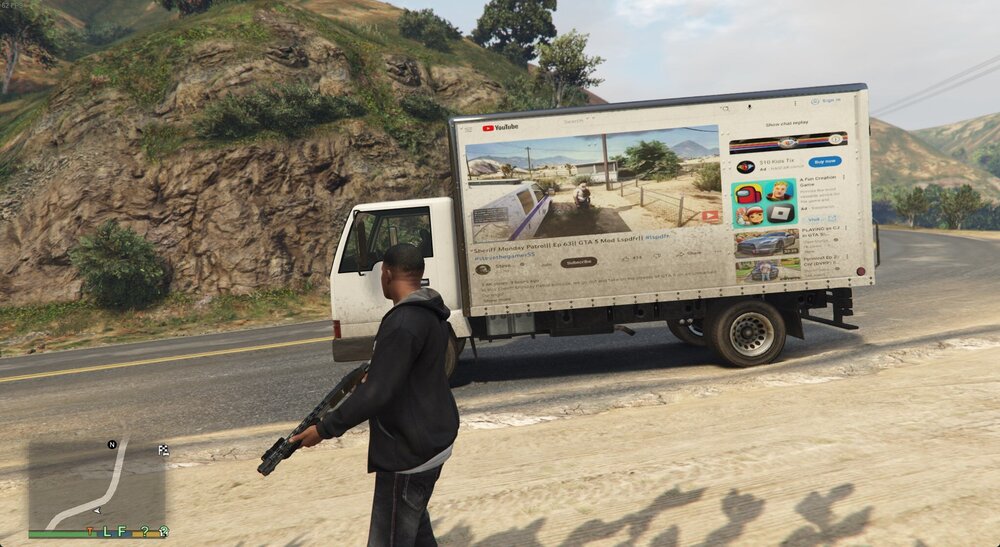
In GTA, the world is your canvas. Depending on how creative you want to get, you could even play a YouTube video on a truck (not that you should, but you could).
-
In case you want to use a sprite that is not part of the sprite enum, you can also just assign an integer to the sprite.




