



Flari
Members
-
Joined
-
Last visited
Everything posted by Flari
-
 I call hax!
 -
 It wasn't my intent to recreate any real department, maybe it influenced me in the back of my head, but it's not made to represent anything.
 -
 Will we see a version for female officers? I want to use that fancy bodycam too! 😁
- 85 comments
- 27 reviews
-
-

- 1
-
-
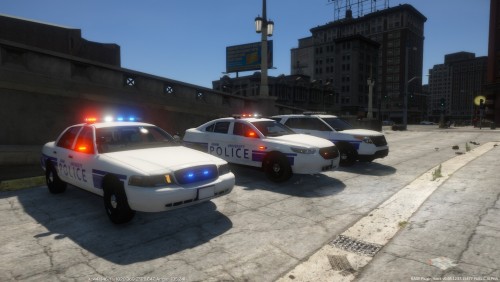
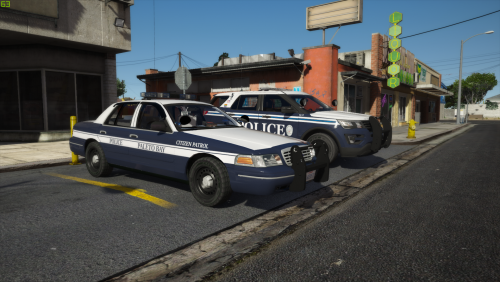
This is my little Paleto Bay Police Department Pack, it's not really based on any real department, but I think the design works well for a smaller department like Paleto Bay. The CVPI (F5544) is the older patrol car, still used in limited capacity by the department, especially as citizen patrol. The 2016 FPIU (TheHurk) is the new and fancy patrol car, it comes as regular patrol and as K9 version. I will try to add additional vehicles to this pack in the future, maybe even EMS and Fire!
-
The Archive on Github is invalid sadly.
-
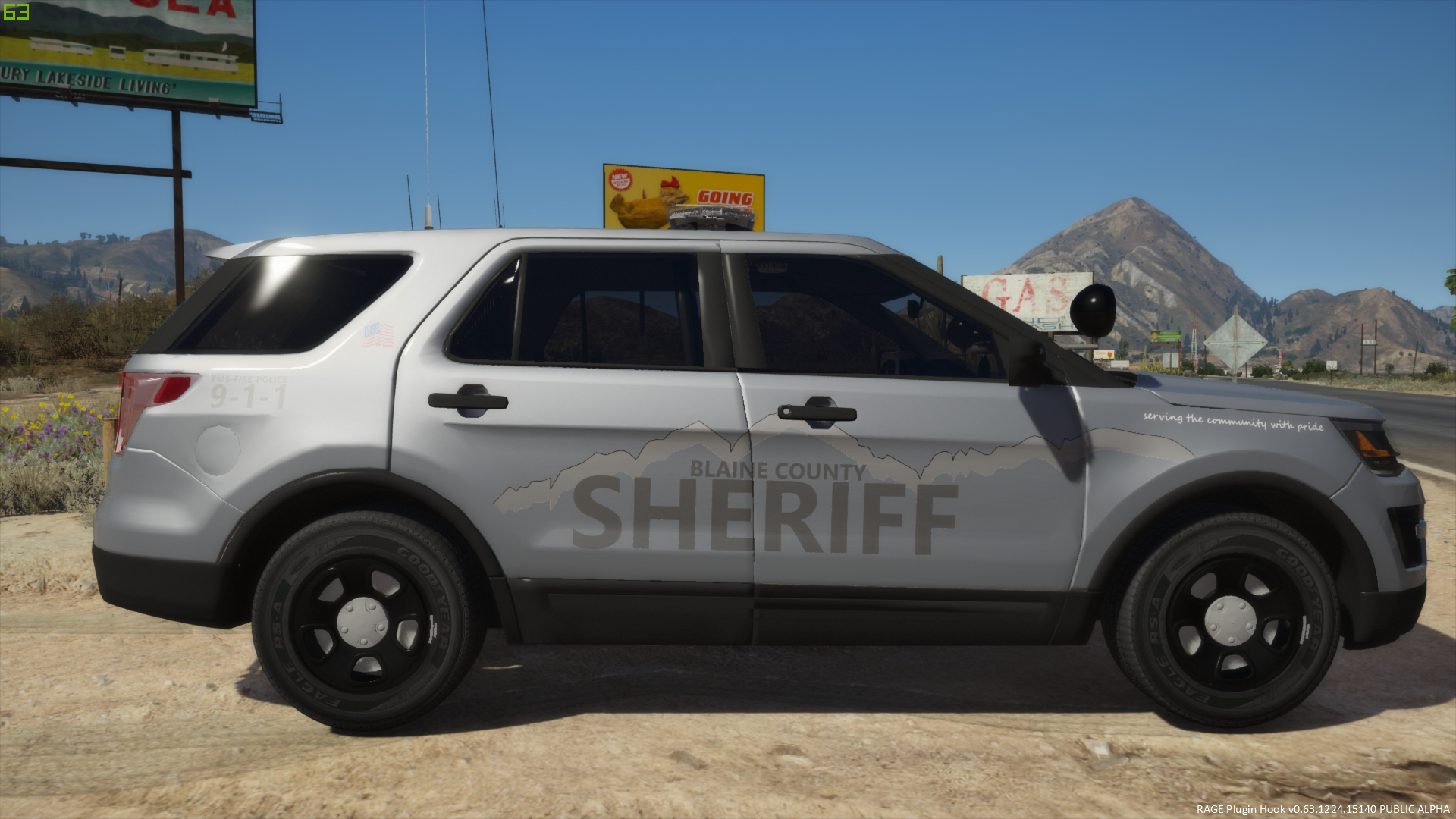
.thumb.jpg.4f986bcafbc3ce7cc813ee689d5f8fb3.jpg) Great Pack I would just wish for a Option for thehurks 2016 FPIU because thats my absolutely favorite patrol vehicle.
Great Pack I would just wish for a Option for thehurks 2016 FPIU because thats my absolutely favorite patrol vehicle.- 29 comments
- 7 reviews
-
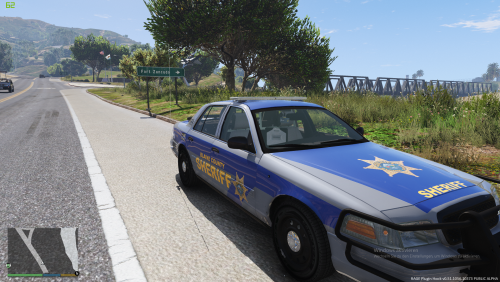 This is the BETA! Version of my BCSO Texture Pack The Pack is based on well.... my imagination. The Vehicles (or Vehicle atm) should be used with a white or silver base color although you've to find out for yourself what the best color for your Vehicle is. I suggest using an all blue Light Setup. The next Vehicle will most likely be a Explorer or a Tahoe... but I'm always open for suggestions (Only Vehicles with templates please) At this point the Pack only includes Textures for F5544s awesome CVPI. Credits and thanks: F5544 for his awesome CVPI CJ24 for the Template used lonestranger for his Texturing tutorial Coffee for keeping me awake
- 1 review
-
-
- 1
-
-
Our new Police Cars:
-
Is it the same Model ? It looks older somewhat (Could be the Paint job) But it looks somewhat similar .
-
This is a amored Water canon truck (WaWe 10000) Its bulletproof and (of course "stone" proof.) Its price is 900,000 €.
-
We got some new Liveries
-
I like this one: This comparsion
-
Welche Version ? Hast du das Spiel mit der .exe installiert oder womit ? Sieht so aus als hättest du den Downloadordner einfach ins GTA HV gezogen.
-
I like the game but why a russian fighter ? Something like Tornado or Tiger would be better.
-
Why should they be allowed to do this ? No human should hurt any human in any way.... It happens and this is sad. In Germany you break 3 Laws if you hit your Childrens (Two Laws specially for Childrens and one "regular")
-
Why could a drone even enter the space around the Plant ? In Germany Nuclear Plants are protected by atleast 4 Patriot Missile systems per Plant . Also a emergency Squadron of the Airforce (Luftwaffe) Would be there in few Minutes .
-
As a girl .... i dont see the harassment in this .... Some of them are a little bit impolite but... i wouldn't care.
-
In germany its not allowed to drive a bicycle under the influence of drugs. You can loose your license (Car) for this .... (German traffic law is very strict about drugs)
-
Hamburg and Cologne as map nice.... Its strange that the police car is now wrong in EM4 it was the VW Passat but without "Polizei" Markings now it is some kind of Mercedes A Class that isn't in use by any Police in Germany.
-
I dont really like the old colors of the police but some of them are pretty nice yet.
-
Germany is in general relatively safe. Sure we have some more problematic spots but there are no ghettos or slums .
-
ondon Metropolitan police because i love the cars .
-
This are the "typical" german unmarked Cars. Pretty hard to see it don't understand why the US unmarked cars have this Pushbars and everything.
-
Yes this is a little bit creepy .
-
You are really direct

.thumb.jpg.4f986bcafbc3ce7cc813ee689d5f8fb3.jpg)
