




TheUniT
Friends of LSPDFR
-
Joined
-
Last visited
Everything posted by TheUniT
-
Du brauchst einfach nur einen Ordner erstellen.
-
I had that one too. :D
-
Excuse the shit quality. I didn't have any screen capturing software running when I encountered these individuals, so I used my toaster.
-
Hiermit geht das. Du gehst einfach an deinen Kofferraum und drückst G. Auf die selbe Weise kannst du auch Fahrzeuge durchsuchen.
-
Wie meinst du das "er findet die Mods nicht mehr"? Findet RagePluginHook diese Plugins nicht mehr, meinst du das? Falls du es so meinst, kannst du es ignorieren. LSPDFR Plugins sollen nicht per RPH geladen werden, sondern werden von LSPDFR automatisch geladen (sobald LSPDFR selber läuft).
-
This topic has been moved to the appropriate forum. Please post in the correct location in the future.
-
Hello there -- welcome to LCPDFR.com and thanks for trying out LCPDFR! Please do the following: Make sure you aren't using a crack - We don't support cracks or people using pirated softwareUpdate GTA IV to 1.0.7.0 (the latest version of the game, or 1.1.2.0 for EFLC) - These patches are needed. Make sure that you run the game as an administrator.Make sure that your GTA IV root folder (and every subdirectory) is not set to "read-only"Ensure that AdvancedHook.dll, ScriptHook.dll, ScriptHookDotNet.asi and Dsound.dll OR Xlive.dll are in the GTA IV ROOT folderEnsure that there is a folder titled 'LCPDFR' in the ROOT GTA IV folder.Check that all the above files exist, if they do not, reinstall LCPDFR with the MANUAL installation.Ensure that you are using up to date versions of every LCPDFR dependency and LCPDFR itself.Install these: https://www.microsoft.com/en-us/download/details.aspx?id=30653 , https://www.microsoft.com/en-us/download/details.aspx?id=30679 In some cases, your issue is resolved after following the above steps. If it did help, please let everyone know in the topic that your issue is resolved. If you do have to post a topic, do the following; Give a clear, detailed description of the problem.Explain any circumstances surrounding the problem.State what solutions you have tried.Post ALL relevant logs (LCPDFR.log, Scripthook.log, ScriptHookDotNet.log, AdvancedHook.log).Include as much information as possible.Post your system specifications.Post what other mods you are using. This includes car and script mods.Post a screenshot of your GTA IV or EFLC game directory. Please note that failure to follow these instructions may cause this thread to be closed.
-
Eine Anleitung ist bei jedem einzelnen Plugin dabei. Ich kann dir jedoch schon mal versichern, dass die ProtectionSquad.dll, TrafficPolicer.dll, Police Radio.dll und AssortedCallouts.dll in einen Ordner namens "LSPDFR" gehören, der im Plugins-Ordner ist. Schiebe auch alle mitgelieferten Dateien rüber, denn nur die .dll ist bei den meisten Mods nicht alles was benötigt wird.
-
Dann schreibe dies bitte nicht im Thread eines anderen Users.
-
Ich denke er meint, wie man LSPDFR auf deutsch stellt. Das geht noch nicht.
-
Hier geht es gerade um GTA4, meinst du zufällig LCPDFR? Falls ja; Ich habe eine Übersetzung für LCPDFR geschrieben.
-
Du hast sie falsch installiert. Lese am besten für jedes einzelne Plugin die Installationsanleitung durch und folge dieser genau.
-
Please report the topic instead of telling the user directly. This topic has been moved to the appropriate forum. Please post in the correct location in the future.
-
Hey. Abschleppdienst kannst du auch in Arrest Manager finden, Police Radio wird jedoch auch gerade geupdatet.
-
Okay, two threes. I guess I'll by Five then.
-
Ja, das ist die richtige Log. Du hast LSPDFR 0.2b aus irgendeinem Grund installiert. Installiere am besten LSPDFR 0.3 noch mal komplett neu.
-
Hallo. Um dir zu helfen braucht man mehr Informationen. Hast du GTA V legal erworben? Benutzt du die aktuellste Version des Spiels? Welche Version der RagePluginHook benutzt du? Poste den ganzen Crash Report (oder am besten nur dir RagePluginHook.log, in deinem Spielordner zu finden) in einem Spoiler. Erfüllst du alle Bedingungen? Microsoft .NET Framework 4.6 Microsoft Visual C++ 2010 SP1 Redistributable Package (x64) Visual C++ Redistributable for Visual Studio 2015 (x64) Bitte denke auch dran, dass Plugins, die nicht für LSPDFR 0.3 und RagePluginHook 0.34 geupdatet wurden auch Abstürze auslösen könnten.
-
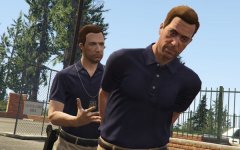 There's nothing wrong with this.
 -
Well you can also make a copy of the VehicleSet to increase its probability.
-
Your topic has been moved to GTA V Support, this is not LSPDFR related. Please post in the correct location in the future.
-
Weird, I didn't notice that. For me it's just that when I hit someone, one or two people are angry at me. No shooting.
-
How does it affect the spawns? Is there more gang stuff going on? Less?
-
Plus there's more traffic. I haven't experienced any performance drops, at least not more than I have when playing vanilla. It really depends on the count of script mods you have (with too many plugins I'll get FPS loss) and on your system.
-
Your topic has been moved to LCPDFR Support Requests. Please post in the correct location in the future.
-
This topic has been moved to the appropriate forum. Please post in the correct location in the future.


