




Black Jesus
Members
-
Joined
-
Last visited
Everything posted by Black Jesus
-
What are you talking about?! That is the sexiest car on earth
-
I too would like to know what sound mod
-
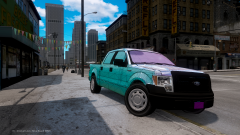 Give it to me
 -
no problem
-
'?do=embed' frameborder='0' data-embedContent>>
-
Thanks for suggestions so far guys. What I did was add 2 yellow lights on the rear side of the lightbar and 1 led on the middle brake light. Does the yellow led on the middle brake light seem stupid?
-
Your welcome and I don't know about the volume. Is it really that low? When I did it, I can hear Independence radio blaring from other npc's cars on the minimum level. *Edit* I looked online and found this: http://steamcommunity.com/app/12210/discussions/0/864980153146641924/ I couldn't find a simpler way
-
Yea, you can't use those. Itunes m4a's are drm'd or something, so GTA 4 wont play them. If you have time, go on youtube and use a mp3 converter: http://www.youtube-mp3.org/
-
Are the m4a's from itunes?
-
Are your files in DocumentsRockstar GamesGTA IVUser Music
-
First, are all the song files mp3? And did you do a complete scan in your audio settings?
-
I think it might be caused by textures with the same name. Like when you import something's textures, it has the same name as a another texture already in the browser so it ends up overwriting the one that was originally on the car and makes that object white. I'm not sure though, I get this problem a lot too.
-
Thank you, Iconography
-
Will one of those story complete save game mods work on an xlive, steam version of gta 4. I want the roads by and on the bridges to different islands have traffic, but I don't want to do the story again. I know a save game mod would'nt work on dsound or unmodded because gfwl saves data on their cloud thing, right?
-
lol true
-
This is the answer I was looking for, thanks
-
Ok, thanks guys. I think I'm going try and map yellow lights to a code 3 xt6
-
Hey guys, I'm wondering if all cars need yellow/amber traffic advisors. I'm trying to make a car pack and I don't like the way the yellow lights look on it, and I don't know where else to put it. I looked on youtube for lighting patterns and its 50-50 to me, some have them others don't. I guess it might be a state by state thing. Anyway will reverse and taillights be sufficient enough or do people want yellow warning lights?
-
Thanks! Hey, is the site in your signature still active?
-
I just created my own instead: http://www.lcpdfr.com/uploads/monthly_05_2014/post-138045-0-16161400-1400807556.jpg http://www.lcpdfr.com/uploads/monthly_05_2014/post-138045-0-40386100-1400807629.jpg
-
I've checked and all them have thicker bars. I looked online and most cars have thinner bars
-
Yea, I'm wondering if anyone that still has it, could send it to me
-
Hey guys, I was wondering if anyone could privately send me these window bars,because the link is broken. I would use the Setina window bars made by Cantwell but I want thinner bars.
-
I saw on a few other sites that had cars that were els v8 enabled. One model had a video where the car had mirror lights and the lights would follow the door when it opened or closed, instead of staying in the same spot floating. How do I make this possible?
-
Bay Area Buggs stevetrackboyz55 and I found lcpdfr from speirstheamazinghd


