


TGM
Members
-
Joined
-
Last visited
Everything posted by TGM
-
Thanks, haha. Anyway, I think it will be a while before people can figure GTA V's engine. I heard it's still using the RAGE engine somewhere, not sure how long it will take to figure it out but they might have some knowledge on how it will work out. I am no coder myself, this is just my two cents on this.
-
3 trademarks. A triangle has 3 sides. I think G17 Media is the Illuminati...
-
-
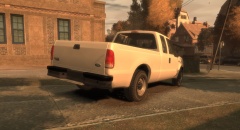 Looks amazing, Kevin! One of my favorite trucks!
 -
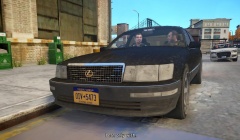 Nice!
Nice! -
You should message Sentinel directly, he might not see this.
-
There are some alloys on the D:SF model that is uploaded on here, however they are not police hubcaps. You'd be able to edit the vertices on them and edit it to fix to the Charger steel wheel. I still don't understand the point of someone saying "I have them but I can't give them out". It doesn't solve the OP's problem.
-
This whole "ISIS" thing is a mess. I've been told that in the western part of my country (Canada), they've been trying to recruit people. Not sure if this is true or not, but I have no idea why they'd try that.
-
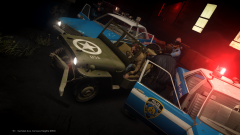 I really like the old NYPD vehicles!
 -
-
In Canada, she is our head of state. Queen Elizabeth II is also on our 20 dollar bills. I find it interesting to still have a tradition with having the queen.
-
-
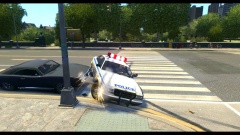 Poor old Vapid.
 -
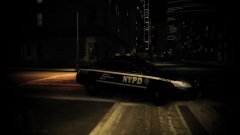 Nice man!
 -
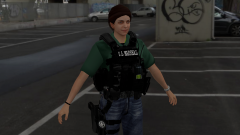 Nice render! The ears sorta remind me of elves though. That face....
 -
-
I thought that was Chasez, not Chavez. They may be the same people, I'm not sure. Anyways, welcome back dude!
-
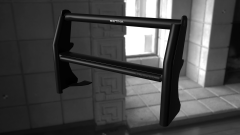 Amazing!
 -
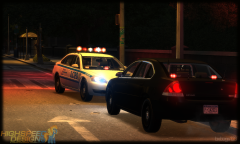 Really nice, Bugs! I like the newer model Impala.
 -
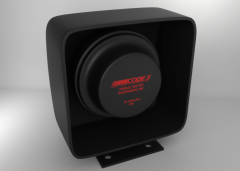 Ah, makes sense. The in game one looks really nice too!
 -
Jesus, I thought by the looks of it that it'd be super high poly. Nice work!
-
![Bravado Bison Ambulance [WIP]](//s3-gallery.int-cdn.lcpdfrusercontent.com/gallery/album_3275/sml_gallery_64826_3275_115366.png) You'll need to remap the dirtmap on your cab.
You'll need to remap the dirtmap on your cab. -
You could edit the light texture to change it, that's another way that doesn't take long at all. Copy the blue light texture and paste it on top of the red one.
-
If I understand correctly, you want to remap the red one to blue? Try this: Surface>Mapping>Edit UV then proceed by clicking the object. A box should pop up and tick "generate new". Change your viewport to UV Mapper, then go to the bottom of the viewport and click "materials". A list should pop up and select the desired texture you want to remap, the object should be shown in that viewport. Proceed to scale, edit move and such within the viewport.
-
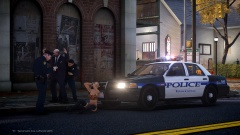 I love rotator bars! Nice picture!



![Bravado Bison Ambulance [WIP]](http://s3-gallery.int-cdn.lcpdfrusercontent.com/gallery/album_3275/sml_gallery_64826_3275_115366.png)
