epicmrjuan
Members
-
Joined
-
Last visited
Everything posted by epicmrjuan
-
Hello guys i'm asking your opinion for this chatter, YES or NO MISSING_PERSON_CODE_3.wav
-
And how do i do that? And does this effects peds World.AddSpeedZone() World.RemoveSpeedZone()
-
What do you need to do if you don't want vehicle spawning in a certain area
-
i know but to what have you set speed to if you don't want to Vehicle spawning?
-
Does that make sure that no Vehicle can spawn in that area if so what do you need to type behind: World.AddSpeedZone() -1 or 0
-
-
Thanks and do you now the object id?
-
i can't find the object id for the pollice do not cross sign, can someone help me and how do you make a region were no Vehicle can spawn.
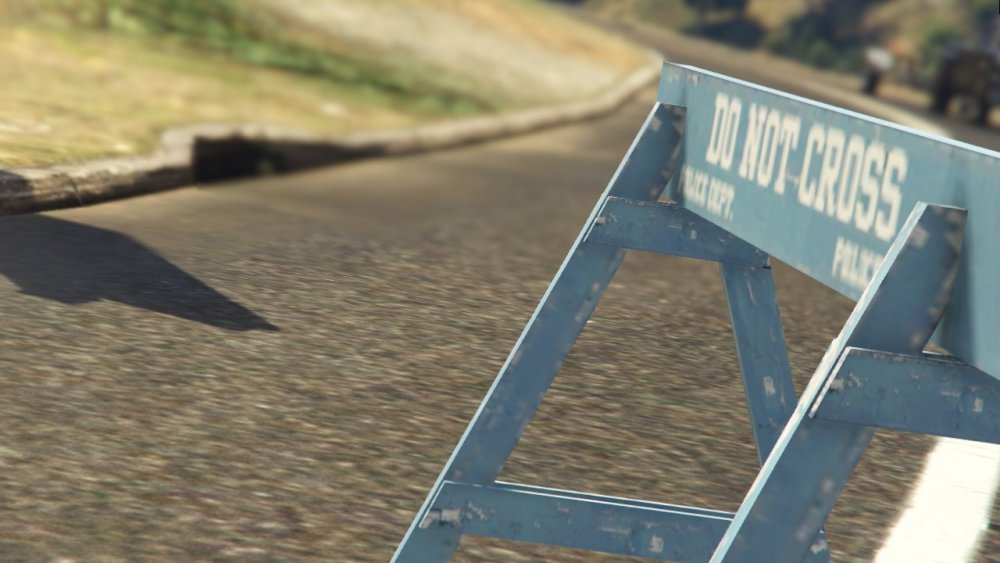
-
Is it possible to set a speedlimit in a persuit because a firetruck is faster than a cvpi
-
hey, it is still showing up with ???????????????????? , do i need to type a command in rage console?
-
do i need to put .PDB with .DLL in the plugins folder if i do where will it create a crash report?
-
this piece of a script gives me a crash i don't now why can someone help me? Error message
-
That was the problem Thanks
-
@ToastinYou so i did wath you said maked an ini file and put it in there but the playername wont change [Keybindings] TalkKey=E [Names] playerName=officer
-
i wan't to have an ini file, i have this code but it wont create a ini file? { internal static class Settings { internal static Keys TalkKey = Keys.T; internal static string playerName = "NoNameSet"; internal static void LoadSettings() { string path = "Plugins/LSPDFR/CalloutsC.ini"; InitializationFile ini = new InitializationFile(path); ini.Create(); TalkKey = ini.Read("Keybindings", "TalkKey", Keys.T); playerName = ini.ReadString("Names", "playerName", "NoNameSet"); if (playerName.Length > 12) { playerName = "NameTooLong"; } } } }
-
Nevermind
-
coordinates love them!
-
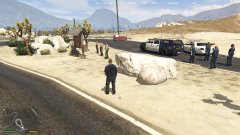
From the album: Making a callout
-
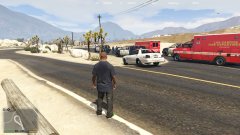
From the album: Making a callout
-
I thought that with albo1125.common you can do that correct me if i'm wrong
-
Oops looked over it changed it to month Thank you all guys
-
@PNWParksFandidn't see your last sentence, but this don't work. it only uses default.
-
Random rnd = new Random(); int month = rnd.Next(1, 5); int caseSwitch = 1; switch (caseSwitch) { case 1: Console.WriteLine("loc 1"); { SpawnPoint = new Vector3(-281, -1352, 31); SpawnPoint2 = new Vector3(-281, -1341, 30); coppoint = new Vector3(-279, -1342, 31); suspoint = new Vector3(-280, -1343, 31); Suspect = new Ped("s_m_m_highsec_01", (suspoint), 176f); Suspect.IsPersistent = true; Suspect.BlockPermanentEvents = true; Suspect.Tasks.StandStill(-1); Cop = new Ped("s_m_y_hwaycop_01", (coppoint), 355f); Functions.SetPedAsCop(Cop); Cop.IsPersistent = true; Cop.Tasks.StandStill(-1); Cop.BlockPermanentEvents = true; break; } case 2: Console.WriteLine("loc 2"); { SpawnPoint = new Vector3(477, -331, 46); SpawnPoint2 = new Vector3(476, -326, 46); coppoint = new Vector3(473, -325, 46); suspoint = new Vector3(481, -328, 45); Suspect = new Ped("s_m_m_highsec_01", (suspoint), 312f); Suspect.IsPersistent = true; Suspect.BlockPermanentEvents = true; Suspect.Tasks.StandStill(-1); Cop = new Ped("s_m_y_hwaycop_01", (coppoint), 55f); Functions.SetPedAsCop(Cop); Cop.IsPersistent = true; Cop.Tasks.StandStill(-1); Cop.BlockPermanentEvents = true; break; } So this works? Do i need to create suspect and cop alreade or oncalloutaccepted()
-
So if i'm right i have to do this for diffrent location in a callout? Random rnd = new Random(); int month = rnd.Next(1, 5); int caseSwitch = 1; switch (caseSwitch) { case 1: Console.WriteLine("loc 1"); { SpawnPoint = new Vector3(-281, -1352, 31); SpawnPoint2 = new Vector3(-281, -1341, 30); coppoint = new Vector3(-279, -1342, 31); suspoint = new Vector3(-280, -1343, 31); ShowCalloutAreaBlipBeforeAccepting(SpawnPoint, 30f); AddMinimumDistanceCheck(20f, SpawnPoint); CalloutMessage = "Code 3: Broken down car on the Highway"; CalloutPosition = SpawnPoint; Functions.PlayScannerAudioUsingPosition("WE_HAVE CRIME_OFFICER_IN_NEED_OF_ASSISTANCE IN_OR_ON_POSITION UNITS_RESPOND_CODE_03", SpawnPoint); } And then the other locations
-
How to make callouts with diffrent ways of ending, do you have to make for evry ways a new script? and how to change the color of a blip (blip.color = color.Yellow) doesn't work or do i need another refrence? blip.Color = System.Drawing.Color.Yellow;