
DivineHustle
Members
-
Joined
-
Last visited
Everything posted by DivineHustle
-
 Thanks so much man that fixed it, love your work. Hopefully you decide to do a SAHP pack, I know someone else suggested it. Thanks again man!
- 142 comments
- 9 reviews
-
So I realized that the issue is with peds spawned by LSPDFR. Ultimate Backup peds spawn perfectly fine with the uniforms, but peds spawned through LSPDFR directly have the vanilla top with your EUP bottoms. I have no idea how to fix that
- 142 comments
- 9 reviews
-
-
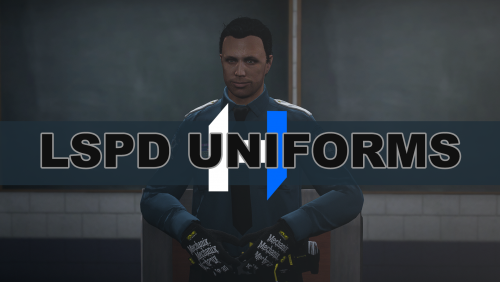 Can you provide a readme or installation instructions
 -
 I mean when I accept the warrant callout. I was in the Sandy Shores part of the map and got the Warrant for Arrest callout. It initially appeared on the map and then a tooltip popped up above the minimap saying to lookup the person's name. When I opened CompuLite, nothing returned and the icon on the map had disappeared. Maybe the call ended or something, I'll see if I can replicate the issue and record it if I do, thanks
- 635 comments
- 53 reviews
-
This doesn't seem compatible with CompuLite. When I get the call for a Warrant and I'm told to search for the name on the computer, I open CompuLite and it doesn't do anything.
- 635 comments
- 53 reviews
-
Is it possible to disable the use of the multiplayer peds in LSPDFR? I found another thread regarding the AI that I've linked below, but I haven't found anything about the player model itself being changed to the peds.
-
-
 Unfortunately this is not working, I am getting messed up outfits all over the place from different agencies.
- 263 comments
- 20 reviews
-
-

- 1
-
-
Damn I went ahead and removed it. Everything seems to be working well after three play sessions. Thanks for the help again guys!
-
So I experienced another LSPDFR crash when a callout came up about "Traffic ANPR Hit" and LSPDFR crashed once that time limit expired to accept the callout. The little blue and red circle on the map remained after LSPDFR crashed. I checked the log and RPH is the 1.96. I'm thinking this may have been the Callout pack that caused it? RagePluginHook.log
-
 Hey will you be making a replace version of this pack or did you already create one? Thanks these look great
- 200 comments
- 16 reviews
-
Hm yeah that was weird. I tried the installer again and it still said 1.95. I manually did it and it then said 1.96, and everything seems to be working fine so far after a couple of 1hr+ sessions. Thanks for the help man!
-
I went ahead and updated LSPDFR, but I experienced another crash when a callout came up on the radar. I did not accept it, and LSPDFR crashed. I attached the new RPH log, I'm not sure what's causing the crash. RagePluginHook.log
-
I was in a pursuit and I did a pit on the vehicle. Once it spun out, the backup AI (from Ultimate Backup) got out with their gun drawn and moved to the vehicle. I got out as well, and as soon as I switched to pistol, that is when LSPDFR crashed. I'm not too sure what caused it, but I'm thinking about removing most of my plugin callouts because there might be some sort of confliction happening. I do have modded vehicles, weapons, sirens, and sounds in the mods folder as well as the meta files. All of the files are the latest files posted, as of yesterday when I double checked. Unless I happened to miss something In GTA Root Directory Plugins Scripts RagePluginHook.log
-
Hey man, awesome pack but I'm having some small visual issues. The LSPD NPC that spawn in the stations only spawn with your pants and still spawn with the default top. When I call units using Ultimate Backup, there is a small visual issue with the badge that I included below. I installed the configurations as well. Hey man, awesome pack but I'm having some small visual issues. The LSPD NPC that spawn in the stations only spawn with your pants and still spawn with the default top. When I call units using Ultimate Backup, there is a small visual issue with the badge that I included below. I installed the configurations as well.
- 142 comments
- 9 reviews
-
-
 Make sure you guys have the latest RageNativeUI for this to work. The file included in the download is outdated. Download the latest version from HERE. Other than that, I'm not sure. I just loaded up the game, fresh install, and everything worked fine with the Law & Order pack. If you're still crashing, you might need to clean your mods folder.
- 635 comments
- 72 reviews
-
The issue did not occur after renaming the mods folder. I guess that means I have something broken in my mods folder lol. I put the mods folder back and I've tried doing some testing with removing the weapons and vehicles so far, no effect. It might be some sort of data file causing it within the mods folder. I'll update when I figure out what it is.
-
I'm having an issue where my entire game will crash after I go through the menus at any station and select my vehicle. Once I select the vehicle, I briefly see where I am inside of the vehicle, then the game will completely crash. Something I noticed is that sometimes when I start the game, I'll spawn into random scenarios where I'm already on-duty. In those cases, the game does not crash at all and everything works normally. Even if I use the RAGE console to go off duty, and then use it to go back on duty, everything works fine. If I then go into a station either on or off duty and select a vehicle, my game crashes as described above. Plugins: Scripts: Mods: RagePluginHook.log
-
.thumb.jpg.182dedb1a55dea252c1853d35d4d1e3c.jpg) Broken pack and the author isn't providing any support. Just use something else, everyone.
Broken pack and the author isn't providing any support. Just use something else, everyone.- 256 comments
- 29 reviews
-
-
-
I read somewhere that you're unfortunately not able to remap controls for ELS on controller, only for the keyboard. I run into the same thing, it's pretty annoying.
-
 Getting major fps drop when I open the computer+ screen, with the background enabled during a traffic stop. Have to click something like 4 times for it to go through. Once I leave the screen then everything goes back to normal.
- 1,743 comments
- 172 reviews

.thumb.jpg.182dedb1a55dea252c1853d35d4d1e3c.jpg)