

DivineHustle
Members
-
Joined
-
Last visited
Everything posted by DivineHustle
-
 LMAO
LMAO -
 This says 9.3 and above, I am assuming this means it works fine with the Patreon version of EUP since it is above 9.3?
- 6 comments
- 2 reviews
-
Following, having the exact same issue Edit: Fixed my issue, all of my weapons corrupted somehow. Deleted them and re-installed them and everything works fine.
-
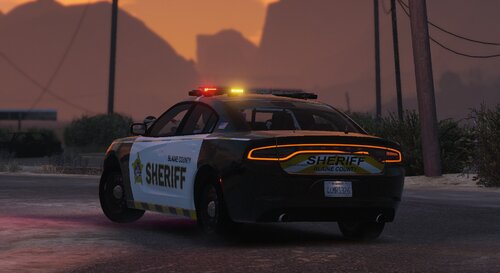 Great pack but the American flags are not facing the same direction on both sides of the vehicle
 -
-
 For me, when an ambient LSPDFR unit responds to a pursuit I'm in, sometimes the ELS is broken on the AI vehicles once the pursuit ends. Even though the lights are off, the siren continues to sound, and the car won't despawn. It will either sit there or drive around. Or the peds despawn, and there are empty police vehicles scattered everywhere, some with the broken siren. I notice that the lights also tend not to work on the AI vehicles and they remain on and solid and won't flash. I don't have this issue with UltimateBackup spawns, only LSPDFR spawns. I was unsure if your ambient spawn is a different system than the LSPDFR ambient spawn. I have a lot of issues with LSPDFR ambient spawn with ELS.
- 944 comments
- 23 reviews
-
If we use the ambient spawn system here, can we disable the LSPDFR default ambient spawns, which are very broken?
- 944 comments
- 23 reviews
-
 The configurations file doesn't apply any changes in-game.
 -
 Callouts keep going to code 4 when accepting. Accepted the stranded whale callout and it happened recently. RagePluginHook.log
- 105 comments
- 13 reviews
-
 Callouts keep automatically going to Code 4 upon accepting. RagePluginHook.log
- 184 comments
- 34 reviews
-
 Causes a fatal LSPDFR crash when attempting to store object on road in vehicle through the prompt. RagePluginHook.log
- 160 comments
- 20 reviews
-
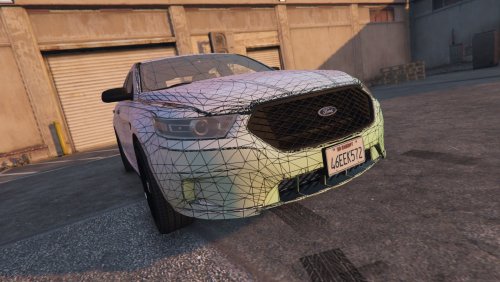 Top brake light for the Taurus doesn't light up
 -
-
-
-
 Yeah I'll post the log next time it happens. It may be because I was too close to the spawn location; that seems to be when it happens.
- 1,023 comments
- 63 reviews
-
Callouts go to "Code 4" when accepted and leave the red and blue flashing circle on the map.
- 1,023 comments
- 63 reviews
-
-

- 1
-
-
 Is there a way to disable the automatic update messages? This is a very nice plugin, but I already have enough junk clogging the left side of my screen when I go on-duty.
- 422 comments
- 25 reviews
-
-
 Yeah can confirm this new update causes the entire game to freeze when attempting to go on duty. Removing this mod fixes the issue.
- 248 comments
- 17 reviews
-
-
- 1
-
-
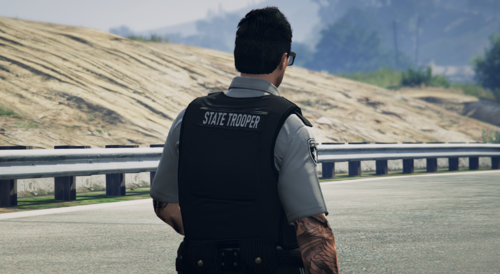 Look great! I recommend adding installation instructions for those who may be unfamiliar.
 -
What fixed the issue for me was simply deleting my update2.rpf and putting the new one from the original folder into the mods folder
-
I'm looking at the agency.xml file in /lspdfr/data, and I want to change the outfits for the ambiently spawning Police to what I have in DefaultRegions.xml for UltimateBackup. It seems agency.xml is referencing information in cop_presets_outfit, but the outfit code under <Components> and <Props> looks different than UltimateBackup. Can agency.xml reference the UltimateBackup DefaultRegions.xml or convert the outfits from DefaultRegions.xml to the same formatting as agency.xml?
-
-
What fixed the issue for me was simply lowering the actual game texture quality to 'Normal', and I'm able to use whatever high polygon vehicles I want without texture issues.