SKi24
Members
-
Joined
-
Last visited
Everything posted by SKi24
-
yup my soundgoes real low low then crashes. but doesent freeze crash game goes into a loading screen, MP problem for me.
-
Geforce GTX 660TI, i get 50-55 solid almost always never drops past 50. me like!
-
I am very pleased with 1.0. its way better than 0.95 by far! just played for 2 hours and the only thing that crashed was policehelper. and pretty sure that's because i tried using it to call for an ambulance [when i should of used lcpdfr 1.0 menu to call it] my bad lol. the taser is buggy for me, lags every time i fire it, plus i hate the message that pops up about the memory when i exit the game, so i removed it, no problem my less lethal shotgun will do. Everything is running smooth! even the lights when i hit /, i had no problems at all with it. i mean come on, abilities to detain peds, when you search name in cruiser if its occupied x2 it give the names of both occupants [which if you later check the passengers id, its the same], abilities to choose a side of the car i want to go to, ability to move a detainee around where ever i want.I Love the little cut scenes when i drop of a perp at the station! i mean the list goes on of things that have changed from 0.95. I am VERY Happy with all the hard work you guys put into this mod, its just outstanding! I really appreciate it! Thank you G17 Crew, you guys are awsome!
-
bf4 is illegal in china lol just a little fun fact lol
-
i cant wait for this. BUT you better not be the 12th day of Christmas... just saying.im reading up on it know im not sure if its the bloom tho. this is buggin me so bad! some enb's are no good but they don't have the effect, and els is awsome! then a outstanding enb has the effect and els is currupt by this effect. its frustrating. yessss it was the bloom! i set to false and the effect is gone. outstanding! thanks for the quick response my friend! *topic can be close*what causes this effect? and how to get rid of it? this is the second enb that's does this! I found the perfect enb but cant get rid of this effect? does anyone have any knowledge on how to remove this effect? its a huge glare caused by els lights after editing the visual settings file? please this is the perfect enb for me aside from this huge glare effect?lol well that was a interesting thread. i enjoyed it, goodmorningok so i fig id try out an enb, and i found one i really like, its fabricuz cry7enb. But the ELS lights were way too dull with the visual settings he included in his file. so i editied the "other emmisive lights" to 100 and this is the effect i got, this effect was barely noticeable [but defiantly a nice touch] before changing the "other emmisive lights" for ELS. i really like the effect but it surely needs to be turned down! way down! lol. Anyone got any ideas on how to reduce this effect without lowering the "other emmisive lights" value? id greatly appreciate the help! I am thinking some kind of reflective setting but cant seem to find which one.wondering the same thing. but i plan on fresh install either way.OUTSTANDING! im pretty sure i saw a cuffed suspect running! that's just brilliant lol!i got it to work threw windows media player. live boston police/fire/ems off broadcastify! :)
- 10 comments
- 2 reviews
my fault i dident think the 1st one went threw! sorry my mistake.This is for all you NON graphic mod users, who desire a more Darker / Realistic NightCycle. Have a look, let me know what you think! this is a Timecyc file only! Its AMAZING! http://www.lcpdfr.co...-nightcycle-10/yup what ever pants option you have in the image is not compatible with the top. you most likely was wearing a coat that removes the belt so that it was not appearing to be showing threw cloths.the nuclear bomb one, for sure! lolworking on a complete overhaul for anyone intrested. no more contrast issues. my next update will have nothing to do with contrast. which means none of the lights in the game will be effected by the night cycle! im pumped lol- 13 comments
- 3 reviews
same things happening to me, im guessing it has something to do with the crime stats being disabled...if anyone has been able to get this to work please fill me in, thanks tried everything, only thing that works in not linking to the website. bummer. hope it gets figured out. no dought in my mind its just having problems linking due to crime stats being disabled, one way or another.R* would be a buncha fools if they did not release on PC, and next gen consoles. And they know that. Its just a matter of time my friends.lol just close it.what is your current power supply wattage? In order to run the Geforce GTX 660ti it requires you to have a 500W or greater, with Two 6 pin PCI express power connectors. I use a 700W Corsair i picked up for under 150$. by looking at your current card, im pretty sure your card just run on power supplied by your mother board, so you would need to find out if your current power supply even has the 2 6 pin PCI express power connectors. (i could be wrong not sure) Also your current card requires a 400w power supply so you atleast have enough to power that. so if you got 100 more you'll be good.def upgrade your graphics card, the geforce gtx 660ti is beast, i run everything on ultra with it and i only have a i3. with your set up and a card like this you'll be looking very good my friend. or if you got the $cash, go higher, but i love the gtx 660ti for the price, it is def right.Just some screens of ingame.-
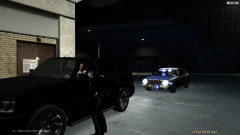 Officer Down
-
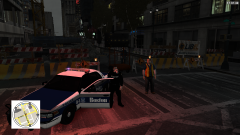 detail for rest of shift
-
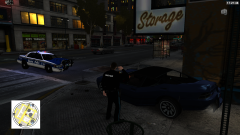 Well that didn't go very well
-
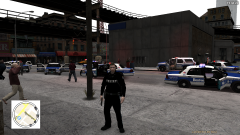 Boston Pd in full force
-
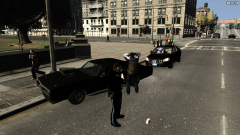 Suspect driving under the influence
-
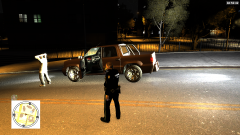 K9 Zoey Starting early shift off Right
-
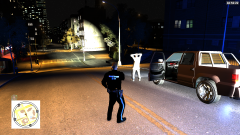 K9 Zoey Sniffs Out a Firearm
-
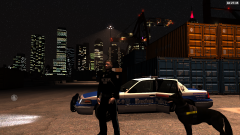 Early Morning K-9 Patrol
-
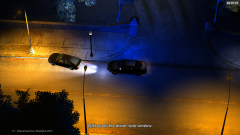 Eyes in the sky
-
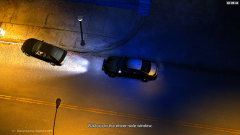 Eyes in the sky.
-
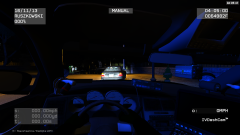 Runnin info in system. keepin an eye.
-
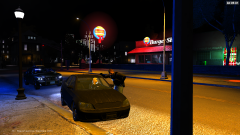 Failure to stop at red light.
-
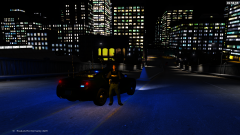 Police Presence.
-
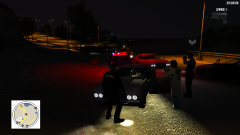 Suspect Down
-
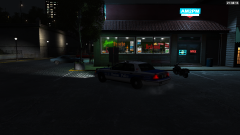 Quick Stop 24 hour
-
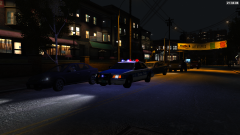 On Patrol
-
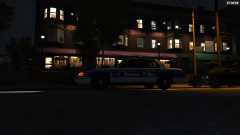 On Patrol
-
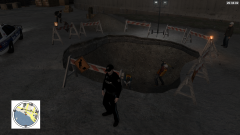 Gonna be a long night.