Figgis302
Members
-
Joined
-
Last visited
Everything posted by Figgis302
-
Hey all, Having a really weird issue lately where the alternate siren sound (accessed by holding C with the siren on) is stuck on the phaser tone, for all emergency vehicles. The wail works fine, but the yelp is missing entirely. I've spent several hours troubleshooting it, and I honestly have no idea what the issue is - has anyone else experienced this before?
-
 Not strictly, if I wanted to be a fucking dick and cite the R* and LCPDFR EULAs, but I asked him anyway - it's just common courtesy. Sorry for the late reply.
- 10 comments
- 4 reviews
-
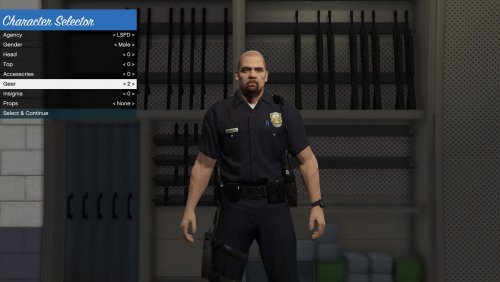
A quick series of texture edits I made, combining the amazing work of @majorpaine2015's Law Enforcement Revamped, and @Netman005's Improved Law Enforcement Models into one mod that gets the best of both worlds - the fantastic LAPD-style uniform and badge textures, and the realistic belts. All credit goes to Netman and majorpaine, I don't own these models - those two lovely folks are the brilliant modders behind it, all I've done is change some textures to better suit realistic cops. This mod uses the same models used in LE Revamped, so you can still wear the ballistic vest, and use it with Cop Holster. Enjoy! Originals (again, all credit goes to these amazing guys!): https://www.gta5-mods.com/player/improved-law-enforcement-models
- 10 comments
- 4 reviews
-
-

- 3
-
-
 What vehicle slot is this optimized for? I'd love to use it for FBI2 or Sheriff2, but from what I can tell it isn't designed for either of those.
- 563 comments
- 116 reviews
-
Calling it now. 0.3 is ready for release and it's being delayed so it can be released as a Christmas gift.
-
-
Current death toll is a staggering 120+ civilians alone. I don't know what to say. Hopefully we'll see western boots on the ground in Syria after this.
-
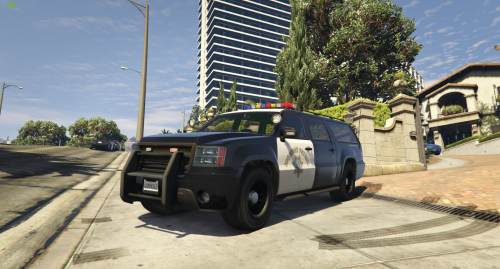 That's one solution I had, but then you have several copies of the same car, which is equally annoying. It's a minor nitpick, but it's just kinda dumb that we can't use the default liveries or anything else with it - especially given how the mod replaces Sheriff2.
- 16 comments
- 2 reviews
-
Is it possible we could see a strictly-sheriff's department texture update? The mapping doesn't work with the default Sheriff2 livery textures as far as I can tell, and it's really annoying to see the LSPD and SAHP showing up in the middle of Paleto Bay.
- 16 comments
- 2 reviews
-
 Very, very well done. The current mainstay of my vehicle library and it'll likely stay that way for a while. Along with your sheriff's dept. cruiser, these are some of the best vehicle mods for the game that have been made to date. Amazing work.
- 137 comments
- 22 reviews
-
-
 Very nice work. Looks and works great for me and I like the new corona textues. What peds are you using in the screenshots? I'd love those winter-equipped deputies.
- 246 comments
- 40 reviews
-
 Amazing job on this. Works flawlessly. In the future, I'd love to see a priority call (perhaps even with a radio flatline tone?) that has the player urgently rushing to help an officer in danger.
- 423 comments
- 73 reviews
-
Amazing work. The scripting is spot-on and works flawlessly. The situations all slide like well-oiled gears in a clockwork machination, and the dialogue is very accurate. Awesome job, Stealth22. Best plugin I've ever installed.
- 423 comments
- 73 reviews
-
-
- 1
-
-
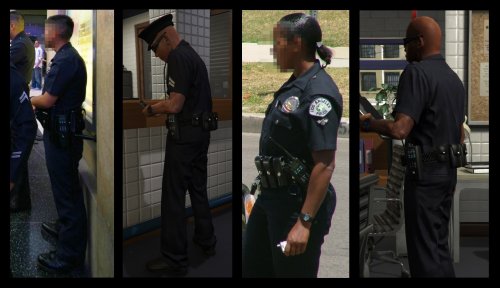 Is it possible to get a version of this mod somewhere that has the raw texture files instead of the ped texture archives? I really like this belt but hate the default peds.
- 20 comments
- 5 reviews
-
-
Just something of note; the last two or three digits of the yellow number on the trunk should be the same numbers shown on the roof. Might want to change that.
-
Jesus, these look awesome. Download when?
-
 Good mod, callouts are very well done. However, some are rather confusing and don't really make a lot of sense. The Malicious Vehicle Damage one, for example - great, you show up, find the damaged car, etc - but that's it. There's no real instructions on how to clear the callout, so you're left standing around with your thumb up your ass until you force a new one. The Shots Fired on Officers one suffers from the same problem. You get the call and rush to the scene, but 99% of the time, both the suspect and officer are dead by the time you get there and you're once again unable to clear the callout unless you force a new one. Maybe add some on-screen instructions on how to clear the scene and complete the callout in future updates. Overall, though, it's very well-polished and the way you did the scanner audio is superb. If the issue above was corrected, this would very easily be 5/5. Good work so far, especially for a new developer.
- 174 comments
- 46 reviews
-
-
- 1
-
-
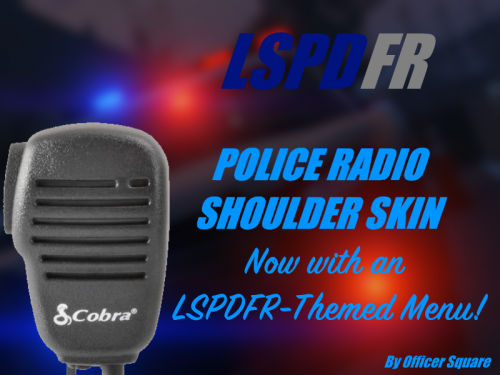 Nice work, but the text is a bit dark. Might want to change the color to something a bit more visible.
 -
Hey guys, I accidentally replaced w_pi_pistol.ydr, which breaks the model and crashes the game whenever the pistol is fired. Do any of you guys have the original files somewhere? I forgot to make a backup. Edit: Realized I can just pull the files out of the actual weapons.rpf and not the mods folder copy. Unnecessary thread is unnecessary.
-
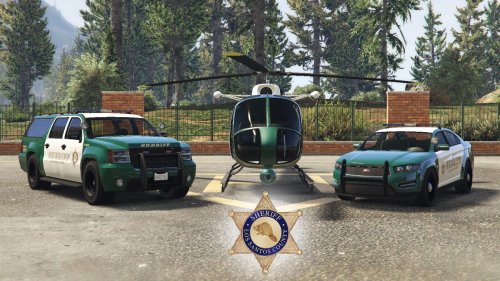 Possible we can get a non-supervisor version of the Stanier? I like the livery, but as I prefer the LSSD to only use the SUV and Stanier, seeing 90% of the deputies driving cars marked "SUPERVISOR" in giant capital letters is really annoying.
- 12 comments
- 1 review
-
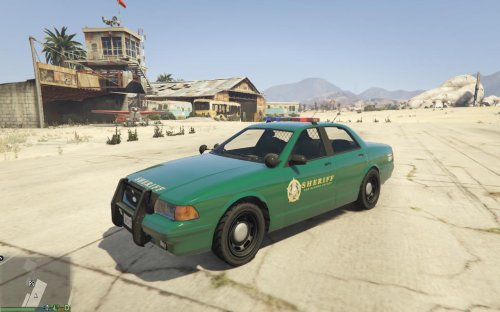 Your filepath is incorrect, by the way. It should be GTA V/update/x64/dlcpacks/patchday3ng/dlc.rpf/x64/levels/gta5/vehicles.rpf
- 5 comments
- 3 reviews
-
-
- 1
-
-
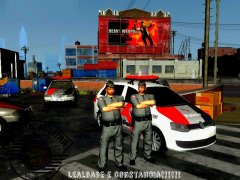 How do you stand your game looking like that? That's so cartoonish.
 -

.thumb.jpg.57b6862f6420628763316243b5fbd116.jpg)