


Creators: Due to background reprocessing of files, approvals and file security checks may be delayed. Thanks for your patience.

IronicRainbow
Members
-
Joined
-
Last visited
Everything posted by IronicRainbow
-
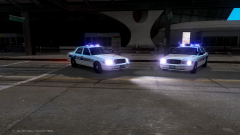 Its more work on your part and more triangle count on the cars.
 -
-
Use a handling line for the Charger. The Charger was probably using a handling line for an SUV since it was in the polpatriot slot, causing the suspension to freak out.
-
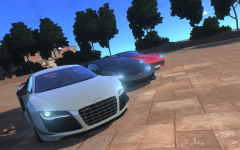 Hello, Carry Jr.
 -
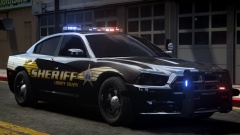 TYRANNY! Nice skin, BErad.
 -
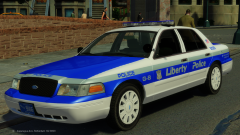 Ah, I expected as much. Nevertheless, looks nice.
 -
Looks nice! It seems someone isn't completely done modding yet :P Are you releasing this/others?
-
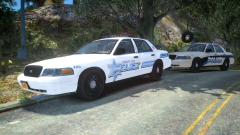 It's just not realistic/optimal. The laptop would be sliding all over the place if you just placed it on top of the console.
 -
I don't really like the laptop placement, I would like to see it mounted on a stand.
-
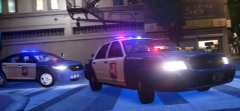 Thanks! I was really digging the newer Wisconsin State Patrol skins, hopefully the clan decides to implement them :P
 -
From the album: IronicRainbow's Pictures
-
 Not sure if it's just the angle of the picture, but the INTERCEPTOR text on the hood looks wonky. Other than that, it looks good! I'm sure the pack will turn out great.
 -
![[WIP] 2015 Ford Police Interceptor Utility](//s3-gallery.int-cdn.lcpdfrusercontent.com/gallery/album_2838/sml_gallery_120090_2838_1934672.png) Nobody. It's the 2013 FPIU from NFS, made into a 2015 Ecoboost by myself.
Nobody. It's the 2013 FPIU from NFS, made into a 2015 Ecoboost by myself. -
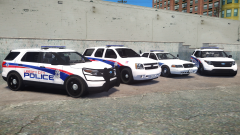
From the album: IronicRainbow's Pictures
A big thanks to Mustu for his new base model for the FPIU (I've had it for quite some time now, I just never did anything with it), complete with 3D indicators and taillights! These vehicles you see are for a clan-exclusive pack, and not for release. -
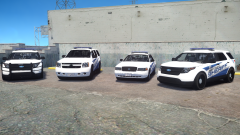
From the album: IronicRainbow's Pictures
A big thanks to Mustu for his new base model for the FPIU (I've had it for quite some time now, I just never did anything with it), complete with 3D indicators and taillights! These vehicles you see are for a clan-exclusive pack, and not for release. Preview video of the CVPI: https://www.youtube.com/watch?v=8-jA1xJo2E4 -
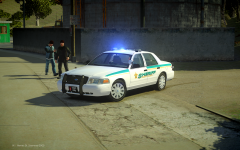 -100/10 would not touch
 -
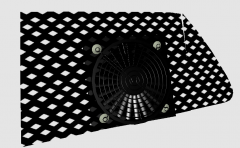
From the album: 3D st00f
-
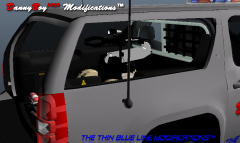 Nice! Glad to see a mod using my Dragon Runner, although it's a tad big :P
 -
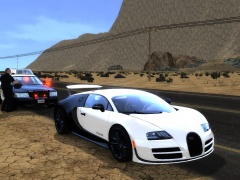 It is controlled with a separate key.
 -
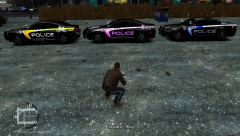 I'll release my version
 -
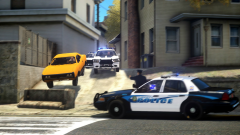
From the album: IronicRainbow's Pictures
I edited Ringo's picture with some motion blur. I have received permission from Ringo to re-upload this. -
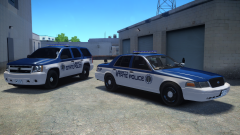
From the album: IronicRainbow's Pictures
For clan use. Not for release. Skins by BrokenArrow *Note, this skin in particular is subject to change -
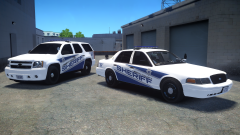
From the album: IronicRainbow's Pictures
For clan use. Not for release. Skins by BrokenArrow -
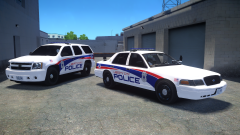
From the album: IronicRainbow's Pictures
For clan use. Not for release. Skins by BrokenArrow -
![[BETA] 2014 GMC 3500 Ambulance](//s3-gallery.int-cdn.lcpdfrusercontent.com/gallery/album_722/sml_gallery_3386_722_440352.jpg) His ENB is personal.
His ENB is personal.


![[WIP] 2015 Ford Police Interceptor Utility](http://s3-gallery.int-cdn.lcpdfrusercontent.com/gallery/album_2838/sml_gallery_120090_2838_1934672.png)
![[BETA] 2014 GMC 3500 Ambulance](http://s3-gallery.int-cdn.lcpdfrusercontent.com/gallery/album_722/sml_gallery_3386_722_440352.jpg)