


Marquess
Members
-
Joined
-
Last visited
Everything posted by Marquess
-
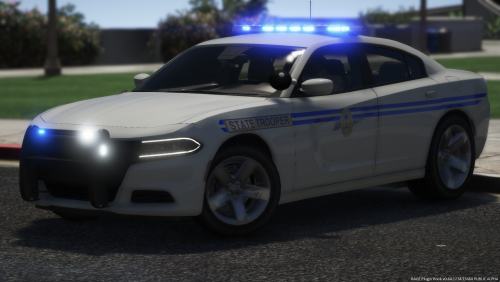 Not perfect but almost. I'm still giving it five stars. Some vehicles have this known issue where the hands are not perfectly on the steering wheel, which is hard to fix. The 2016 charger, both the light bar and the slicktop version have their right passanger window tinted pitch black for some reason (can't see through at all). I have set the diffuseTint value in the vehicles.meta to 0x00FFFFFF (as I always do). This one window remains black though for both versions. Not sure what's causing this but it is really unfortunate. One thing I don't like is the steady blue rear light on the bike. I tried to disable it in the els-file, but had no luck. Other than that, those are high quality models and absolutely worth downloading. Even without using the provided meta-files (which you should do regardless), all models work flawlessly. And for god's sake... we finally have a normal working durango! I only wish he would have added one with a light bar on the top as well, bus I guess we can't have always all we want.^^ This however is my new fleet for the next time. 🙂 I always have to point out one thing: when the modder provides the templates for all models - that's something which more and more modders don't do anymore for some reason. This guy however did it. I appreciate this very much!
- 83 comments
- 19 reviews
-
-

- 1
-
-
-
 Nah, I'm not forgetting that. As I said, I totally get that. I know the reasons and they are valid. It's just that this big red letters jump on you when you see them. Whenever the first thing you read is negative, it gives you exactly that: negativity. That's the reason why such advices and warnings are usually found somewhere on the back of a package, in small letters. 😉 I'm not trying to be a troll or anything. Just saying. Cheers
- 27 comments
- 11 reviews
-
"I WILL NOT PROVIDE SUPPORT" ...I totally get that. However, maybe you shouldn't put is on here in big fat red letters, mate. Doesn't make you look like a nice person.
- 27 comments
- 11 reviews
-
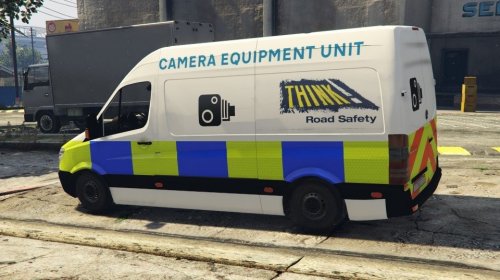 Why? They don't have windows or visible cameras in RL. At least most of them.
 -
 Nope, he says clearly: "Any unauthorized modification (...) or distribution (...) is strictly prohibited." I broke that "rule" by modifiyng it for my game. I'm being salty because all those people who most complain about generall copyrights, those people are the first who take advantage of those right themselves by making such statements as "do not modify my mod because bla bla" - and they often put that line on the top of the description in big red letters. So the first thing you read is a warning which in some cases is written in a rude, arrogant way. When you haven't done anything but the modder is b***ng right away. HE wants us to download his mod, therefor HE should be friendlier. HE wants something from US - not vice versa. That's why I'm being salty about those things. Because when you read it in every second file, it gets annoying.
- 338 comments
- 46 reviews
-
 "Annoyed when you get out of your stolen car and walk a few feet away, only to turn around and find it gone? Or maybe you just stopped a criminal's car, and he ran a few blocks before you caught up. Maybe when you got back to the suspect's vehicle, you find that it's mysteriously gone, along with his friend's corpse, who was more violent and paid the price." I seriously never ran into this. Not sure why it is happening to so many people...
- 91 comments
- 21 reviews
-
"Any unauthorized modification (...) is strictly prohibited" Says who? I have changed some parameters for my game. Sue me.^^
- 338 comments
- 46 reviews
-
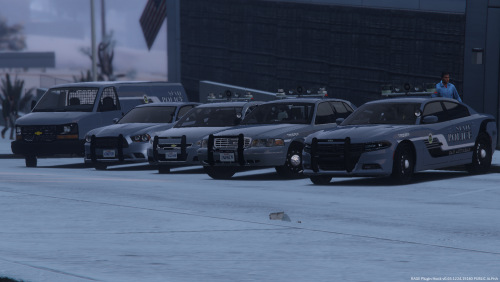 It is better to replace it with a transparent picture. That way it spawns with different colours and you can also change it with the simple trainer in-game. I do that with some of my marked vehicles as well. I paste the decals on a transparent background, which allows the vehicles to spawn with all the letterings and decals but with different base colours. For some designs it looks great and gives the game more variation. 😉 But that's just me. However, for the unmarked cars I highly recommend to replace all liveries with a transparent file.
- 14 comments
- 8 reviews
-
-
- 1
-
-
-
-
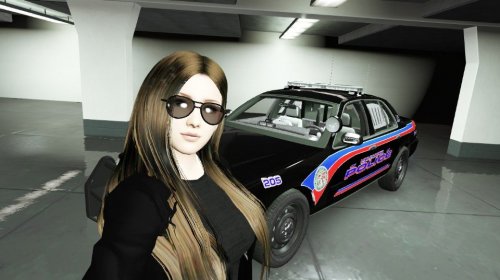 Dude, already in you first screenshot we can see the massive clipping problem...
- 4 comments
- 2 reviews
-
.thumb.png.f6e3ab5c1cf1e17e17d72f3e17ac4172.png) Just to make it clear: I'm not complaining. I was just wondering why some light bars are dim while others glow like supernovae. Just being curious. Nothing wrong with your model. 😉
Just to make it clear: I'm not complaining. I was just wondering why some light bars are dim while others glow like supernovae. Just being curious. Nothing wrong with your model. 😉- 20 comments
- 3 reviews
-
-
- 1
-
-
 Sir, you are the master of rotors. I'm a fan of those in general and I tried them all. Hands down, you make the best rotors in the whole modding community. I salute you. Seriously, your models are the only ones that look like actual reflectors instead of rotating LED modules. I gave up on this long ago, but you did it! Great! 🙂
- 154 comments
- 46 reviews
-
-
- 1
-
-
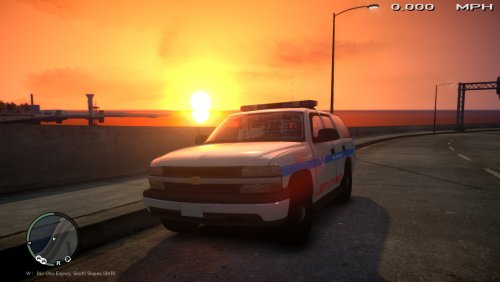 Why exactly did you do this? I mean you tested it... didn't you see it? No offense, but come on, it's easy to fix. Takes two minutes. -.-
- 11 comments
- 3 reviews
-
 Hands down, you make the best models without question. But is there any chance that we get your mods for manual installation? I hate the fact that I can't choose the slot. This mod for instance: I wanted to use it as an old school park ranger vehicle, that would be just perfect. I also use policeold1 and 2 for testing... all the things I can't do with the openIV installer. 😞 I believe that you just want to make sure that everything works as intended, I understand that... but it messes up all meta and config stats that I changed for other mods. Look, people who don't know what they are doing, they will always choose the auto installer anyway. You could easily upload a second folder with just the files for the rest of us. Now, I can extract the files after the installation and change the meta's back to normal so I can change the slot... but that's hell of a work to keep track of everything... I'm not complaining however, I love your mods. Just sayin'. Cheers
- 133 comments
- 36 reviews
-
I always use RadianceV with ELS. My other vehicles have beautiful bright supernova-like lights. As I said, the MAIN light bar on the top is dim. The front flashers are fine. I even changed the colour of the main light bar... didn't do anything for the brightness.
- 20 comments
- 3 reviews
-
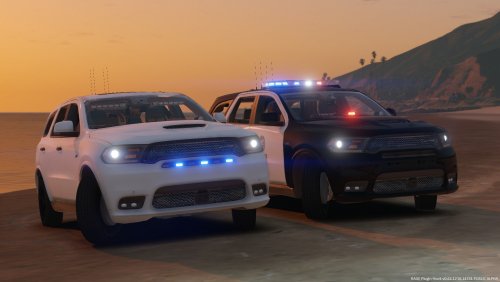 Overall good, but in 1st person you sit way too high + the ELS is messed up a bit. ELS: 1. The lights are too dim, compared to other ELS vehicles. I've seen this before. Not sure why some vehicles have this but it doesn't look good. 2. The amber light bar shouldn't be likned with the lights on the rear. 3. The cruise lights are supposed to be on the very left and very right corner of the main lightbar - not the WHOLE lightbar and not the secondary lights. Aleo the rear lights don't turn off at all + they have a weird pink/purple colour. It's supposed to be red... just red. In the picture below I'm sitting in the normal driving position. You can't really see anything while driving, because your head sticks in the roof... that's why you crash on every corner. This is otherwise a great model, just don't be lazy with those things next time. It could be an A+ model. Hope to see an update of this.
- 12 comments
- 6 reviews
-
If it's just about flipping, open the handling.meta, search the car you want to stop from flipping, then search the line <vecCentreOfMassOffset x="0.000000" y="0.000000" z="0.000000" /> Now lower the z="0.000000" parameter. Usually between -0.1 & -0.5 will do the trick. I don't know what your parameter says, but let's say it's already 0.000000 - in that case just add a "minus" (-) before the first zero and go negative. Don't change it too much at once, otherwise you'll mess it up even more. The best way is to try lowering by 0.2 or 0.3 each time untill you find what works.
-
Why is the main lightbar so dim? It doesn't really shine like the LEDs on the rear and on the side. It doesn't look good that way.
- 20 comments
- 3 reviews
-
 I did that I think 15 times with different browsers, trying several unpackers - always fail to unpack eup_componentpeds.rpf Any ideas?
- 2,341 comments
- 236 reviews
-
Both, the manual and the auto download file give me an error while unpacking, saying: "CRC-error: update.rpf\x64\eup\eup_componentpeds.rpf" I downloaded them several times and tried to unpack with different programms. Always getting an error, like "file corrupted" or "file uncomplete" for eup_componentpeds.rpf. What the hell? EDIT: OK, I managed to unpack the file on my bloody smartphone and copy it on my pc. The installation was a success but now Social Club doesn't like the files and re-rownloads them, failes to install and quits service. I don't know why, since I always install everything to the mods directory. This whole EUP thing seems to be cursed for me. EUP 7.4 always worked fine. EDIT2: OK it was because Rockstar Gemas released a new patch, so I reversed it to the previous version and got everything to work, however now Rage Hook won't load any script in-game, when Law and Order is installed, without it's fine. I'm getting proper tired of this.
- 2,341 comments
- 236 reviews
-
.thumb.jpg.930b3b93c7c75c01f46faeecf9341ab2.jpg) I absolutely recommend this pack for everyone who wants high quality / "non-christmas tree" solid models. Mate, I swear, I have been searching for three WHOLE days for ELS cars to build up my fleet from scratch. I've installed SO MANY cars you can't even imagine. This one not only made it into my fleet - it IS my fleet. Didn't expect to find a whole pack that meets my personal requirements! That means, I'll use them for the LSPD as well as for the sheriffs office and the highway patrol. It's exactly what I've been looking for... so long! This pack contains: .) Solid high quality work, exterior and interior (after testing about 70-90 cars in a short time, I know what I'm talking about). .) High quality liveries (I make my own though, but I can see what you did there. Big thumbs up!). .) You took advantage of the possibilities that ELS provides. There are MANY modders who don't. That means: 1. CORRECT cruise lights - very rare these days in mods, sometimes they even come without any (this was one of the requirements) 2. The main and the amber light preset at stage 3 is perfectly attuned to one another (I know I can change it in the VCF, but the fact that you did it right, tells me a lot). 3. No annoying over the top wig-wag pattern of the head-and the taillights... just a solid flashing - perfect! .) The cars just go perfectly together and you really didn't f***ed up anything. .) No annoying supernova-like glowing dashboard (RadianceV can be a pain in the ass), just the laptop might get a bit annoying during night patrols, but that's not an issue to me. .) Another big plus to me, is the fact that you added the clear lightbar file as an option... I made them all blue for my game though (red for the HWP), but still. The only negative thing is, that now, that I saw what you did... I have to spend time again on testing your other mods. 😄 However, thanks! Cheers
I absolutely recommend this pack for everyone who wants high quality / "non-christmas tree" solid models. Mate, I swear, I have been searching for three WHOLE days for ELS cars to build up my fleet from scratch. I've installed SO MANY cars you can't even imagine. This one not only made it into my fleet - it IS my fleet. Didn't expect to find a whole pack that meets my personal requirements! That means, I'll use them for the LSPD as well as for the sheriffs office and the highway patrol. It's exactly what I've been looking for... so long! This pack contains: .) Solid high quality work, exterior and interior (after testing about 70-90 cars in a short time, I know what I'm talking about). .) High quality liveries (I make my own though, but I can see what you did there. Big thumbs up!). .) You took advantage of the possibilities that ELS provides. There are MANY modders who don't. That means: 1. CORRECT cruise lights - very rare these days in mods, sometimes they even come without any (this was one of the requirements) 2. The main and the amber light preset at stage 3 is perfectly attuned to one another (I know I can change it in the VCF, but the fact that you did it right, tells me a lot). 3. No annoying over the top wig-wag pattern of the head-and the taillights... just a solid flashing - perfect! .) The cars just go perfectly together and you really didn't f***ed up anything. .) No annoying supernova-like glowing dashboard (RadianceV can be a pain in the ass), just the laptop might get a bit annoying during night patrols, but that's not an issue to me. .) Another big plus to me, is the fact that you added the clear lightbar file as an option... I made them all blue for my game though (red for the HWP), but still. The only negative thing is, that now, that I saw what you did... I have to spend time again on testing your other mods. 😄 However, thanks! Cheers- 66 comments
- 41 reviews
-
-
- 1
-
-
Didn't work for me. Any other ideas perhaps? I really hate it when the traffic advisor lights up at stage three automatically. Original VCF: Also, is there any possibility to "unlock" the changing of the pattern in-game? Some vehicles don't allow it. I hate it when modders lock it so you have to use their pattern. -.-
-
 The lightbar in the rear window is way too dark, compared to the lights on the roof. That looks terrible...
- 563 comments
- 116 reviews
.thumb.png.f6e3ab5c1cf1e17e17d72f3e17ac4172.png)
.thumb.jpg.930b3b93c7c75c01f46faeecf9341ab2.jpg)
