


Marquess
Members
-
Joined
-
Last visited
Everything posted by Marquess
-
I swear I did nothing, and suddenly it works again. I can go on duty. My problem was that whenever I tried to go on duty, lspdfr instantly crashed. I have a clean installation and no other plugins. It crashed every single time. I thought I'll create a fresh crashlog, so I started the game and went on duty... I expected it to crash, so I can have the logfile. But it didn't! Now it works again for some strange reason. I didn't do anything! Now I reinstalled all my plugins (tested them one by one), and guess what - they all work. I noticed that lspdfr crashes when I have installed Smart Radio. I don't use it anyway, so it does not bother me. I "accidently" installed it, because I use to have it in the past. Now I use Grab The Ped instead. However, Smart Radio is ONE thing that seems to cause lspdfr to crash when you try to go on duty. So if you have it, try to delete it and see if it works for you. Allthough, I wonder how long it stays stable for me this time...
-
You should read the thread before you post. We all have the same problem. No solution so far. It has nothing to do with plugins. I have a clean GTA installation with no plugins, and lspdfr still crashes when I try to go on duty.
-
I don't know, sorry. The megaphone never worked for me as well. But I never used it anyway...
-
I suggest you had a conflicting plugin then, because ScriptHook V doesn't affect lspdfr itself. However, I'm glad it worked for you. My lspdfr still crashes when I go on duty. 😞 That didn't fix it for me. I have no plugins installed anyway, so increasing the plugin timeout doesn't do anything. Lspdfr crashes instantly, when I go on duty, like within a second. Definately not a timeout issue. Though I wish it was, because that's easy to fix... What's even worse is, that RAGE doesn't want to load lspdfr once it crashed. I have to restart the game. That really sucks. -.-
-
ScriptHookV is not a requirement for lspdfr. It actually runs better without ScriptHookV. If you have plugins, you need ScriptHookV. But not having it, should not affect lspdfr. It would only affect the plugins which require it.
-
I always use the latest ragehook. That's strange. I wonder how it fixed this issue for you... I was never able to even start GTA with an outdated version of ragehook. Hmm...
-
Yes, unfortunately. I have a fresh clean GTA installation and currently no other plugins or mods. I'm trying to figure out what may be the cause. I'm experiencing this only with 0.4.1. The previous version (0.4) crashed often as well, but I was able to go on duty at least. For me, 0.3 was stable. It "only" crashed every few hours and I had tons of plugins running back then.^^
-
Apparently not. At least not for me. My lspdfr never was on autostart in first place. My plugins run fine. Lspdfr runs fine... it crashes when I try to get on duty.
-
Yep. Same here. It's a known issue. Many people have those crashes and so far, we don't know any solution. You could try to set the plugin timeout in RAGEhook to 60000, but no guarantee that it helps. If it doesn't, set it back to 10000, just in case.
-
Yes, the windowed mode works for me. I start the game normal, load the savegame. Then I press alt+enter to get the windowed mode and then I have to tab out a few times and un-pause the game. Takes about 30 seconds but for me it works everytime. Just try to tab out 4-5 times while you are in windowed mode, and see if it works for you. If it does, then you can go back to fullscreen by pressing alt+enter again.
-
First I would uninstall lspdfr completely, then download and install 0.4.1. I don't see, why it should start 0.4 after that. Did you install 0.4.1 over 0.4? Delete lspdfr completely first.
-
It's crashing (or even not working at all) for a lot of people after the 0.4.1 update. We'll have to wait for someone to come up with a solution. I don't know what's causing this.
-
Ok, now I was able to login. I have set the plugin timeout to 60000. Didn't change anything. Lspdfr crashed instantly when I hit "Go on duty". Yeah, I had this on 0.4 as well. I was able to play on duty for like 20-30 minutes before it crashed. Now with 0.4.1 it's basically dead. The old 0.3 was running pretty fine for me. "Only" crashed every two hours or so. I could live with that... I know, right...? That's so stupid.^^
-
Yes, I'm not sure about the Steam version of GTA 5 but the retail version requires Social Club. I can play offline, but I have to login to Social Club first, for some reason... Just to make it clear: I can load lspdfr as well. It runs fine. It only crashes when I try to get on duty - instantly, I press "go on duty" (or use the console to force duty) and the next second after I hit the enter key lspdfr crashes. Sometimes it takes down the whole game, sometimes it doesn't. As you can imagine, there's not much sence of playing lspdfr, when I can't go on duty. 😞 Did it work? Can you go on duty?
-
Servers are still down for me but that's unfortunate to hear. I kind of thought it's not going to work, because it does not make much sence to extend the timeout for plugins, when all the plugins actually are working just fine. It's the moment when I try to go on duty, when lspdfr crashes instantly - so the timeout makes no sence. I hope we can fix this somehow.
-
This is an English speaking platform, mate. I do understand you, but most of the others here won't. So please... 😉
-
Yeah, but only people who have the steam version. I have the retail version. I can't play offline. That's the annoying thing about Social Club: if I want to play "offline" I have to login. Makes perfect sence, doesn't it? ...
-
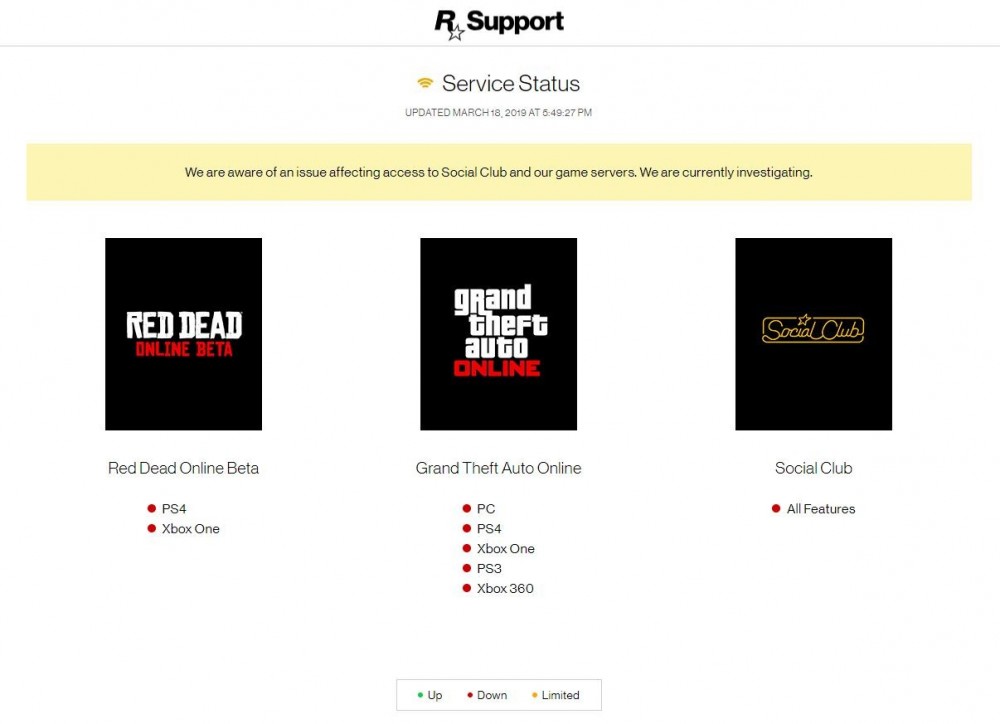
I've got the very same problem. Try to set the plugin timeout to 60000 in Ragehook. I can't try it at the moment, because the Social Club servers are down. Good luck. Please tell us if it worked. EDIT: Well, if the servers are down, I'm not sure how you are going to try it either... I cannot brain today. I has the dumb.^^
-
Ah, I somehow missed that one. Thanks. I will try that when the Social Club servers are working again. Currently they report "limited access". Again... -.- EDIT: Now they are down completely. Meh...
-
So nobody really has an idea why lspdfr 0.4.1 crashes everytime when I try to get on duty with a clean installation of GTA with no other plugins/mods? Didn't happen with 0.4 - it "only" crashed every 30min or so, which is still unplayable. But now I can't even go on duty...
-
You are lucky. I experience the exact opposite. 0.3 worked fine. 0.4 crashed once in a while and 0.4.1 crashes everytime I go on duty. Not playable. Even with a fresh, clean GTA 5 installation and no other plugins or mods of any kind.
-
Since I updated to 0.4.1, everytime I try to go on duty, lspdfr crashes. I did a clean installation and have no other mods installed. 0.3 hasn't been this unstable, really...
-
Oh well, I have a clean GTA5 installation with no mods other than lspdfr 0.4. and basic callouts. It still crashes every 10 to 30 minutes while on duty, even without basic callouts so there's only lspdfr and nothing else. I see no improvement to 0.3 (other than the new features). It's unplayable for me. In fact lspdfr 0.3 was more stable for me. It crashed after an hour at the earliest. But 0.4. is a disaster. Sometimes only lspdfr crashes but once in a while it takes down the whole game. Also it takes ages to load, while 0.3 loaded within seconds. Now, after the update on 0.4.1 lspdfr crashes everytime when I try to get on duty, no matte if in a police station or via console. What's the point of adding loads of new features, when the whole thing gets more and more unstable, to the point where it doesn't work at all? I'll have to delete this and give up lspdfr completely. It's very unfortunate.
-
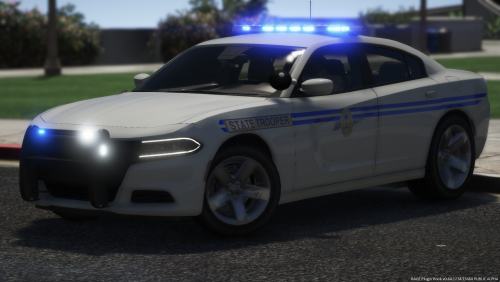 High quality mods without question. Would you mind having a look at the 2016 charger? Both the lightbar and the slicktop version have their front right passanger window tinted pitch black for some reason (can't see through at all). I have set the diffuseTint value in the vehicles.meta to 0x00FFFFFF. This one window remains black though for both versions. Not sure what's causing this but it is really unfortunate. Looking at it from the inside, it looks more like a texture rather than a tint to me. Shouldn't be there. You can even see it in your screenshots and videos here on this page, so the problem is not at my end of the line....
- 83 comments
- 19 reviews
-
LSPDFR 4.0 works flawlessly so far. But my female character has this old lady's creepy voice, that doesn't fit her appearance at all. Is there a way to switch (and save) to another voice?


