
coastiestevie
Members
-
Joined
-
Last visited
Everything posted by coastiestevie
-
From the album: Aviation Incident
-
They just had to add that little piece in at the end, didn't they.... Take-Two reserves the right to object to any third-party project, or to revise, revoke and/or withdraw this statement at any time in their own discretion. I wouldn't put it past them to try this crap again.
-
-
 Where are all of the crown victorias? I feel part 1 only has one car in it... Not sure what happened... restarted my PC and then redownloaded. Now all the cars are there.
- 951 comments
- 158 reviews
-
The statement "Unfortunately OpenIV enables recent malicious mods that allow harassment of players and interfere with the GTA Online experience for everybody", was just wrong and they know it. OpenIV does not allows or supports any kind of GTA Online mods. We always supported Rockstar in their right to protect GTA Online from hacks and cheats. But, Take-Two's C&D was specific for out Singleplayer mods and have no mentions about GTA Online.
-
 One of the mini bugs I've noticed is that when creating a character, when selecting a walk style, the character will not keep that walk style, when loading the game back up.
- 631 comments
- 71 reviews
-
-
-
I find it ridiculous how T2 thinks OpenIV is solely used to mod multiplayer... you can't even access multiplayer with your game fully modded. It just goes to show you they didn't do any research.
-
The way the ruling is written affects licenses such as those you agree to when you first power on a product. It basically means, that they can no longer claim to be only loaning you the product.
-
https://www.supremecourt.gov/opinions/16pdf/15-1189_ebfj.pdf
-
I've been informed that U.S. Congress has recently passed a law that will go in effect this year, which states that companies are no longer allowed to "force rent" games or "prohibit modding" on games purchased by the consumer. This will also affect gaming consoles. This of course will make Take Two angry, as they will have to adjust their policies.
-
Well screw them! Lol, modding isn't illegal. Even R* said so in the past. Lol, modding isn't illegal. Even R* said so in the past.
-
Agreeing to their rules on multiplayer... we own the game copy, not them. What we do with the game once we purchase it is none of their concern. We are not renting the game. What's the purpose of buying the game for $50+, if we can't do as we please?
-
I don't see how take two can do this... we own the game. We all paid money for this. WE own our copies of the game. We are free to do as we please on single player. Multiplayer is another story, however. I feel they are infringing on our rights as owners of the game.
-
-
 I've noticed the AI ELS lights don't flash in rockstar editor, but mine do. Anyway to fix this?
- 2,655 comments
- 234 reviews
-
 I'm not sure if it's just me, or if I did something wrong, but I feel the "red" lights on the driver side are actually orange.
- 93 comments
- 28 reviews
-
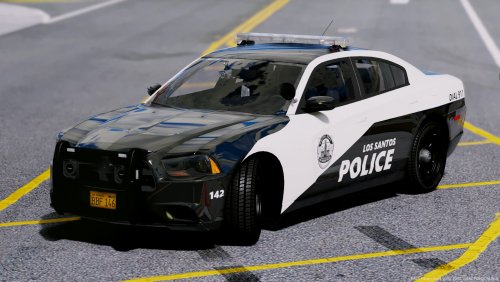
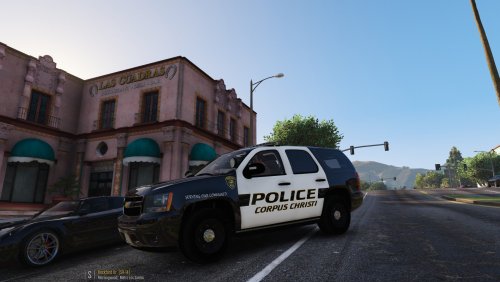 I noticed the logo above the tire on the LSPD version still says Corpus Christi
- 10 comments
- 3 reviews
-
 Does anyone know where I can check the progress of 7.5? It's been a while since there's been an update.
- 2,341 comments
- 236 reviews
-
-
-
-
-
 I also cannot open this file and I have 7z must have been an internet connection issue, fixed
- 311 comments
- 39 reviews
-
-

- 1
-

.thumb.jpg.c5658afecfb1e96c91234ed7584893ea.jpg)